
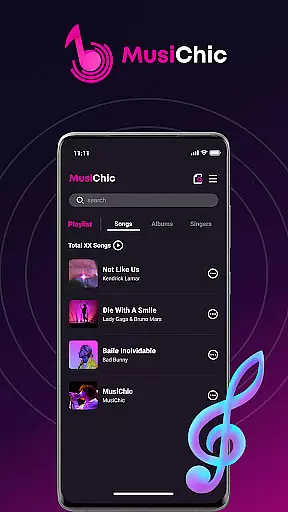
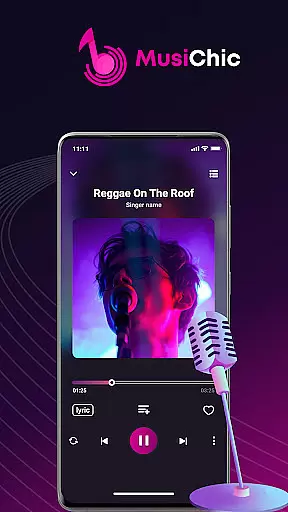
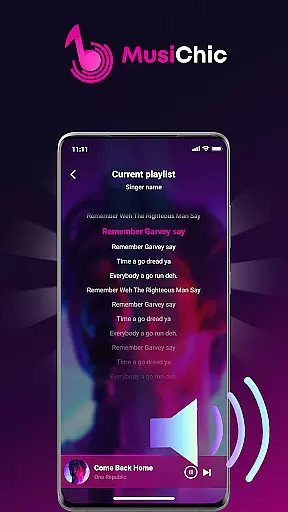
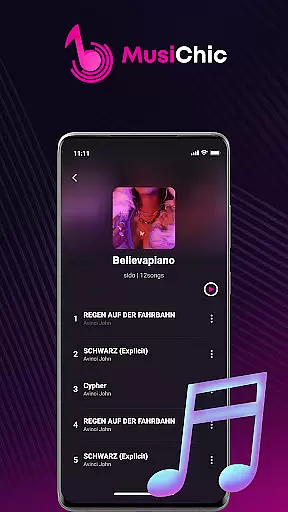
MusiChic is a premium offline music player designed for discerning music enthusiasts who value both quality and functionality. This application transforms your mobile device into a personal concert hall, delivering lossless audio playback across multiple formats including MP3, FLAC, and WAV.
The app's intelligent scanning system instantly organizes your entire local music library while its advanced categorization features sort tracks by album, artist, and genre automatically. Whether you're curating custom playlists for personal enjoyment or managing extensive music collections, MusiChic provides an elegant solution for all your audio needs.
MusiChic distinguishes itself through its sophisticated feature set tailored for audiophiles. The app's smart scanning technology not only detects audio files rapidly but also maintains their original quality during playback. Its support for various lossless formats ensures you experience music exactly as the artists intended.
What sets MusiChic apart is its intelligent organization system. The app automatically creates logical groupings of your music collection while enabling users to build unlimited personalized playlists. Its powerful search function and customizable interface allow for seamless navigation through even the largest music libraries, making it perfect for both casual listeners and serious collectors.
When it comes to music players, the size and authenticity of the music library are crucial factors. MusiChic offers an impressive local music library that is instantly accessible through its smart scanning feature.
The application supports a wide range of major audio formats, allowing users to enjoy an extensive collection of tracks without worrying about compatibility issues. This ensures that your music library remains comprehensive and up-to-date.
MusiChic emphasizes copyright authenticity by enabling users to manage their legally acquired music files efficiently. The app does not provide or promote unauthorized content, aligning with legal standards and respecting artist rights.
For audiophiles, audio quality is paramount, and MusiChic excels in delivering premium sound options. The player supports lossless audio playback, ensuring that every note and harmony is reproduced with precision.
Users can enjoy high-fidelity sound whether they're at home or on the go, making it perfect for different listening environments. The app's advanced audio processing capabilities guarantee a rich and immersive experience.
Moreover, MusiChic provides various customization settings, allowing listeners to tailor their audio experience according to personal preferences. This flexibility in adjusting sound parameters caters to both casual listeners and serious music enthusiasts.
Lossless audio quality
Intelligent library management
Fast file scanning
Custom playlist creation
Multiple format support
No streaming service integration
Limited social features
Premium price point
Android only
Offline mode only

Time Guru will strengthen your internal sense of musical time via random muting.
 4.30
4.30
Background pads for your band
3.80
Listen to live FM radio stations, sports, music and news on global radios online
4.70
The ultimate media player for Android devices
3.90
The alternative folder based music player.
4.20
Make songs with AI! Any genre, custom lyric, song generator for music creation!
4.80
Manage your Sonos system directly from your home-screen!
4.40
The iconic iOS metronome app is now on Android.
3.70
Responsive piano with great sounds, graphics, and songs
4.80
Music, News & Sports Radio Tuner App. Tune in Live FM & AM Radio Stations.
4.80
Simple & Intuitive Metronome
4.70
Gorgeous UI, Powerful music Search and Equalizer, the great choice for you!
4.70
Pay Once, no monthly payment
4.60
Enhance the sound quality of your devices, listen to what you want
4.50
DJ Music Mixer - DJ Remix: remix songs, make beat music & record mix of DJ.
4.40
Learn and play 2M+ music tabs & chords on guitar, ukulele, bass, and more
4.30
Offline and always ad-free - stream in the highest quality available.
4.10
Simple mp3 and mp4 player with advanced features.
3.40
Control your MIDI USB or Bluetooth devices in app and avoid some trampling
3.30


User Reviews