
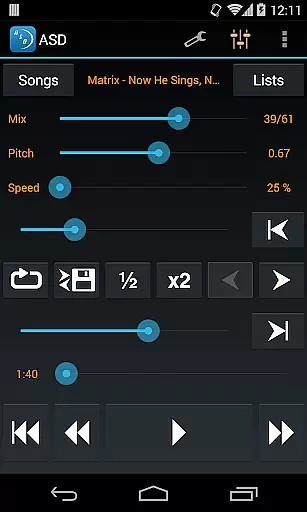
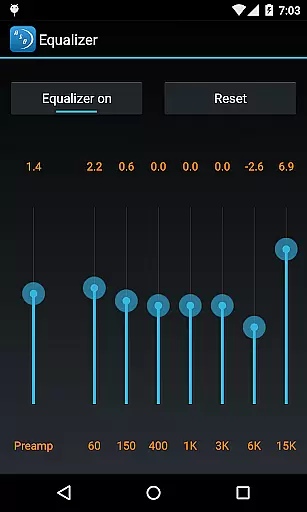
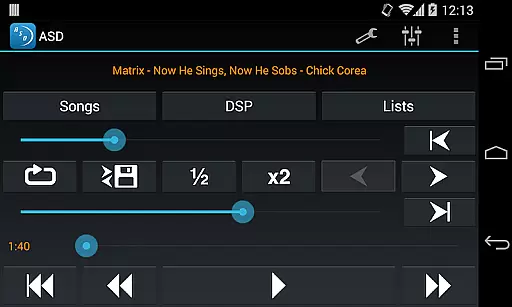
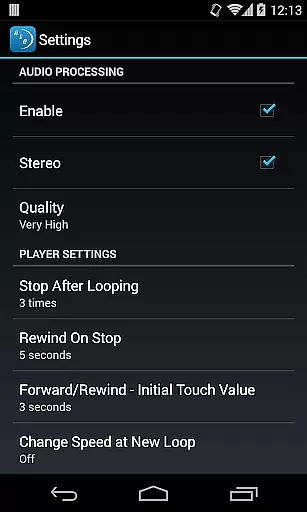
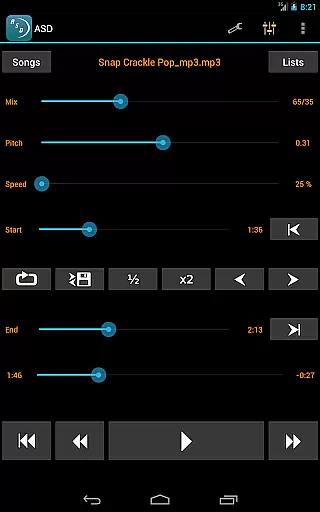
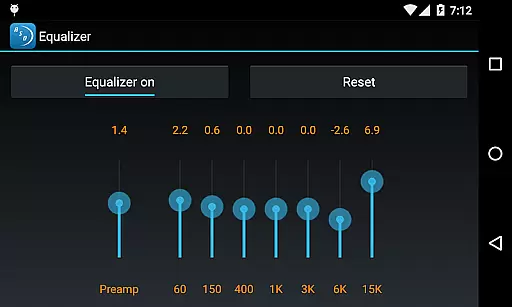
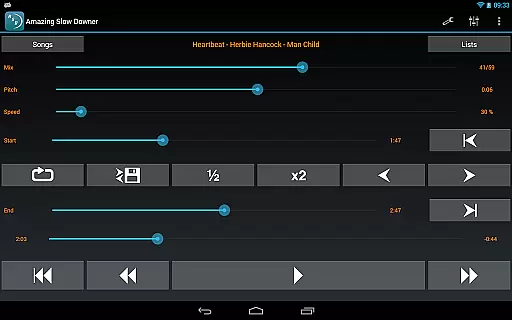
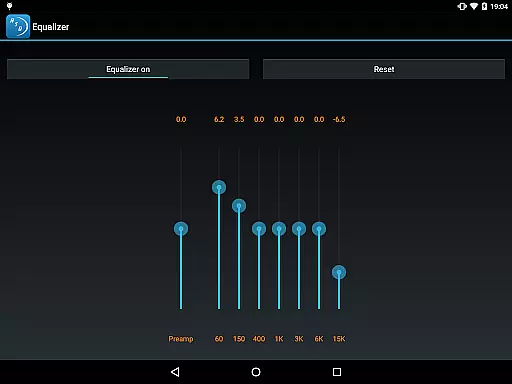
Amazing Slow Downer is a powerful tool designed for musicians, transcribers, and dancers who want to learn and improve their skills. This app allows users to slow down music without changing the pitch, making it easier to learn new songs and techniques. With the ability to change the speed between 25% and 200%, you can practice at your own pace. Additionally, Amazing Slow Downer offers seamless looping and the option to change the tuning or musical key, providing an ideal practice environment.
This app stands out with its outstanding sound quality and intuitive interface. Whether you're learning a complex guitar solo or perfecting a dance routine, Amazing Slow Downer ensures that every note is clear and precise. The app supports various audio formats, giving users the flexibility to work with their preferred music files. Available on multiple platforms, this tool is accessible to anyone looking to enhance their musical journey.
Amazing Slow Downer boasts a range of features that cater to the needs of musicians and dancers alike. One of its standout capabilities is the ability to adjust playback speed from 25% to 200% without altering the pitch. This feature allows users to learn and practice at a comfortable pace, ensuring they grasp every detail of the music. The app also supports seamless looping, which can be set up easily by touching the 'Set' buttons during playback, allowing for repetitive practice of specific sections.
In addition to speed control, Amazing Slow Downer enables users to change the tuning or musical key of the audio. This functionality is particularly useful for musicians who need to adapt songs to different instruments or vocal ranges. The app's exceptional sound quality ensures that even at slower speeds, the audio remains crisp and clear. With support for various audio formats and an intuitive user interface, Amazing Slow Downer provides a comprehensive solution for anyone looking to refine their musical or dance skills.
Amazing Slow Downer offers a unique approach to music playback and practice, allowing musicians and learners to delve deep into their favorite tracks. While it doesn't provide a built-in music library, its compatibility with your personal music collection ensures that you have complete control over the content you wish to slow down or speed up. This means every track you use is authentic and personally owned, eliminating any copyright concerns.
The app supports various audio formats, making it versatile for different user preferences and collections. Whether you're working with MP3s, WAVs, or other common file types, Amazing Slow Downer handles them seamlessly. This flexibility ensures that musicians can work with a vast array of music genres and styles, all while maintaining the original quality and authenticity of the sound.
Furthermore, the ability to adjust the speed from 25% to 200% without affecting the pitch allows users to learn and practice at their own pace. This feature is invaluable for transcription, learning new techniques, or perfecting dance routines. The app's outstanding sound quality ensures that even at slower speeds, the nuances of the music remain intact, providing an unparalleled listening and learning experience.
One of the standout features of Amazing Slow Downer is its exceptional audio quality, which remains pristine even when altering the playback speed. This capability is crucial for musicians and transcribers who need to discern subtle details in the music they are studying. By supporting high-quality audio formats and maintaining the integrity of the sound during speed changes, the app ensures that users receive an accurate representation of the music.
In addition to preserving audio fidelity, Amazing Slow Downer provides options to change the tuning or musical key of a track. This feature is particularly beneficial for musicians who want to practice in different keys or adapt songs to suit their vocal range or instrument tuning. The app achieves this without introducing distortion or loss of quality, making it an indispensable tool for comprehensive music practice and performance preparation.
Moreover, the seamless loop functionality enhances the practice experience by allowing users to focus on specific sections of a song repeatedly. By touching the 'Set' buttons during playback, musicians can create precise loops that target challenging parts of a piece. This targeted practice, combined with the app's superior audio quality, empowers users to improve their skills efficiently and effectively, ensuring they get the most out of every practice session.
User-friendly interface
High-quality audio output
Seamless looping functionality
Pitch preservation at varied speeds
Supports multiple audio formats
No official Spotify support
Limited advanced editing tools
Occasional compatibility issues
Subscription required for full features
Interface may feel outdated

Pay Once, no monthly payment
 4.60
4.60
Full-featured, High-Quality Groovebox Workstation, perfect for Live Performance!
4.80
Powerful beat maker & DJ mixer to remix tracks, make music, & perform DJ mix
3.70
Your song collections with lyrics and chords on Android smartphones and tablets.
4.80
More downloads than any other metronome. Includes drum machine & tempo trainer.
4.80
Super Sound Editor, Song Maker & Mixer, Vocal Remover, Voice Recorder & Changer!
4.60
Play your hearts out on TouchTunes jukeboxes & connect with fellow music lovers.
4.80
Music, News & Sports Radio Tuner App. Tune in Live FM & AM Radio Stations.
4.80
Learn the notes on the guitar fretboard fast with this easy and fun app
4.60
Responsive piano with great sounds, graphics, and songs
4.80
Ultimate Sonos Controller
4.70
Record, Mix & Master with all n-Track effects, 64-bit audio and Stem Separation.
4.70
Recording studio w/ 10k beats, pro vocal FX and a network of 20M rappers & fans!
4.60
Reverse your voice & songs instantly! Fun singing challenge with cool effects.
4.60
Ringtone Maker is free app create ringtone from music files or your recording.
4.40
Your HD audio recorder on the go for music, meetings, ambience, animal sounds…
4.30
PowerAudio is a powerful offline music player.
4.20
Next generation modular control surface
4.10
Turn your phone into a musical instrument from the future!
3.90


User Reviews