
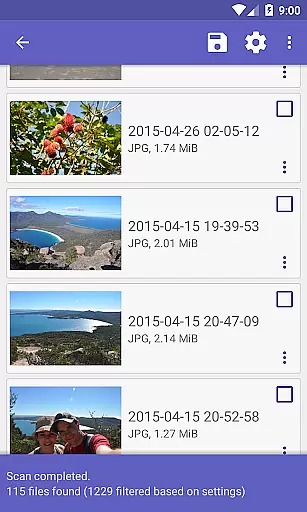
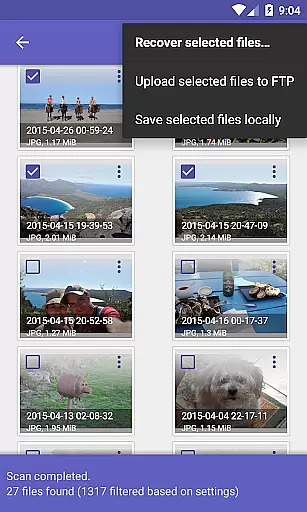
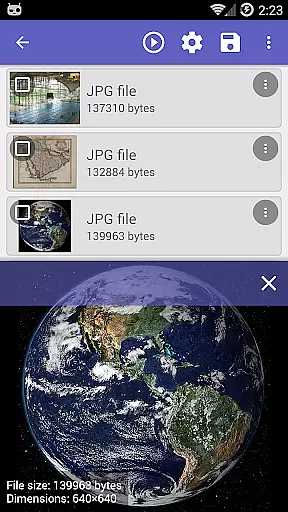
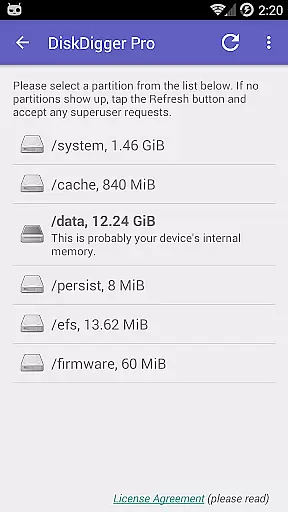
DiskDigger Pro file recovery is a powerful tool designed for rooted Android devices, enabling users to recover lost files including photos, documents, videos, and music. With its advanced scanning capabilities, the app can retrieve deleted files even from reformatted memory cards or internal storage. The application supports a wide range of file types and offers multiple recovery options, making it an essential utility for data recovery.
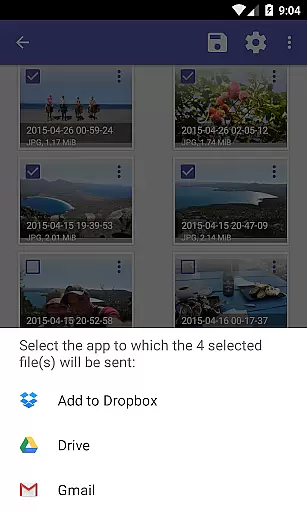
While non-rooted devices have limited functionality, primarily recovering lower-resolution images, DiskDigger Pro shines on rooted devices where it can access the entire memory. Its ability to permanently delete unwanted files and wipe free space adds an extra layer of data management and security. Users can conveniently upload recovered files to cloud services like Google Drive or Dropbox, enhancing its practicality and ease of use.
DiskDigger Pro stands out with its comprehensive data recovery features tailored for rooted Android devices. It employs a robust scanning mechanism capable of detecting various file types such as JPG, PNG, MP4, DOCX, and more. This ensures that users can retrieve a diverse array of lost content, from personal photos to important documents.
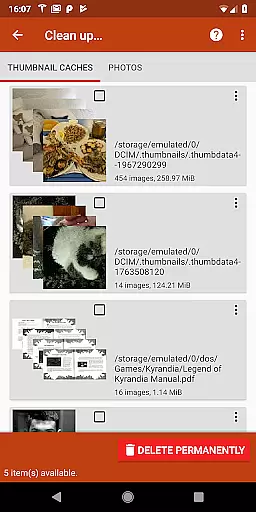
Beyond simple recovery, the app provides tools for managing recovered data effectively. Users can clean up unnecessary items and wipe free space to prevent future recovery of deleted files. Additionally, the app facilitates easy sharing and storage of recovered files through integration with Google Drive, Dropbox, email, and FTP servers, thus catering to both personal and professional needs.
The app's ability to work on reformatted memory cards and its experimental feature to clean up and wipe free space make it a versatile choice for maintaining device health and security. These features collectively enhance user control over their digital content, ensuring both recovery and responsible data management.
DiskDigger Pro exemplifies core function accuracy and effectiveness through its advanced data recovery capabilities. Designed for rooted devices, it employs powerful algorithms to scan both internal memory and memory cards. This ensures the retrieval of lost files, including photos, documents, and multimedia with precision.
The app supports a wide array of file types such as JPG, PNG, MP4, DOCX, and more, showcasing its extensive compatibility. Its ability to recover high-resolution files after accidental deletion or reformatting underlines its effectiveness. For non-rooted devices, although limited to basic scans, DiskDigger Pro still offers remarkable functionality by recovering lower-resolution files from cache and thumbnail directories.
Users benefit significantly from features like 'Clean up' and 'Wipe free space', which help manage recovered files and secure devices against future unauthorized data recovery attempts. These tools not only enhance user control over their data but also optimize device storage efficiently.
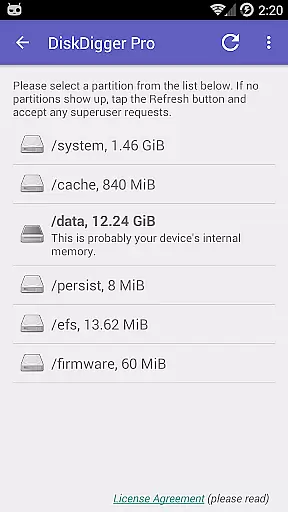
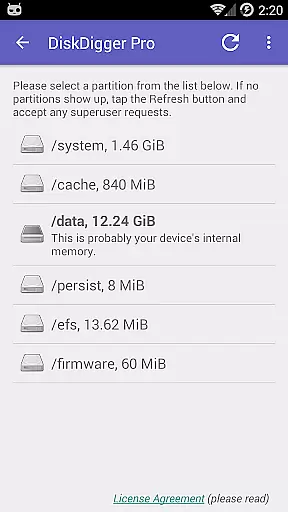
The interface of DiskDigger Pro is crafted to ensure simplicity and intuitiveness, making data recovery accessible even for novice users. Upon launching the app, users are greeted with straightforward options to initiate scanning processes tailored to their specific needsu2014be it a full scan or a limited one based on device permissions.
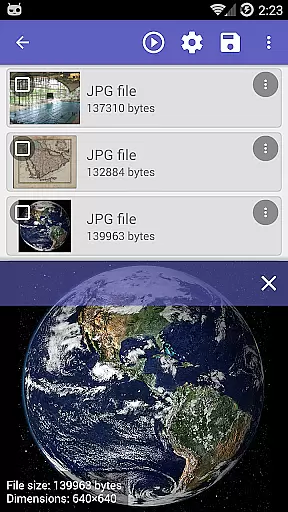
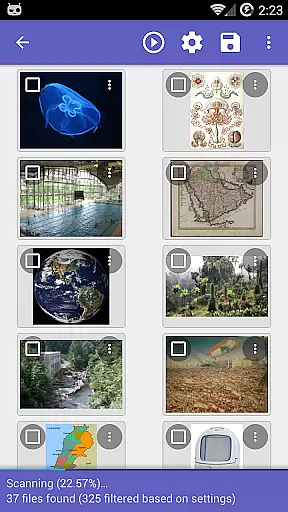
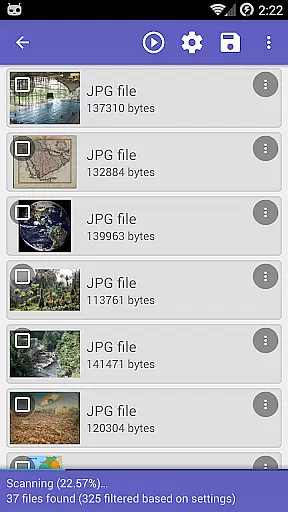
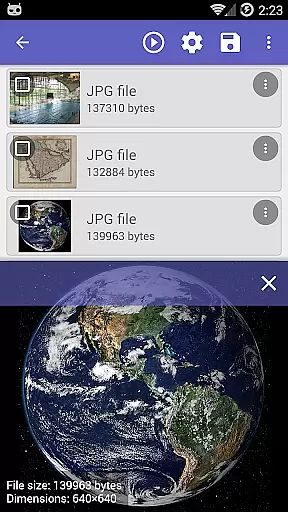
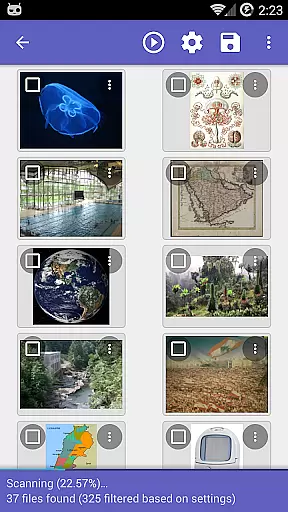
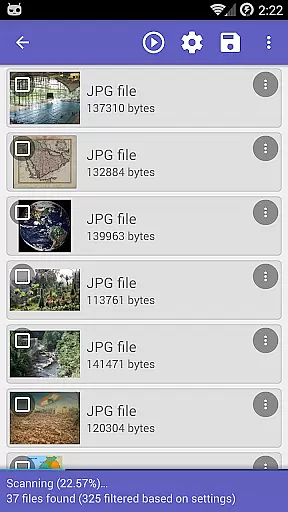
Navigation within the app is streamlined; after completing scans, results are presented clearly, allowing users to preview recoverable items before restoration. Actions such as uploading recovered files directly to cloud services like Google Drive or Dropbox, sending via email, or saving locally are seamlessly integrated into the workflow.
This intuitive design extends to advanced features like 'Clean up' and 'Wipe free space', which are easy to locate and utilize without requiring technical expertise. Such thoughtful organization ensures that all critical functionalities are readily accessible, enhancing overall usability while maintaining an uncluttered user experience.
Advanced scanning capabilities
Wide file type support
Integration with cloud services
Free space wiping feature
User-friendly interface
Limited functionality on non-rooted devices
Rooting requirement for full features
Experimental cleanup feature
Potential complexity for novice users
Requires technical knowledge for best results

Quickly switch to an encrypted DNS server on Android TV
 4.50
4.50
Universal TV remote control all TVs, Roku, LG, Samsung, Fire, Vizio, Sony, TCL.
4.40
Amateur Radio app for APRS: Track friends, exchange messages, get tactical info.
3.90
View detailed information about your Nissan Leaf the dealer never shows you.
4.10
Mirror your screen to Chromecast and Android TV - Super fast and simple
4.60
With videos, electrical calculators, and built-in ebook, Ugly’s has your answer.
4.50
Play your X-Box games remotely in 1080p with any controller and zero latency
4.60
Clean up large files and similar photos, fast and easy to use
4.40
Enhance your Beats
3.70
Enjoy smooth gameplay with Game Booster
4.90
The one-and-only remote control for PC, Mac, and Linux
4.70
HD Video player and downloader for all formats, fast & smooth 4K video playback.
4.60
Just swipe the edge to do something!
4.40
Use your phone as a webcam on your computer over WiFi or USB.
4.40
pdf merge, word to pdf, jpg to pdf, edit pdf, convert to pdf and much more!
4.20
1-Click close all background apps on Android TV
3.90
Create your own custom widget with endless possibilities
3.90
A powerful, easy-to-use flight computer on your phone or tablet!
3.80
Unlock your Essential Key. Create custom shortcuts to your favorite apps!
4.2


User Reviews