
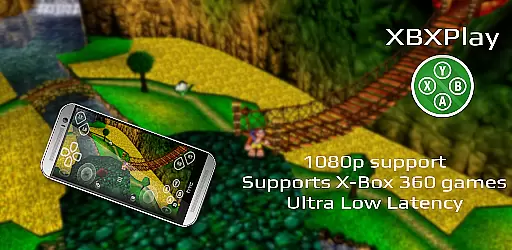
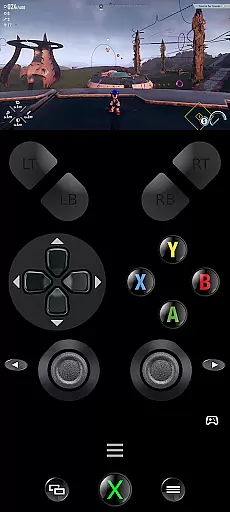
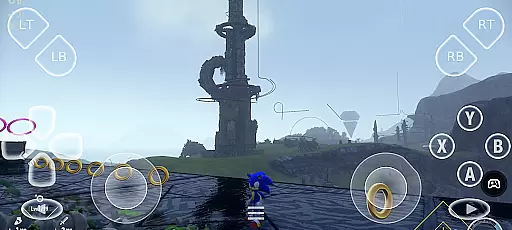
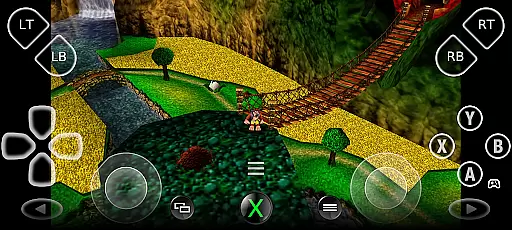
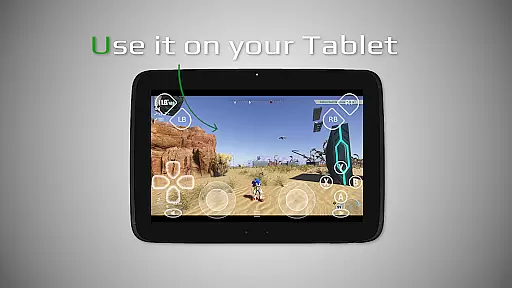
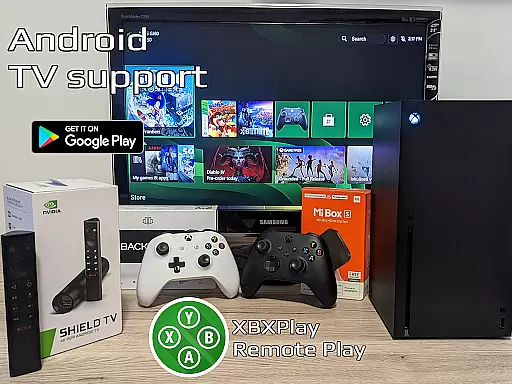

XBXPlay is a powerful remote control application that allows users to seamlessly control their X-Box Series X/S or X-Box One (X/S) consoles from their mobile devices. The app supports 1080p streaming, ensuring high-quality gameplay even when you're away from your console. With optimized low-latency streaming, third-party controller support, and the ability to play X-Box 360 games, XBXPlay offers an unmatched gaming experience.
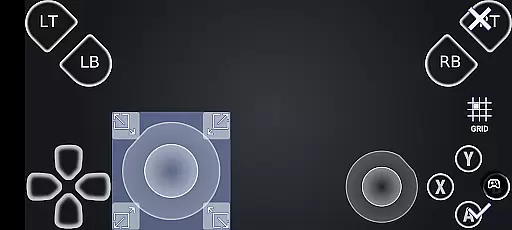
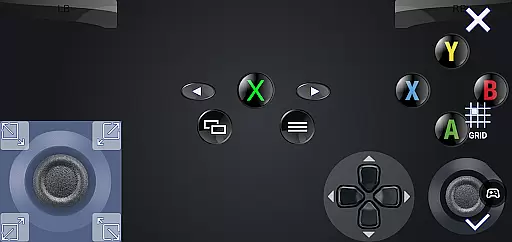
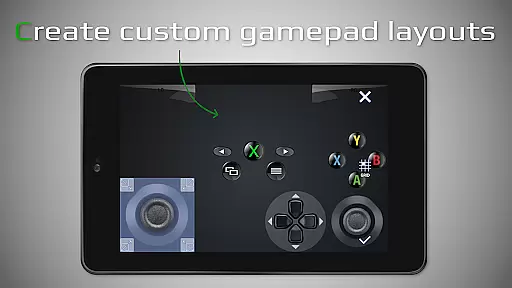
One of the standout features of XBXPlay is its customizable onscreen gamepad layout, which lets users create personalized controls tailored to specific games. Additionally, it provides unique functionalities such as manual bitrate adjustments, fullscreen support without black bars, and USB-OTG compatibility. These advanced features make XBXPlay a versatile tool for both casual and hardcore gamers who want to enjoy their favorite titles remotely.
The app is particularly useful for those with stable internet connections, as it requires at least 20 Mbps upload and download speeds for optimal performance. Whether you're looking to play modern X-Box games or even backwards-compatible X-Box 360 titles, XBXPlay delivers a smooth and responsive experience. It also doubles as a virtual gamepad, making it a comprehensive solution for remote gaming needs.
XBXPlay stands out with its extensive feature set designed to enhance the remote gaming experience. The app supports 1080p streaming, providing crisp visuals that are essential for immersive gameplay. Unlike the official X-Box Remote Play app, XBXPlay includes several advanced options such as manual bitrate adjustments, customizable onscreen gamepad layouts, and fullscreen support without black bars. These features ensure that users can tailor their experience to match their preferences and hardware capabilities.
Another key aspect of XBXPlay is its compatibility with third-party controllers and native USB-OTG support, allowing users to connect various input devices for a more traditional gaming feel. The app also supports gamepad button mapping, giving players the flexibility to customize control schemes. Additionally, XBXPlay offers Picture-In-Picture mode and Multi-Window support for devices running Android 8.0 or newer, enabling multitasking while gaming. These innovations highlight the app's focus on delivering a low-latency, high-performance streaming solution.
For optimal results, XBXPlay recommends using devices with dual-core CPUs, at least 2GB of RAM, and a display resolution of 1024x768 or higher. A wired internet connection for the X-Box and a 5GHz WiFi network for the mobile device are strongly advised to minimize delays. By combining these hardware recommendations with its robust feature set, XBXPlay ensures a reliable and enjoyable remote gaming experience for all users.
XBXPlay excels in delivering core functionalities with precision and efficiency, ensuring an optimal remote gaming experience. The app supports 1080p streaming, which allows users to enjoy high-definition gameplay directly from their X-Box consoles. This feature is crucial for gamers who demand clear visuals and smooth performance while playing remotely.
The application's support for X-Box 360 games broadens its appeal, catering to fans of classic titles. By enabling manual bitrate adjustments, XBXPlay ensures that users can customize their streaming quality based on their internet connection, thus maintaining low latency and high responsiveness during gameplay sessions. These technical capabilities highlight the app's commitment to providing a versatile and reliable remote play solution.
Furthermore, XBXPlay offers a customizable onscreen gamepad layout, allowing players to tailor controls to their preferences. This level of personalization enhances user comfort and control, making it easier to engage with games without the need for physical controllers. Such features demonstrate how XBXPlay prioritizes both functionality and user experience, setting it apart as a powerful tool for remote gaming.
A streamlined and intuitive interface is essential for any application, and XBXPlay delivers this through its user-friendly design. The app provides fullscreen support without black bars, maximizing the viewing area and enhancing immersion for users. This attention to visual detail ensures that gamers can focus entirely on their gameplay without distractions.
XBXPlay also includes picture-in-picture mode and multi-window support, features that add convenience and flexibility to the user experience. These functions allow players to multitask or keep an eye on their game while using other apps, demonstrating the app's adaptability to various usage scenarios. Such thoughtful design elements contribute significantly to the overall usability of the platform.
Additionally, the app's native USB-OTG support simplifies the connection process for third-party controllers, reducing setup complexity. By offering these practical features alongside its core functionalities, XBXPlay proves its dedication to creating an accessible and enjoyable interface for all types of gamers. This blend of simplicity and advanced capabilities makes the app a standout choice in the realm of remote gaming tools.
Supports 1080p streaming
Customizable onscreen gamepad
Low latency optimization
Third-party controller support
USB-OTG compatibility
No microphone support
Requires strong internet
Complex setup process
Limited firmware compatibility
Premium features may cost extra

A powerful, easy-to-use flight computer on your phone or tablet!
 3.80
3.80
HD Video player and downloader for all formats, fast & smooth 4K video playback.
4.60
Optimize your WiFi network, turn your phone into Wifi Analyzer
4.70
Small and simple app to Verify Root Access and BusyBox Install!
4.70
Signal Strength, Mobile, Wifi, Speed Test, Bad Signals, Cellular, 5G, LTE, 4G
4.20
Game Booster, GFX Tool is now compatible with newer game update
4.50
NFC Tools can read and write NFC tags.
4.70
Fast VPN USA for any country. Super secure VPN for calls, streaming, games, TV.
4.40
Your personal health butler
3.60
Fast Video Downloader, Movie Downloader, Torrent Downloader & Adblock Browser
4.70 4.50
4.50
Complete kernel toolbox with features to manage and tweak your rooted device
4.30
Just one-tap to easy translate in any language after calls within seconds.
4.20
Carry a FTP server in your pocket and avoid USB cables for file transfer
4.20
View detailed information about your Nissan Leaf the dealer never shows you.
4.10
Detect hidden spy camera with advanced scanning {{ Premium version }}
4.00
Safely recover deleted photos, videos, and files with a single easy tap.
3.70
Clean the junk files on your device
3.40
PDF Reader - Document Viewer: Read, Manage & Organize Your Documents
3.10


User Reviews