
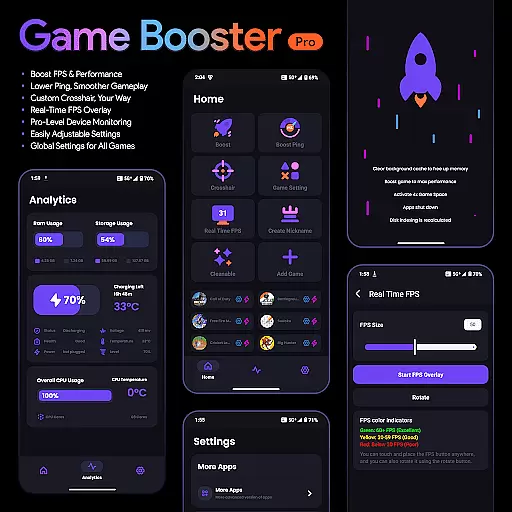
Game Booster Pro is a powerful mobile application designed to enhance your gaming experience by optimizing device performance. The app focuses on boosting FPS, reducing lag, and providing real-time monitoring of device stats, making it an essential tool for gamers.
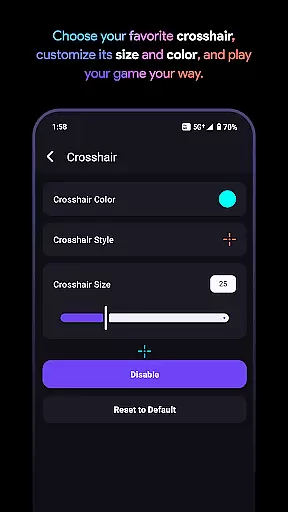
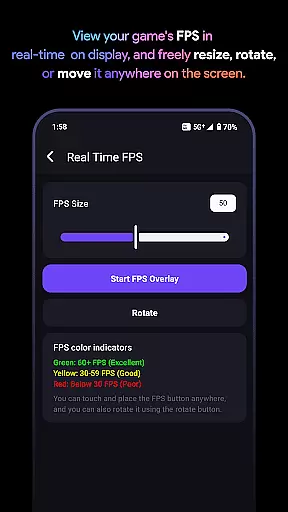
One of the standout features of Game Booster Pro is its ability to customize crosshairs and provide an FPS overlay, allowing users to fine-tune their gaming environment. Whether you're playing first-person shooters or other competitive games, this app ensures smoother gameplay with optimized settings tailored to your device.
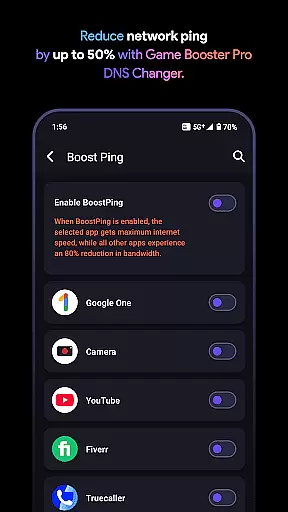
The app's network optimization capabilities, powered by VpnService, prioritize game traffic to reduce ping and lag. This makes it particularly useful for online multiplayer games where network stability is crucial. With its user-friendly interface and privacy-focused design, Game Booster Pro offers both performance and peace of mind.
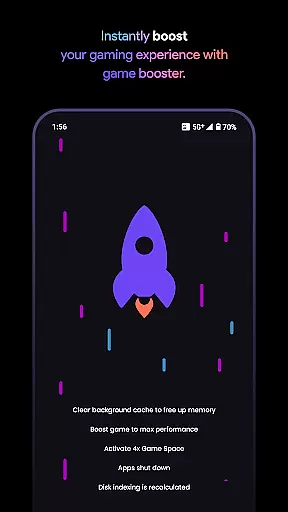
Game Booster Pro stands out with its comprehensive suite of gaming optimization tools. The app's FPS boosting feature optimizes device settings to deliver higher frame rates, resulting in smoother gameplay. This is especially beneficial for graphically intensive games that demand high performance.
In addition to performance enhancements, the app includes a customizable crosshair feature. Gamers can create and adjust crosshairs to suit their preferences, giving them a competitive edge in shooting games. The real-time FPS overlay allows users to monitor performance metrics without leaving the game, ensuring they maintain optimal settings.
The app's use of VpnService technology optimizes network traffic specifically for gaming, reducing lag and improving connection stability. By prioritizing bandwidth for selected games and minimizing background app interference, Game Booster Pro delivers a seamless online gaming experience while maintaining user privacy through its local-only VPN connection.
Game Booster Pro is designed to deliver precision and effectiveness in enhancing gaming performance. The app optimizes frame rates (FPS) and reduces lag, ensuring that gamers experience smoother gameplay without interruptions. By prioritizing network traffic for selected games through its VpnService feature, the app ensures lower ping and reduced network latency, which is crucial for online gaming.
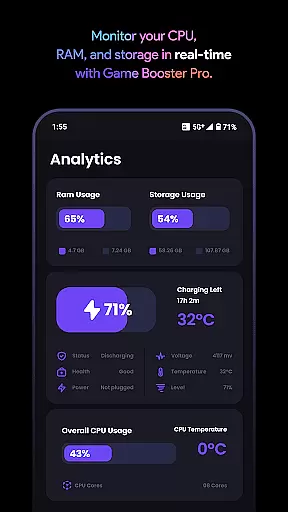
The real-time FPS overlay and device monitoring tools provide accurate data about your gaming session and device performance. This allows users to make informed decisions about settings adjustments, ensuring optimal gaming conditions at all times. With easily adjustable settings and global preferences, the app caters to both casual and pro gamers who need quick access to performance tweaks.
Users benefit from a seamless optimization process that requires minimal effort. The app's ability to create a local-only VPN connection ensures that no external servers are involved, keeping user data private while optimizing network resources. This approach not only enhances gaming performance but also maintains security and privacy, making it a reliable tool for gamers who value both speed and safety.
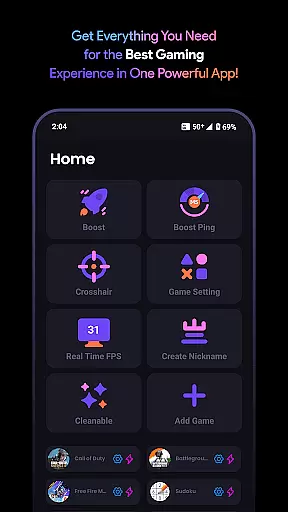
A user-friendly interface is essential for any tool, and Game Booster Pro excels in providing an intuitive experience. The app features a straightforward design that allows users to customize settings with just a few taps. Whether adjusting crosshairs or monitoring device stats, the interface ensures that all options are easily accessible, reducing the learning curve for new users.
The app's layout is thoughtfully organized, grouping related features together for ease of use. For instance, the FPS boosting and network optimization settings are conveniently located, allowing gamers to quickly enable or disable these features as needed. This logical arrangement helps users focus on their gaming rather than navigating complex menus.
By offering a clean and simple interface, Game Booster Pro ensures that even those unfamiliar with technical settings can enhance their gaming experience effortlessly. The emphasis on usability extends to the app's secure handling of data, reinforcing trust through transparency. Gamers can confidently use the app knowing that their privacy is protected while enjoying improved performance.
Boosts FPS effectively
Reduces gaming lag
Customizable crosshair
Real-time performance monitoring
User-friendly interface
Premium features locked
Requires constant updates
Limited free options
Network optimization varies
Device compatibility issues

 4.50
4.50
Connect instantly to a fast, encrypted VPN with one tap
4.60
HD Camera captures every special moment.
4.60
Complete kernel toolbox with features to manage and tweak your rooted device
4.30
This app unlocks the Pro features of the Central for DayZ app
3.60
Best leveling tool for your Android device. Hang paintings like a pro.
4.90
Support Fossify apps with a warm thank you!
5.00
Creation, Learning, Entertainment & More — The All-in-One AI Search Engine
4.70
A clean app.
4.50
Monitor car performance in real time and troubleshoot malfunctions.
4.80
Optimize your WiFi network, turn your phone into Wifi Analyzer
4.70
ADB support Android 4.X-Android 13(Support wireless pair mode).No root required!
4.70
Canon PRINT is a companion app for your Canon printer.
4.60
Head tracking for PC sim games such as MSFS 2024 or Elite:Dangerous. No headset!
4.50
Screen Mirroring for Roku Sticks, Roku TCL TV and Roku Hisense TV
4.50
Forza Tuning Calculator App for Forza Horizon 5, Motorsport and Earlier Titles
4.40
A convenient photo, video, and file recovery tool.
4.00
Introducing Smart Printer, your ultimate destination for printing solutions!
4.00
A non-root local ADB shell client. READ BELOW!
3.40


User Reviews