
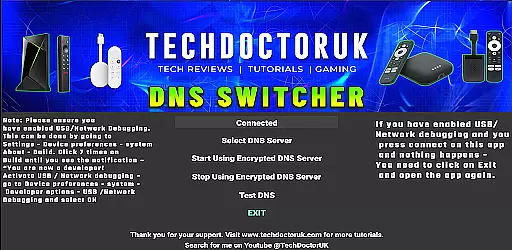
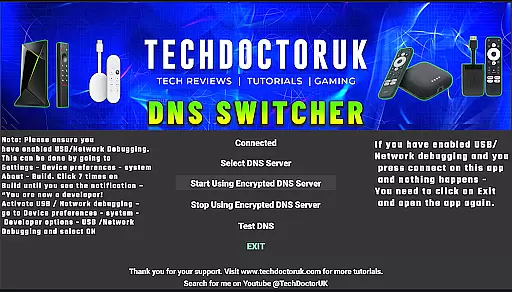
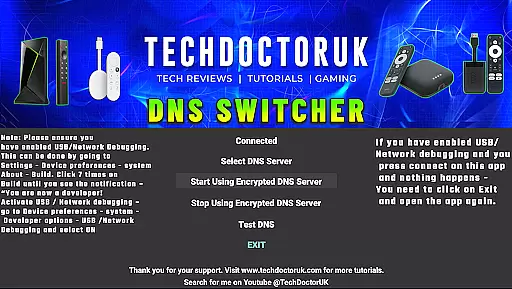
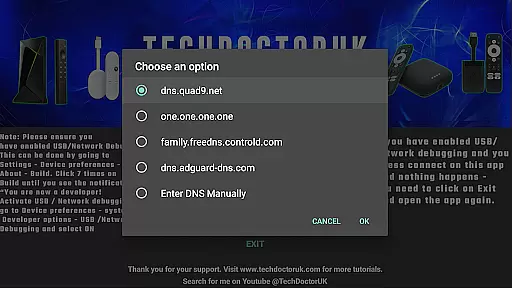
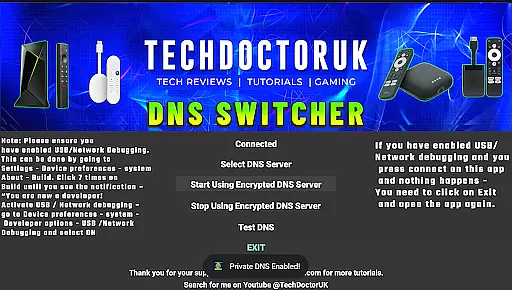
TDUK DNS Switcher is a specialized tool designed to enhance your Android TV's security by enabling encrypted DNS settings. This application allows users to select from a list of trusted encrypted DNS servers or input custom server details, ensuring privacy protection and secure DNS requests.
The app is particularly useful for tech-savvy individuals who prioritize online security and want to prevent ISPs or other entities from tracking their browsing activities. By encrypting DNS queries, it safeguards sensitive information and ensures that your internet activity remains private and protected.
TDUK DNS Switcher offers several notable features that make it stand out in the realm of network tools. First, it provides an easy-to-use interface for configuring encrypted DNS on Android TV devices, which is crucial for maintaining privacy.
Additionally, the app supports multiple well-known encrypted DNS providers, giving users flexibility in choosing their preferred service. The ability to add custom DNS servers further enhances its utility, catering to advanced users with specific requirements. These features collectively ensure a safer and more private internet experience.
TDUK DNS Switcher focuses on providing users with a reliable way to enhance their privacy by switching to encrypted DNS servers. This functionality is crucial for ensuring that your DNS requests are safeguarded against unauthorized access and potential threats.
The app allows users to choose from a list of well-known encrypted DNS servers, or they can manually input their preferred server. This flexibility ensures that whether you're looking for speed, privacy, or specific content filtering, there's an option available that fits your needs.
By enabling USB or Network Debugging before using the app, users ensure seamless integration and operation. This preliminary step guarantees that the core function of setting an encrypted DNS server operates smoothly on Android TV devices.
Ultimately, TDUK DNS Switcher delivers peace of mind by securing your internet traffic through trusted DNS encryption methods, thus protecting both personal data and online activities.
A straightforward and intuitive interface is essential for any tool-based application, and TDUK DNS Switcher excels in this area. The design prioritizes ease of use, making it accessible even for those who may not be tech-savvy.
Upon opening the app, users are greeted with clear instructions and a simple layout that guides them through the process of selecting and setting up an encrypted DNS server. This approach minimizes confusion and helps users quickly understand how to protect their privacy effectively.
Moreover, the minimalistic design ensures that all necessary functions are easily accessible without overwhelming the user with unnecessary details. Each feature is presented in a logical sequence, enhancing overall usability.
By focusing on interface simplicity and intuitive navigation, TDUK DNS Switcher ensures that users can efficiently manage their DNS settings, thereby improving both security and user satisfaction.
Enhances privacy
Easy to use
Supports custom DNS
Multiple server options
Specific to Android TV
Requires debugging
Limited to Android TV
No iOS support
Advanced setup needed
Interface not intuitive

 4.10
4.10
1-Click close all background apps on Android TV
3.90
Clean the junk files on your device
3.40
card-reader app
2.20
The Ultimate Bluetooth Keyboard & Mouse. Securely control your PC, Mac, and more
4.50
Screen Mirroring for Roku Sticks, Roku TCL TV and Roku Hisense TV
4.50
Download any file easily and quickly with Downloader
4.4
Button mapper, mouse toggle, sleep timer and a lot of another features
4.50
The ideal app to be the digital eye of your family
3.40
Learn the vast amount of system information about device and monitor it's state
4.70
NFC Tools can read and write NFC tags.
4.70
Protect your device with antivirus, storage cleanup, and system monitoring
4.70 4.50
4.50 4.50
4.50 4.50
4.50
Just swipe the edge to do something!
4.40
Mirror your screen to Fire TV - Super fast and simple
4.40
Automate everything from settings to photos, SMS to speech. ADC2 prize winner.
4.10
A non-root local ADB shell client. READ BELOW!
3.40


User Reviews