
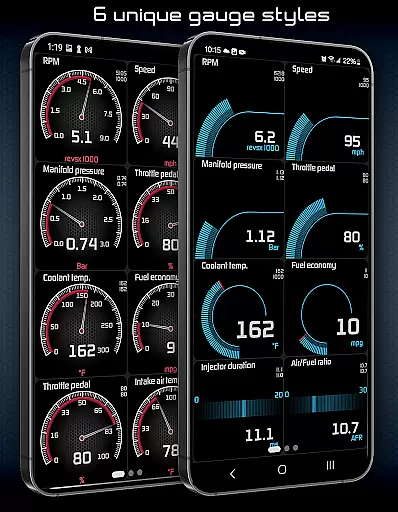
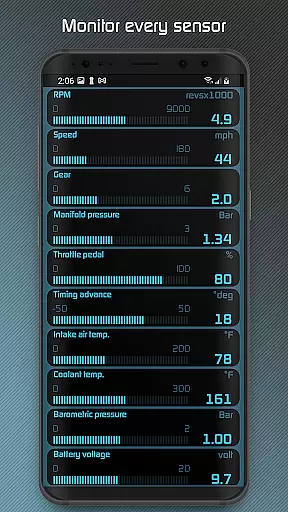
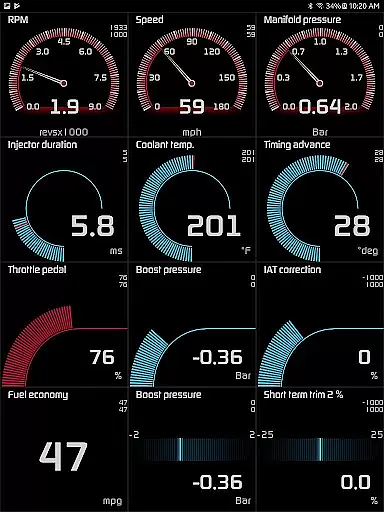
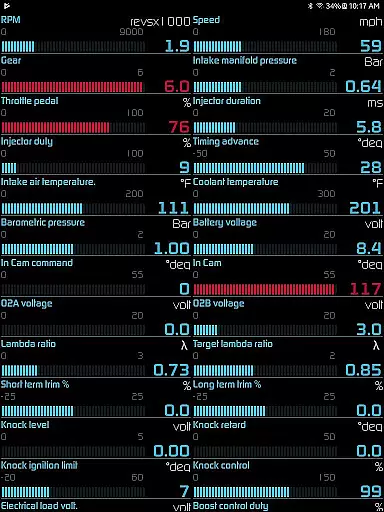
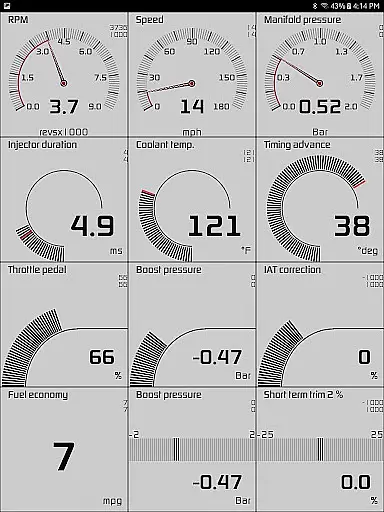
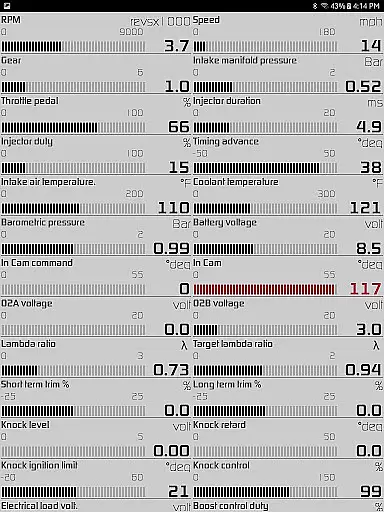
Hondata is a powerful automotive tool designed specifically for Honda vehicle owners. This app transforms your Android device into an advanced performance tracking and diagnostic system, allowing you to monitor real-time data from up to 80 sensors in your car. From fuel economy readings to boost pressure and battery voltage, Hondata provides comprehensive insights into your vehicle's performance.
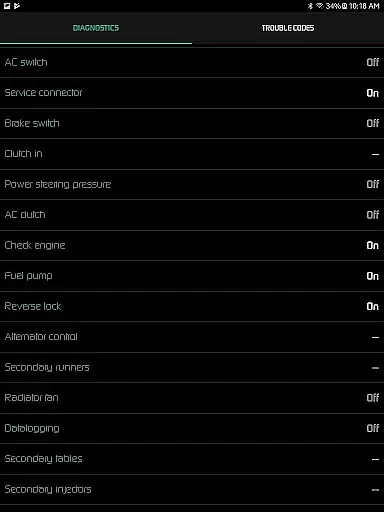
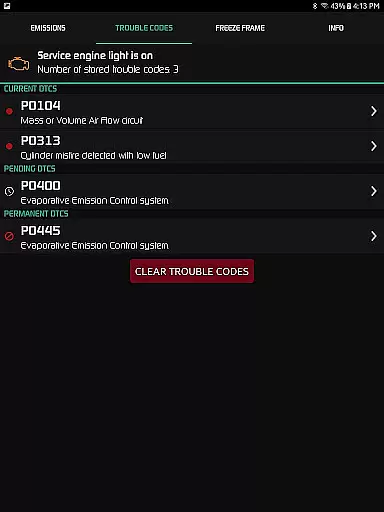
One of the standout features is its customizable gauge system that lets users track specific metrics while driving. The app also includes advanced diagnostic capabilities, enabling users to read and clear trouble codes directly from their vehicle's ECU. Whether you're looking to improve your car's efficiency or need detailed performance metrics for racing, Hondata delivers professional-grade tools directly to your mobile device.
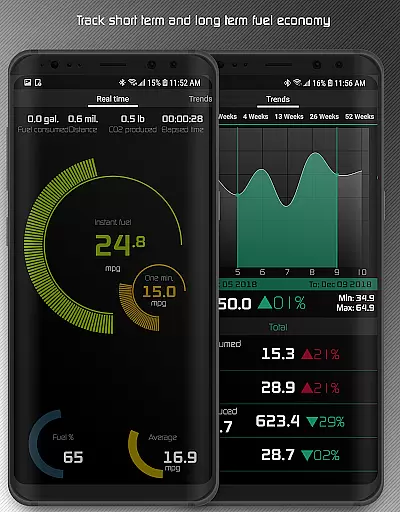
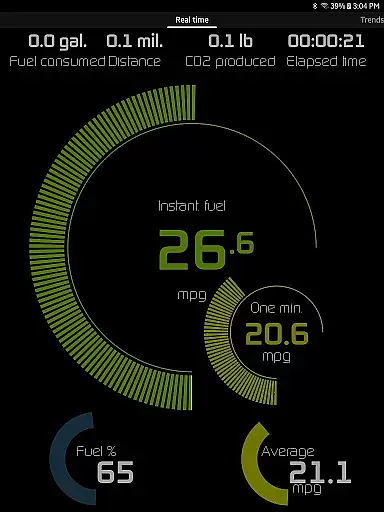
The application particularly shines in its ability to help users save money on fuel by providing multiple methods of calculating fuel economy across different units of measurement. Additionally, its racetrack feature offers precise timing measurements for drag races and lap times, making it an invaluable tool for automotive enthusiasts who want to optimize their vehicle's performance while maintaining complete control over maintenance monitoring.
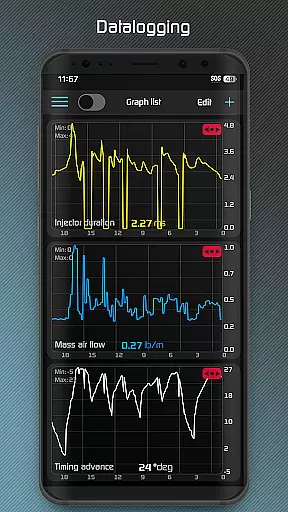
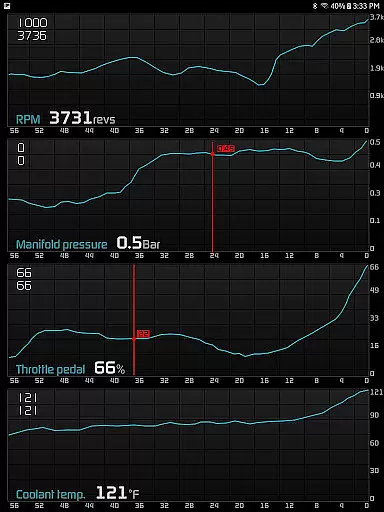
Hondata stands out with its extensive array of features tailored for automotive enthusiasts. The app's customizable gauge system allows users to monitor up to 80 different sensors in real time, including crucial metrics like fuel economy, boost pressure, and battery voltage. What makes this feature exceptional is the ability to plot sensor data onto interactive graphs while recording up to four sensors simultaneously, providing a comprehensive view of vehicle performance.
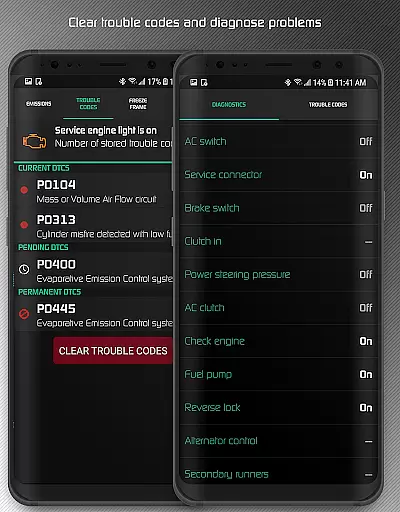
For those interested in deeper analysis, Hondata enables exporting recorded data to CSV files for further examination. Its diagnostic capabilities are equally impressive, allowing users to read and clear vehicle trouble codes, access up to 40 diagnostic parameters, and even reset the service engine light. The app's fuel economy tracking system is another highlight, offering calculations in five different methods and displaying results in four distinct units.
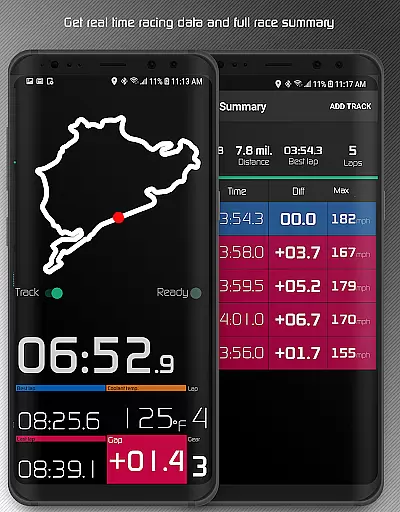
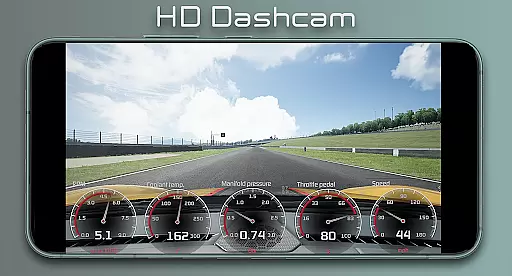
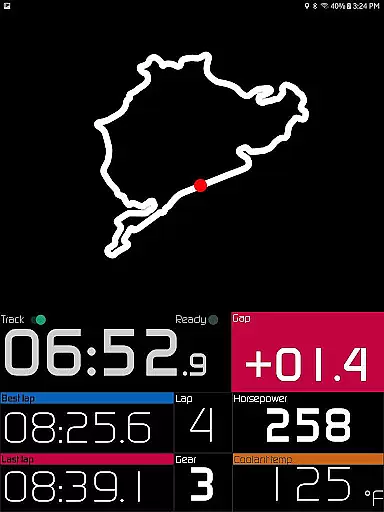
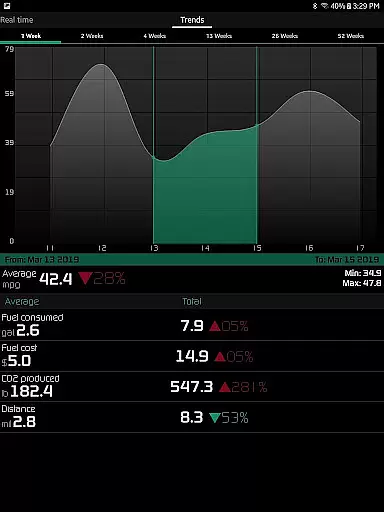
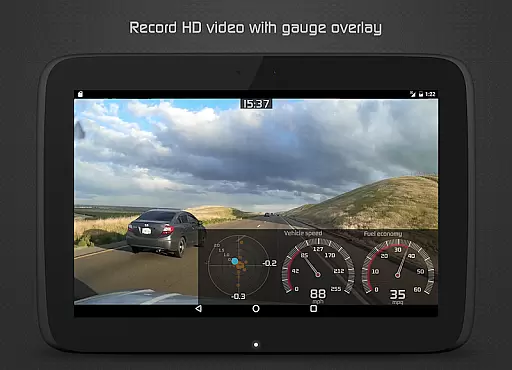
Racetrack enthusiasts will appreciate the app's specialized features for performance measurement. The drag race function provides accurate timing for standard acceleration tests, while the lap timer records comprehensive race statistics. With its ability to record HD video with superimposed gauges and provide long-term performance tracking through interactive graphs, Hondata establishes itself as an essential tool for both daily drivers and serious automotive enthusiasts.
The Hondata app offers an extensive suite of tools designed to monitor and enhance your Honda vehicle's performance with precision. By providing real-time data from over 80 sensors, the app ensures that users have access to accurate information about their car's operations, including fuel economy, boost pressure, and battery voltage. This level of detail allows for effective tracking and troubleshooting, ensuring that any issues can be identified and addressed promptly.
One of the key features of the Hondata app is its ability to plot sensor data onto interactive graphs, enabling users to visualize changes and patterns in their vehicle's performance over time. With support for recording up to four sensors simultaneously, the app delivers a comprehensive analysis tool that can save data into CSV files for further examination. This functionality not only enhances the diagnostic process but also empowers users to make informed decisions regarding maintenance and repairs.
In addition to its monitoring capabilities, the Hondata app includes advanced diagnostic functions such as reading and clearing vehicle trouble codes, which contribute significantly to its overall effectiveness. Users can delve into more than 40 diagnostic parameters, gaining insights into engine knock counts, VTEC pressure, and other critical metrics. These features collectively ensure that the Hondata app serves as a reliable and indispensable tool for maintaining optimal vehicle health.
Despite its sophisticated feature set, the Hondata app maintains an intuitive and user-friendly interface that simplifies interaction for users of all technical backgrounds. The customizable gauges allow individuals to tailor the display to their preferences, tracking every available sensor at once if desired. This flexibility ensures that users can focus on the data most relevant to them without being overwhelmed by unnecessary information.
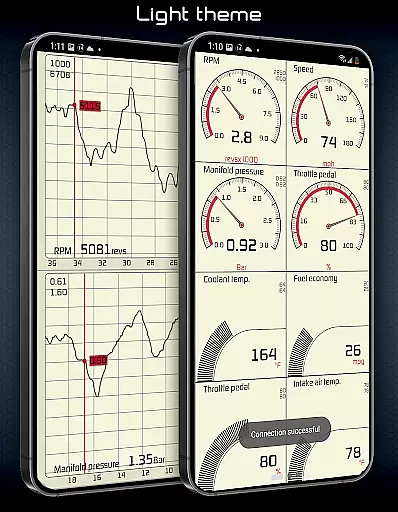
The app's design emphasizes ease of use through clear visual cues and straightforward navigation paths. For instance, users receive notifications via both visual and auditory signals when a sensor readout reaches a predefined limit, making it easier to respond quickly to potential issues. Additionally, the inclusion of two themes and landscape mode availability across all views enhances accessibility, catering to different usage scenarios and personal preferences.
Furthermore, specialized features like drag race times, lap times, and gap time calculations are presented in an approachable manner, thanks to the appu2019s logical layout and interactive elements. Whether analyzing long-term fuel economy trends or reviewing detailed race summaries, users benefit from an interface that prioritizes clarity and efficiency, ultimately enhancing their experience with the Hondata app.
User-friendly interface
Comprehensive sensor coverage
Advanced diagnostic tools
Customizable display options
Detailed performance tracking
No Android Auto support
Limited vehicle compatibility
Requires specific hardware
Complex for beginners
Occasional connectivity issues

 4.50
4.50
Quickly switch to an encrypted DNS server on Android TV
4.50
Just one-tap to easy translate in any language after calls within seconds.
4.20
Clean the junk files on your device
3.40
Enjoy smooth gameplay with Game Booster
4.90
Play your X-Box games remotely in 1080p with any controller and zero latency
4.60
Remote Play with FSR upscaling, low latency & full controller support
4.80
Mobile Security with Scam Protection | Malware & Virus Cleaner | Safe Browser
4.70
Your personal health butler
3.60
Support Fossify apps with a warm thank you!
5.00
Creation, Learning, Entertainment & More — The All-in-One AI Search Engine
4.70 4.50
4.50
With videos, electrical calculators, and built-in ebook, Ugly’s has your answer.
4.50
The Ultimate Bluetooth Keyboard & Mouse. Securely control your PC, Mac, and more
4.50
Universal TV remote control all TVs, Roku, LG, Samsung, Fire, Vizio, Sony, TCL.
4.40
pdf merge, word to pdf, jpg to pdf, edit pdf, convert to pdf and much more!
4.20
Automate everything from settings to photos, SMS to speech. ADC2 prize winner.
4.10
Family Locator, Share location, StayConnect with your family in real time
3.90
Amateur Radio app for APRS: Track friends, exchange messages, get tactical info.
3.90


User Reviews