
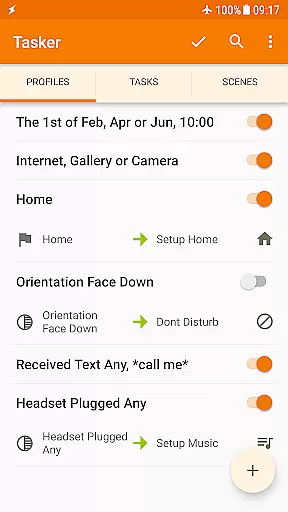
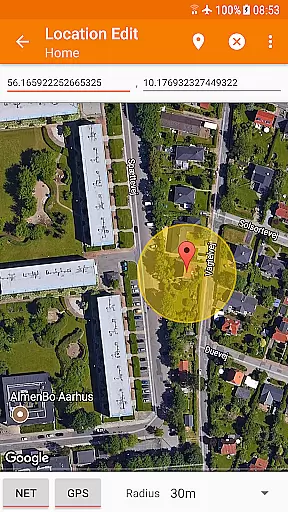
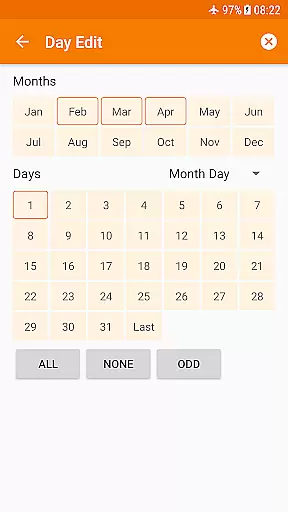
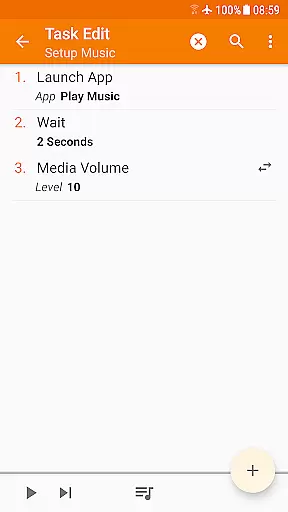
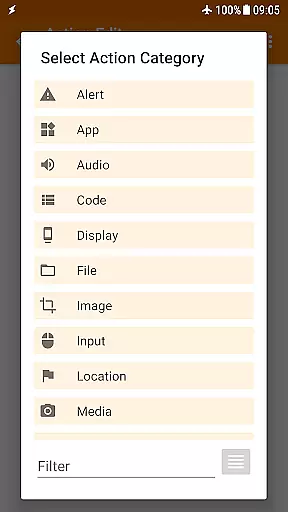
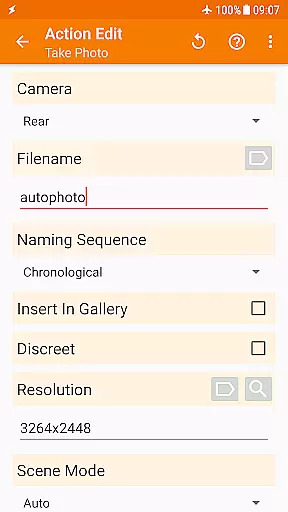
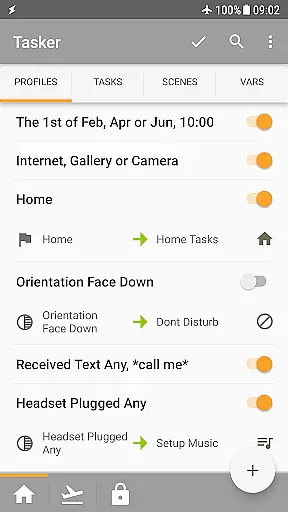
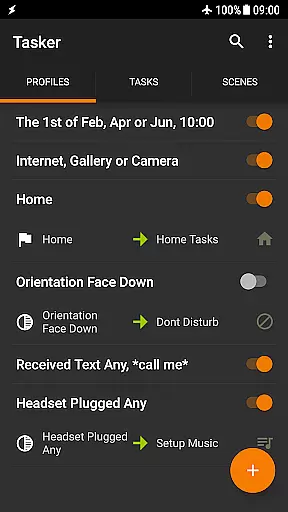
Tasker is a comprehensive automation tool designed specifically for Android devices. It allows users to automate various tasks based on different triggers such as time, location, Wi-Fi network, received SMS or calls, and many others. With over 350 actions available, Tasker provides extensive customization options for your phone, enabling you to send SMS, create notifications, change system settings, control music playback, and much more.
This application stands out due to its flexibility in combining contexts and tasks according to user preferences. Whether you need automatic file backups, downloading and installing APKs directly, or triggering actions via launcher shortcuts, Tasker has got you covered. Additionally, it supports integration with third-party apps and web APIs, making it developer-friendly. The app offers a 7-day trial period followed by a one-time payment for full access.
Tasker boasts an impressive array of features that cater to both casual users and tech enthusiasts alike. One of its standout capabilities is the ability to automate repetitive tasks, thus enhancing productivity. For instance, you can set up automations to change the volume when leaving home or adjust settings based on the app you're using or the time of day.
Beyond basic automation, Tasker includes advanced functionalities like creating custom UI scenes, designing standalone apps with the Tasker App Factory, and integrating with external services through HTTP requests. Users can also leverage Tasker's compatibility with accessibility services and device admin permissions to perform specialized tasks. Furthermore, the addition of Join allows remote task execution from another Android device or PC, adding another layer of convenience and versatility.
Tasker exemplifies core function accuracy through its extensive automation capabilities. The app allows users to create complex automations based on over 130 contexts, including time, location, and device status. This precision ensures that the right task is executed at the optimal moment without manual intervention.
The effectiveness of Tasker's functions is evident in its 350+ actions that cover nearly every aspect of smartphone customization. From sending SMS to manipulating files and controlling music playback, each action is designed to be reliable and responsive. Users can trust that when a condition is met, the corresponding action will be performed accurately.
What sets Tasker apart is its ability to combine these functions seamlessly. For instance, it can trigger a backup process when connected to a specific Wi-Fi network or adjust settings based on the current location. This flexibility empowers users to tailor their devices to their unique needs with confidence in the app's performance.
While some advanced features require root access due to Android's security policies, the majority of Tasker's functions work without it. This balance between powerful functionality and accessibility ensures that both casual users and tech enthusiasts can benefit from the app's accurate and effective automation tools.
Despite its powerful capabilities, Tasker maintains an interface that aims for simplicity and intuitiveness. New users are greeted with a straightforward layout that organizes tasks and contexts into manageable categories. This structure helps users quickly understand how different elements interact with each other.
The app provides various ways to trigger actions, such as through launcher shortcuts, widgets, or hardware buttons. These multiple entry points make it easier for users to access their automations without navigating through complex menus. Additionally, the inclusion of quick setting tiles offers immediate access to frequently used functions.
Tasker also includes scenes, which allow users to design custom UIs for displaying information or triggering tasks. This feature adds another layer of personalization while maintaining ease of use. Users can create interfaces that suit their workflow, making daily interactions more intuitive.
For those who want to dive deeper, Tasker offers developer-friendly options like HTTP requests and third-party integrations. While these might require more technical knowledge, they don't detract from the overall simplicity of the main interface. Instead, they provide advanced users with the tools they need without complicating the experience for others.
Highly customizable
Extensive automation options
Developer friendly
Remote task execution
Versatile triggers
Steep learning curve
Some features require root
Paid app
Complex setup
Limited iOS support

A powerful, easy-to-use flight computer on your phone or tablet!
 3.80
3.80
Head tracking for PC sim games such as MSFS 2024 or Elite:Dangerous. No headset!
4.50
This app unlocks the Pro features of the Central for DayZ app
3.60
Carry a FTP server in your pocket and avoid USB cables for file transfer
4.20
eXtended Permission Manager - a small app to manage permissions and AppOps
4.50
Create your own live wallpaper or check out thousands already made presets
3.90
Smart and comfortable browsing experience.
3.80
Undelete and recover your lost or deleted files with DiskDigger!
3.40
Screen Mirroring for Roku Sticks, Roku TCL TV and Roku Hisense TV
4.50
Bedrock Together: Join any bedrock server on Xbox/PS
4.80
Small and simple app to Verify Root Access and BusyBox Install!
4.70
The Ultimate Flex Drivers Utility App - Convenient Tapping & Block Filters
4.70
Creation, Learning, Entertainment & More — The All-in-One AI Search Engine
4.70 4.50
4.50
pdf merge, word to pdf, jpg to pdf, edit pdf, convert to pdf and much more!
4.20
Just one-tap to easy translate in any language after calls within seconds.
4.20 4.10
4.10
A simple app to back up and restore SMS & MMS messages and call logs.
4.10
Introducing Smart Printer, your ultimate destination for printing solutions!
4.00


User Reviews