
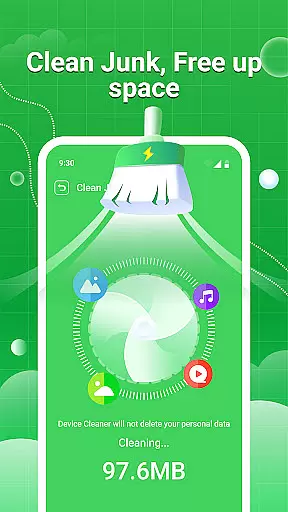
Clean Swipe & Antivirus is a comprehensive tool designed to optimize your device's performance and protect your privacy. The app focuses on storage management, security protection, and media file organization.
Key features include junk cleaning, virus scanning, photo privacy protection, and smart album management. These tools help users reclaim valuable storage space while safeguarding their devices against potential threats. The intuitive interface makes device maintenance accessible even for non-technical users.
Ideal for individuals seeking to maintain optimal device functionality, Clean Swipe & Antivirus provides practical solutions for modern smartphone challenges, from duplicate file management to permission control.
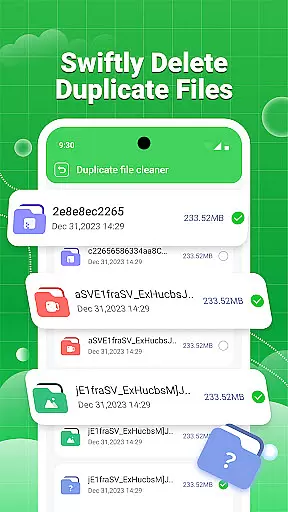
The application offers an impressive range of functionalities that cater to various device optimization needs. Its storage management system includes junk cleaning, large file sorting, and duplicate file identification with batch deletion capabilities.
In terms of security, the app provides robust virus scanning and permission management tools. The photo privacy feature automatically removes location data from images, ensuring your personal information remains confidential. Additionally, the app's album management suite helps organize photos, detect similar images, and compress media files without compromising quality.
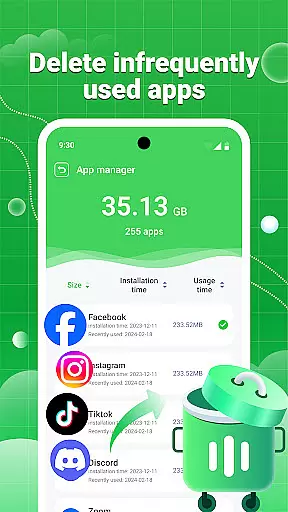
Advanced features include application management for bulk uninstallation and comprehensive media file filtering. These capabilities work together to create a streamlined device maintenance experience that saves time and enhances overall performance.
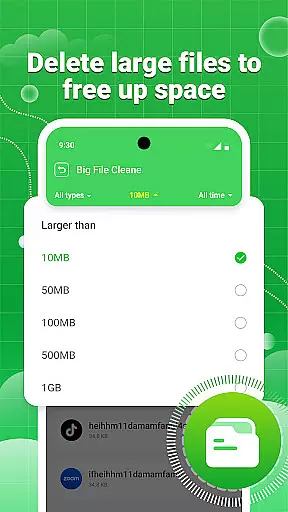
Clean Swipe & Antivirus excels in delivering precise and effective core functions that cater to users' device management needs. The app's junk cleaning feature thoroughly scans and removes unnecessary files, ensuring optimal storage space management. With large file management, users can efficiently sort and remove sizable files that occupy valuable space.
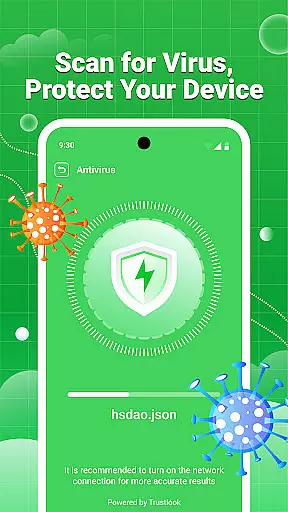
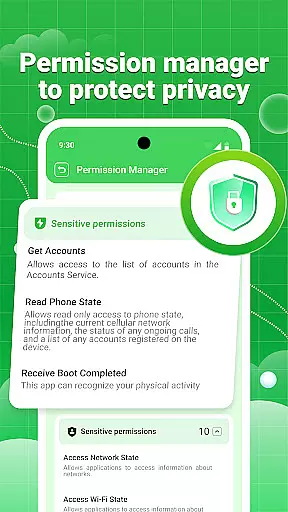
The duplicate file identification tool accurately detects redundant files, allowing for batch deletion without compromising important data. On the security front, the virus scanning functionality provides reliable protection by identifying potentially harmful files. Additionally, the permission management system gives users complete control over their privacy settings, while photo privacy protection ensures sensitive location data is removed from images.
These features collectively enhance both device performance and security. The application's ability to maintain accuracy across various functions makes it an essential tool for maintaining a clean and protected mobile environment. Users can trust that each feature is designed to maximize efficiency without sacrificing safety.
A well-designed interface is crucial for productivity tools, and Clean Swipe & Antivirus delivers an intuitive user experience. The app's dashboard presents all primary functions in a clear, organized manner, enabling users to quickly access storage management features. Each tool, from junk cleaning to permission management, follows a logical flow that guides users through necessary steps without confusion.
Visual indicators and progress bars provide real-time feedback during scanning and cleaning processes, keeping users informed of ongoing operations. The album management section maintains this standard by categorizing photos systematically, making it easy to identify similar or unwanted images. Even advanced features like picture compression are presented with straightforward options that prevent user overwhelm.
This thoughtful design extends to security features as well, where complex functions like virus scanning and privacy protection are simplified through clear instructions and automated processes. By prioritizing interface simplicity, Clean Swipe & Antivirus ensures that users of all technical backgrounds can effectively manage their devices without a steep learning curve.
Comprehensive storage optimization
Robust security features
Intuitive user interface
Batch processing capabilities
Privacy-focused design
May require frequent updates
Some features need permissions
Premium version costs extra
Occasional false positives
Interface could feel cluttered

 4.50
4.50
Just one-tap to easy translate in any language after calls within seconds.
4.20
Unit and currency converter with easy and simple UI.
4.80
Fluid navigation gestures for all of us!
4.30
Unlock your Essential Key. Create custom shortcuts to your favorite apps!
4.1
Keep track of your Palia friendships, tasks, and inventory with Palia Notebook
4.60
Clean up large files and similar photos, fast and easy to use
4.40
Fast VPN USA for any country. Super secure VPN for calls, streaming, games, TV.
4.40
Enhance your Beats
3.70
Enjoy smooth gameplay with Game Booster
4.90
ADB support Android 4.X-Android 13(Support wireless pair mode).No root required!
4.70
eXtended Permission Manager - a small app to manage permissions and AppOps
4.50
Game Booster, GFX Tool is now compatible with newer game update
4.50
Signal Strength, Mobile, Wifi, Speed Test, Bad Signals, Cellular, 5G, LTE, 4G
4.20
A convenient photo, video, and file recovery tool.
4.00
This app unlocks the Pro features of the Central for DayZ app
3.60
A non-root local ADB shell client. READ BELOW!
3.40
Save any video in HD - paste the link, download fast and watch offline.
4.4
Download any file easily and quickly with Downloader
4.1


User Reviews