
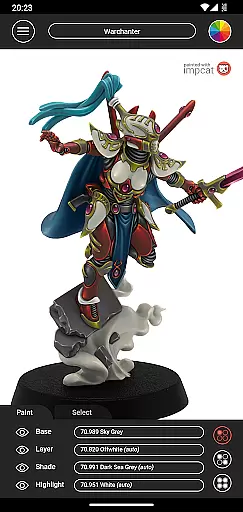
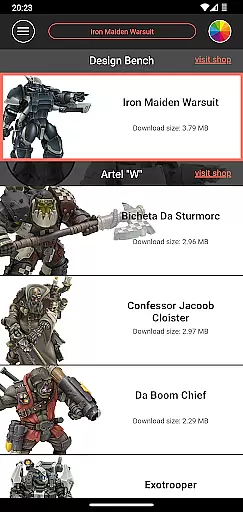
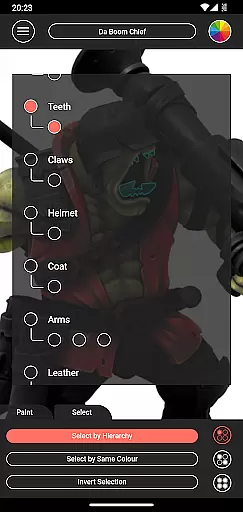
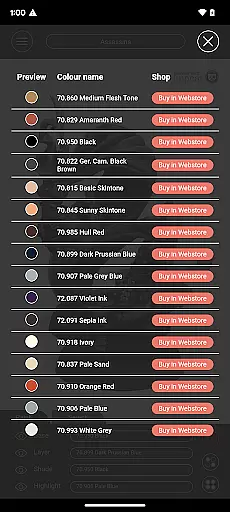
Impcat is an innovative simulator designed for hobbyists and professionals in the gaming and tabletop miniatures space. This application allows users to achieve photorealistic painting results on miniature models by simulating a comprehensive four-step painting process, including base colouring, layering, shading, and highlighting. With its advanced features, impcat caters to both beginners and experienced painters who wish to experiment with different colour palettes before applying them physically.
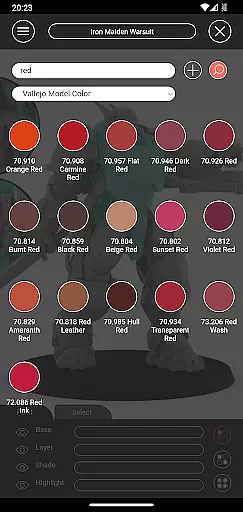
The app provides a rich selection of built-in miniatures and colour palettes from renowned manufacturers like Vallejo Model Color and Vallejo Game Color, offering a total of 308 colours. Additionally, it supports access to free downloadable content (DLCs) such as new miniatures and updated colour palettes, ensuring that users always have fresh content at their fingertips. Impcat's unique complement recommendation mode helps users harmonize colours effortlessly, making it an invaluable tool for planning and visualizing painting projects.
Whether you're looking to simulate paint jobs, generate shopping lists for required paints, or explore creative colour combinations through tools like the colour mixer and creator, impcat delivers a complete solution for enhancing your miniature painting experience.
Impcat stands out with its extensive feature set tailored specifically for miniature painting enthusiasts. One of its core functionalities is the ability to simulate a four-step painting process - base colouring, layering, shading, and highlighting - which mirrors traditional techniques in a digital environment. This simulation ensures that users can visualize the final outcome with impressive photorealism before committing to physical paint.
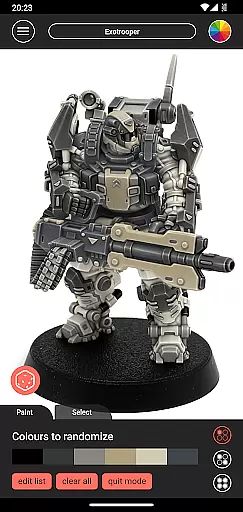
In addition to its powerful painting simulation, impcat offers a variety of built-in resources. Users can choose from six pre-designed miniatures provided by Artel "W" and work with detailed colour palettes featuring 308 distinct colours from Vallejo Model Color and Vallejo Game Color. The inclusion of free DLCs adds another layer of depth, providing access to new templates and updated palettes without any additional cost. Furthermore, the complement recommendation mode simplifies the colour selection process by automatically suggesting harmonious combinations based on a chosen base colour.
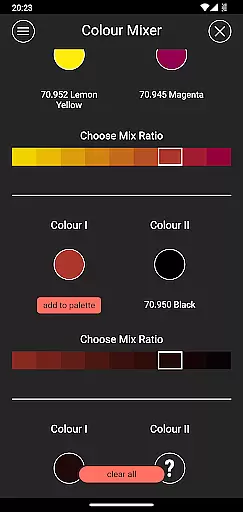
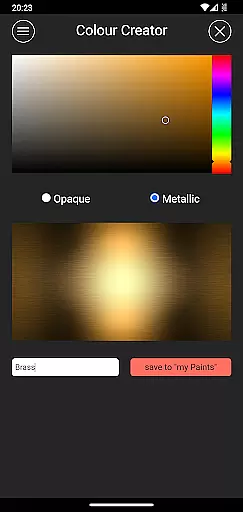
Other notable features include a shopping list generator that compiles all selected colours into an easy-to-use list with direct links to purchase, a colour mixer for experimenting with custom blends, and a colour creator for saving personalized shades. These tools collectively enhance user creativity and streamline the planning phase of any painting project.
Customization is at the heart of impcat, allowing users to explore a vast array of miniature painting possibilities. With six built-in miniatures and over 300 color options from Vallejo Model Color and Vallejo Game Color, the app provides an extensive palette for creativity.
The application goes beyond just offering colors; it simulates a four-step painting process including base coloring, layering, shading, and highlighting. This approach ensures that users can experiment with different techniques and achieve photorealistic results without the need for physical paint.
Moreover, impcat enhances user experience by providing tools like the complement recommendation mode, which suggests harmonizing colors, and features such as the color mixer and creator tools. These functionalities empower users to customize their projects down to the smallest detail, making each piece truly unique.
While impcat focuses on detailed customization, theme compatibility ensures that all visual elements within the app work seamlessly together. The consistent design language across the app's interface allows users to navigate through various features without any disruption in their workflow.
Users will find that whether they are working with built-in templates or downloading new content via DLCs, everything integrates smoothly into the same cohesive environment. This uniformity supports uninterrupted creative flow, letting artists concentrate on their designs rather than troubleshooting technical issues.
In addition to aesthetic consistency, impcat also maintains functional compatibility. Whether using the shopping list generator, randomizer tool, or accessing additional resources, users can trust that these components will operate reliably within the appu2019s ecosystem, enhancing both usability and enjoyment.
User-friendly interface
Extensive color options
Free DLC content
Accurate paint simulation
Complement recommendation mode
Limited initial miniatures
No real-time collaboration
Advanced features may overwhelm beginners
Requires internet for updates
Specific to miniature painting niche

Beautiful realistic hybrid watch face with numerous customization options.
 4.50
4.50
Realistic animated snow on your wrist, with 10 images landscapes to choose from
4.00
Add cute Shimeji pets to screen, interact with them and relax with cute motions
4.60
Transfer your live wallpapers from Windows to Android using Wallpaper Engine!
4.00 4.50
4.50 4.50
4.50
Nothing Icon pack with more than 3750+ highly crafted icons.
4.70
Customize your home screen with stunning themes, blur, widgets & icons.
4.60
Launcher OS™ Pro without ads help make your phone simple and pretty
4.30
One 8 icons glass color version
4.80
Dark icon pack based on One 8
4.80
Enjoy a variety of amazing live wallpapers and colorful EDGE lighting borders!
4.80
Vertically oriented rectangular icons
4.70
3D, live, and moving wallpapers & themes in 4K and HD for your device.
4.50
Try creating your own keyboard with "Keyboard theme for android" app now!
4.50
200+ Material Inspired Widgets
4.50
A light in the dark, a unique style and an andless cutomization!
4.30
Adorable pets roam and play right on your phone screen!
3.30
Modern Glass Icon Pack with glossy icons, clean minimal theme & aesthetic style
4.4


User Reviews