
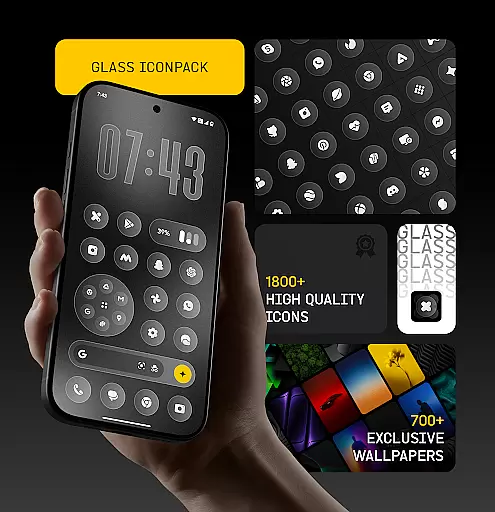
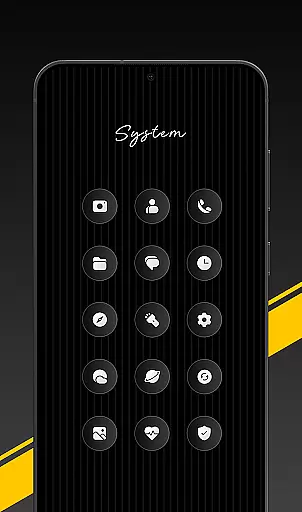
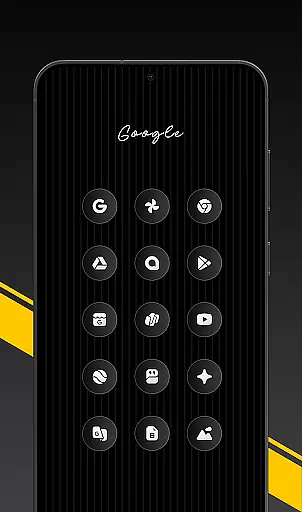
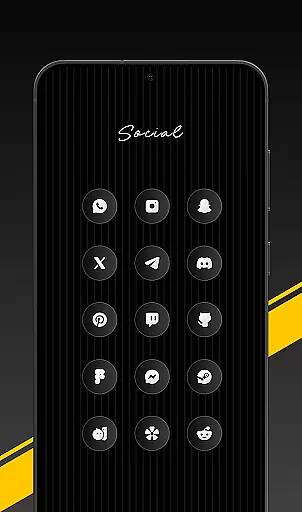
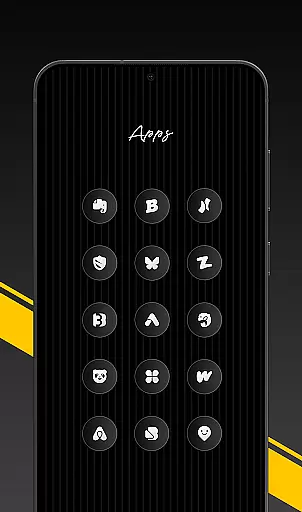
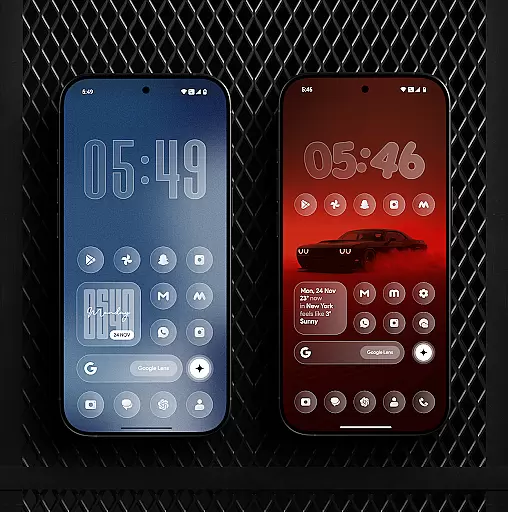
Glass Icon Pack is a premium collection of glossy, modern icons designed to enhance the aesthetic of Android home screens. With over 1850 high-quality icons, each crafted with a smooth glass effect, the pack delivers a sleek and polished look that complements any wallpaper or setup.
The app also includes 700+ matching wallpapers inspired by glass and gradient themes, dynamic calendar icons, and smart icon masking for unthemed apps. Regular updates ensure users receive new icons and improvements consistently. Its user-friendly dashboard allows easy searching and previewing of icons, making customization seamless.
Glass Icon Pack stands out with its meticulously designed features tailored for Android customization enthusiasts. The pack offers HD resolution icons that guarantee sharp and smooth visuals on any device screen. Each icon is crafted with a minimalistic yet premium design approach, blending subtle depth with a glossy finish.
Beyond its extensive icon library, the app provides dynamic calendar icons, smart masking for unsupported apps, and an intuitive dashboard interface. Users can search icons easily, preview changes before applying, and even request missing icons. The inclusion of 700+ matching wallpapers ensures a cohesive home screen experience, while compatibility with various launchers makes it versatile for different devices.
Glass Icon Pack offers an extensive range of customization options, ensuring that users can tailor their Android home screens to their exact preferences. With over 1850 high-quality glass icons, the pack covers a wide array of app categories including system apps, social media, and tools.
The inclusion of 700+ matching wallpapers inspired by glass and gradient themes further enhances personalization, allowing for a cohesive look across the device. Dynamic Calendar icons add another layer of customization, adapting to supported launchers for a seamless experience.
Smart icon masking ensures even unthemed apps blend in with the overall aesthetic, while regular updates introduce new icons and improvements. This commitment to variety and quality provides users with endless possibilities to craft a modern, elegant, and timeless home screen.
Ensuring theme compatibility is crucial for any icon pack, and Glass Icon Pack excels in this area. Designed to work harmoniously with various launchers, it guarantees a smooth application process regardless of the user's choice of launcher.
For devices like Nothing, OnePlus, and Poco, which support third-party icon packs natively, integration is effortless. The pack also features an easy-to-use dashboard complete with icon search and preview functionalities, streamlining the customization process.
Should users encounter missing or unthemed icons, they can easily submit requests directly through the app. These requests are promptly addressed in future updates, maintaining optimal compatibility and user satisfaction. Such dedication to compatibility underscores the pack's versatility and appeal.
High-quality icons
Regular updates
Smart icon masking
HD resolution
User-friendly interface
Limited launcher support
No iOS version
Missing some app icons
Paid only
Wallpaper variety limited

Stunningly Different look with Line Icons and Neon Colors
 4.60
4.60
Customizable flower power digital watch face for Wear OS watches.
4.00
Make your phone look simple & luxury, like iDevice
4.60
App Icon Changer & Shortcut Creator. Customize your icons without any watermarks
4.30 4.50
4.50
HappyLighting is a Bluetooth lamp control software.
3.40
200+ Material Inspired Widgets
4.50
400+ Beautifully crafted widgets inspired by NOTHING.
4.70
Transform your device in a game console
4.40
Customizable Glass widgets. Over 360+ stunning widgets and more!
4.70
Bring adorable pets to life on your screen. Playful, interactive and full of fun
4.60
Icons made of colorful linear lines
4.60
Choose your keyboard with RGB colors effect, themes, fonts, emojis.
4.60
Beautiful realistic hybrid watch face with numerous customization options.
4.50
Try creating your own keyboard with "Keyboard theme for android" app now!
4.50 4.50
4.50
Art & Emoji Keyboard with Cool Fonts, Cute Themes and Custom Designs.
4.40
Your home screen, just the way you like it.
4.30
⭐ OneUI inspired Fluffy Icon Pack – Soft. Stylish. Standout. ⭐
4.2


User Reviews