
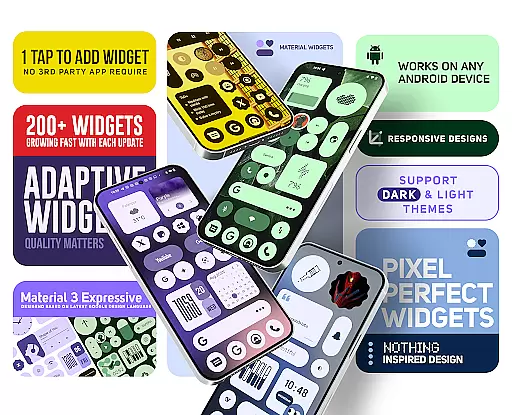
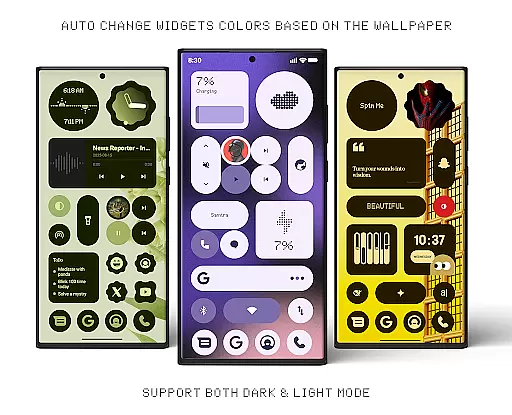
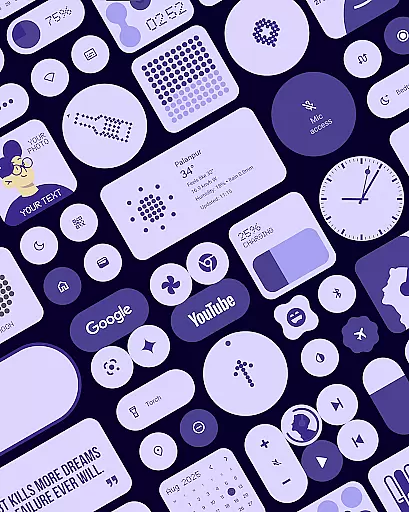
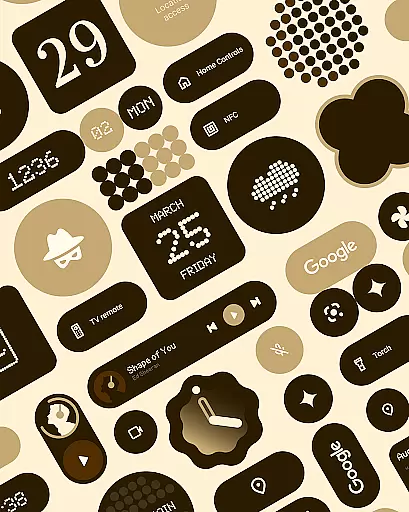
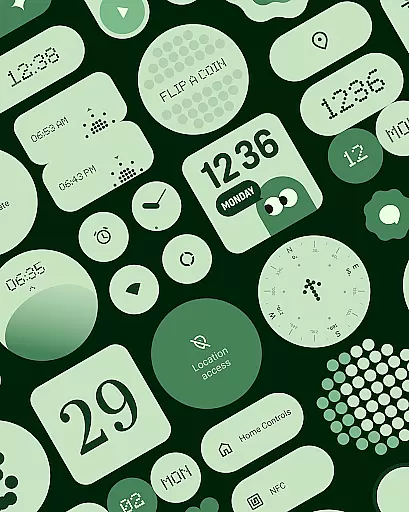
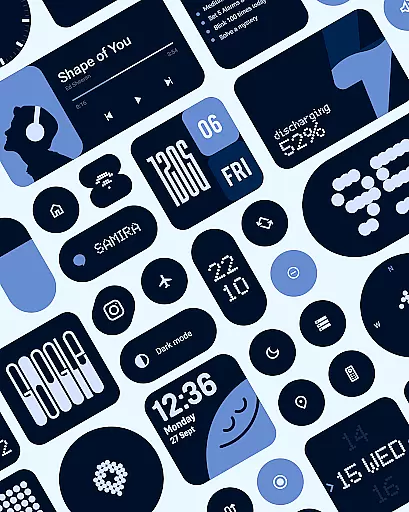
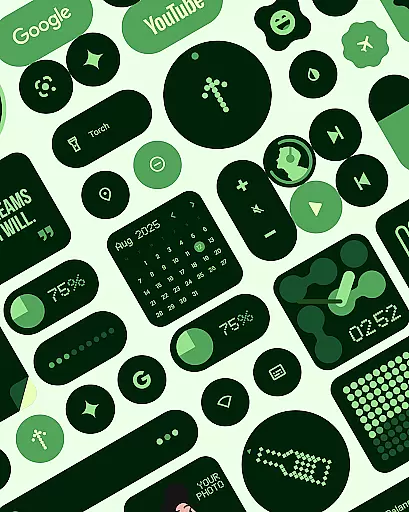
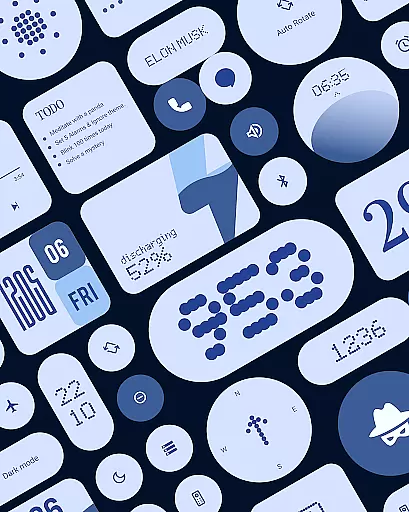
Material Widgets is a personalization app that brings Google's Material 3 design to your home screen. With over 200 widgets, it offers dynamic theming that adapts to your wallpaper and system colors, ensuring a fresh and personalized experience.
The app provides a variety of widget types including clocks, calendars, weather, and quick settings, all designed with modern shapes and bold typography. These widgets are fully resizable, allowing for customization from compact sizes to full-screen layouts.
Whether you want to track your steps, check the weather, or keep favorite contacts at hand, Material Widgets allows seamless integration without needing third-party apps. It's an ideal choice for users seeking an expressive and adaptive home screen experience.
One of the standout features of Material Widgets is its native functionality. Unlike other widget packs, it doesn't require additional apps like KWGT. You can simply tap and add widgets directly to your home screen.
The widgets are built following Google’s Material 3 guidelines, featuring dynamic designs that adjust to both dark and light modes. This ensures that your home screen remains visually appealing regardless of your device settings.
Included in the pack are matching wallpapers, which complement the widgets perfectly. With regular updates and new widgets being added, the app continues to grow, offering even more ways to personalize your device.
Material Widgets offers an extensive range of customization options, ensuring that every user can tailor their home screen to reflect their personal style. With over 200 widgets available, the app provides a diverse selection including clock, calendar, battery indicators, weather forecasts, and even mini-games like Snake.
The beauty of this application lies in its seamless integration with your device's existing system. It leverages Googleu2019s Material 3 design guidelines to automatically adjust colors based on your wallpaper choice, creating a cohesive look across all elements on your screen. This dynamic theming capability allows for real-time adaptation between dark and light modes without any manual intervention required from the user.
Each widget is fully resizable, giving you complete control over how they appear on your home screen. Whether you prefer compact designs or larger layouts that span the entire display area, these widgets scale beautifully while maintaining their aesthetic appeal. From bold typography to modern shapes, each element has been crafted with attention to detail, enhancing both functionality and visual attractiveness.
Theme compatibility is at the heart of Material Widgets' design philosophy. The app ensures that every widget not only looks great but also feels native to your deviceu2019s environment. By eliminating the need for third-party applications such as KWGT, it simplifies the process of adding widgets directly onto your home screen.
This native approach guarantees smooth performance and reliable operation without additional overheads typically associated with external tools. Users can enjoy perfectly styled home screens within seconds after selecting their desired widget typeu2014be it productivity aids like to-do lists or entertainment features such as photo frames showcasing cherished memories.
Moreover, Material Widgets includes matching wallpapers inspired by Material You principles, further enhancing theme consistency throughout the user interface. These complementary assets ensure that whether you're checking the time or monitoring battery levels, everything aligns harmoniously under one unified visual language.
Dynamic theming
Native widget support
Wide variety of widget types
Fully resizable options
Regular updates
Limited to Material Design
No iOS support
Some widgets may feel redundant
Requires Android OS
Advanced features need newer devices

A light in the dark, a unique style and an andless cutomization!
 4.30
4.30
Only for Wear OS devices!
4.90
Winter's Journey: digital watch face for Galaxy Watch & Wear OS
4.80 3.50
3.50
Adaptive Dot Style IconPack with Light & Dark Theme.
3.70
Vibrant Adaptive Icons with Material You and Enhanced Monet Colors.
4.50
Unleash Your Creativity and Connect with Loved Ones with Lockscreen Drawing!
4.20
Your home screen, just the way you like it.
4.30
Cool custom fonts & keyboard themes! Symbols & font changer for Instagram
4.50
Dark icon pack based on One 8
4.80
Classic analogue watch face. For wear os devices.
4.60
Unique Android Launcher
4.60
Stylish Pink Cute Hippo keyboard with 10000+ customized keyboard themes!
4.60 4.50
4.50
Magic fluids wallpaper 4D: Relax with stunning fluid simulation wallpaper app
4.20
Design your screen with unique, vibrant clocks
3.80
Adorable pets roam and play right on your phone screen!
3.30
Prank your friends with realistic broken screen and cracked HD effects!
4.1
⭐ OneUI inspired Fluffy Icon Pack – Soft. Stylish. Standout. ⭐
4.2


User Reviews