
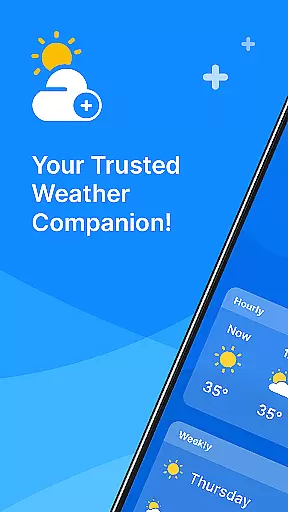
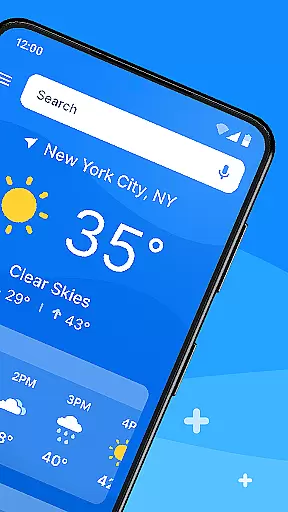
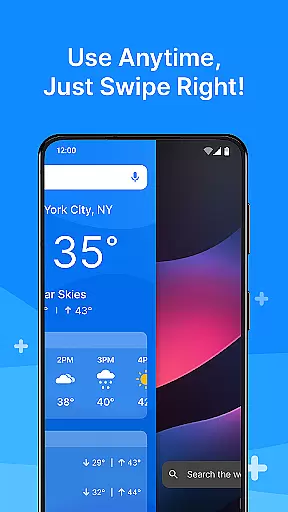
All Weather Mode is a comprehensive weather application designed to keep users informed about current and forecasted weather conditions. The app provides real-time updates, detailed forecasts, and location-based reporting, ensuring you're always prepared for the day ahead. With an intuitive home screen layout, it offers quick access to essential weather information through swipe shortcuts.
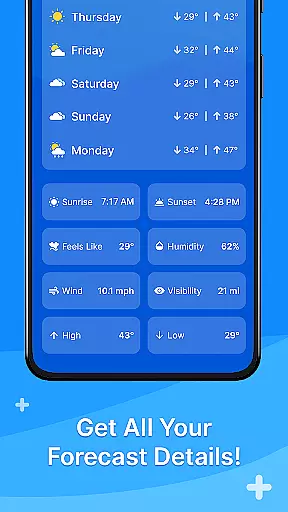
One of the standout features is its robust reporting system that includes temperature, sunrise, sunset, feels-like temperatures, humidity levels, wind speed, visibility, and more. Whether planning daily activities or outdoor excursions, All Weather Mode equips users with accurate data to make informed decisions. Its 7-day forecast and hourly updates provide confidence in scheduling and ensure safety during severe weather conditions.
All Weather Mode stands out with its user-friendly interface and powerful features. The app's home screen is designed for ease of use, offering a clean layout with quick-swipe shortcuts for instant access to weather reports. This intuitive design ensures that even first-time users can effortlessly navigate and retrieve necessary information.
The app delivers real-time weather updates and detailed forecasts for multiple locations. Users can access 7-day forecasts with daily highs and lows, hourly precipitation percentages, and live rain & storm alerts. Additionally, it provides essential metrics like temperature, humidity, wind speed, and visibility. These features empower users to plan their activities confidently, whether they're managing daily tasks or exploring new destinations.
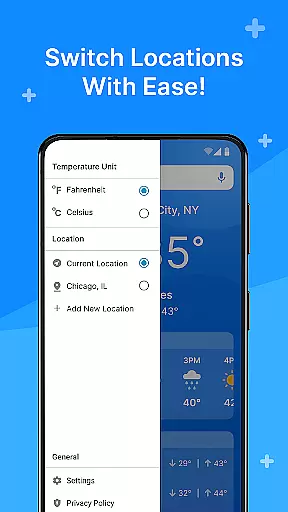
Another notable feature is the location-based weather reporting powered by Yahoo. Users can add various locations to stay informed about different areas, making it ideal for travelers or those concerned about loved ones in other regions. Sunrise and sunset times further enhance planning capabilities for outdoor activities, ensuring users make the most of daylight hours.
Weather Mode: Weather Launcher stands out with its diverse customization options that cater to various user preferences. The app offers an intuitive home screen layout, allowing users to personalize their experience by setting up easy-access shortcuts for weather forecasts.
Beyond the basic setup, the app provides robust search capabilities powered by Yahoo, enabling users to quickly find weather information for specific locations. This feature enhances personalization by letting users add multiple locations, ensuring they stay informed about different areas important to them.
The quick-swipe shortcuts are another layer of customization that streamline access to frequently used features. Users can tailor these shortcuts to suit their daily routines, making weather checks a seamless part of their day.
With these customization options, Weather Mode: Weather Launcher ensures that each user's experience is unique and aligned with their individual needs, offering both functionality and personal touch in weather reporting.
Theme compatibility is a crucial aspect of Weather Mode: Weather Launcher, ensuring that the app not only functions well but also looks good on any device. The app boasts a clean and visually appealing design that adapts seamlessly to various themes, providing a consistent user experience.
Users can enjoy the app's aesthetic flexibility as it supports different visual themes without compromising functionality or data presentation. Whether using a light or dark theme, the readability and accessibility of weather information remain uncompromised.
This compatibility extends to the app's layout, which maintains its structure across themes, ensuring that all features are easily accessible regardless of the visual style applied. Such attention to detail in design enhances user satisfaction and engagement.
By prioritizing theme compatibility, Weather Mode: Weather Launcher demonstrates its commitment to delivering a personalized and visually cohesive experience, allowing users to integrate weather updates into their digital environment effortlessly.
User-friendly interface
Real-time weather updates
Detailed 7-day forecasts
Location-based reporting
Live rain & storm alerts
Limited customization options
Occasional data inaccuracies
Ads in free version
Requires internet connection
No offline mode

Capture moments that pass like a storm, second by second.
 4.2
4.2
Customizable screen pets that play, climb, and keep you company.
4.50
Ultimate Gallery Lock App - Hide Pictures, Videos and Lock Apps Instantly!
4.60 4.50
4.50
Organize and manage your photos and videos effortlessly with Photo Gallery
4.20
Struggling to find apps? Use this app to locate and open any app on your phone!
2.20
400+ Beautifully crafted widgets inspired by NOTHING.
4.70
Create unique, fun emojis with Funny Emoji Maker! Unlimited creativity!
4.00
Fast SMS & group chat - use GIFs and emojis from your home screen launcher.
4.50
Only for Wear OS devices!
4.90
Customizable Glass widgets. Over 360+ stunning widgets and more!
4.70
A launcher for Samsung Good Lock and Good Guardians modules without ads
4.70
Unique Android Launcher
4.60
Embrace the Night. Unleash the power of darkness with Raven Dark Icon Pack
4.60
Beautiful realistic hybrid watch face with numerous customization options.
4.50
Transform your phone with Launcher iOS 26 - Smooth & elegant iOS experience
4.50
Turn text & photos into stunning AI videos, art, and creative visual stories.
4.50
Realistic animated snow on your wrist, with 10 images landscapes to choose from
4.00
Adaptive Dot Style IconPack with Light & Dark Theme.
3.70


User Reviews