
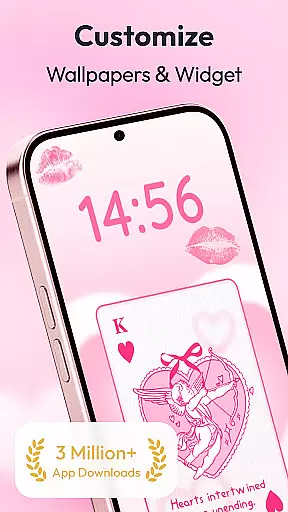
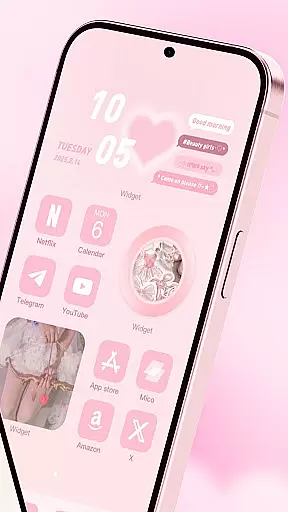
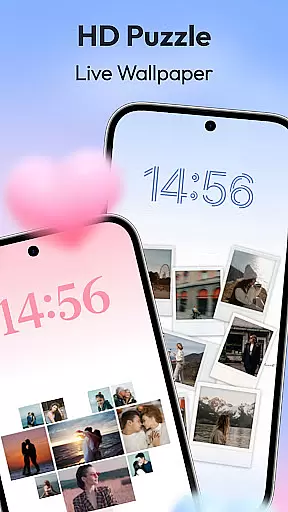
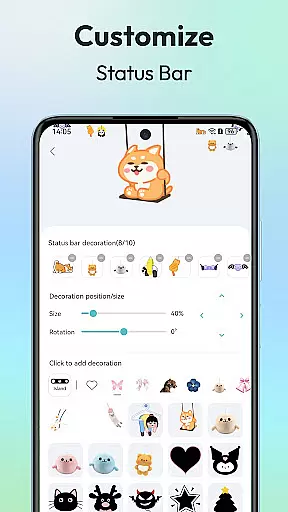
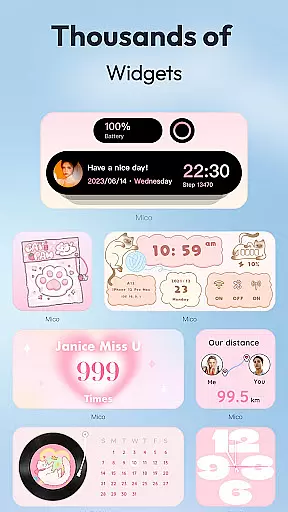
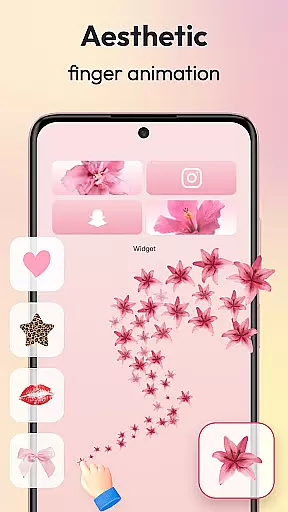
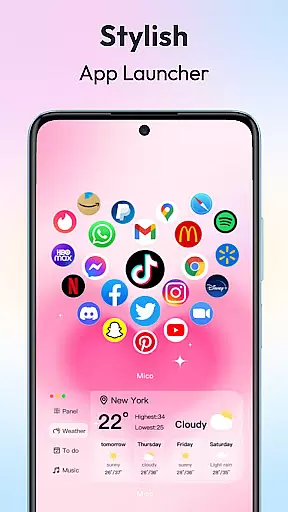
Mico is a powerful personalization app that transforms your mobile device into a creative canvas. With over 1000 customization tools, it offers an extensive range of widgets including couple and battery widgets, 4K live wallpapers, and unique home screen designs. The app allows users to personalize their phone screens with custom themes, photo frames, and dynamic animations, ensuring a completely unique aesthetic experience.
One of Mico's standout features is its ability to provide both practical functionality and artistic expression. Users can enjoy DIY wallpaper creation, video wallpapers, and AI-powered filters for portrait wallpapers. Additionally, the app includes smart text designers, health tracking widgets, and cross-platform sync capabilities, making it not just a tool for beautification but also for improving daily efficiency.
The app caters to various user preferences with its wide selection of themes, from popular anime styles to motivational quote designs. Whether you're looking to create a personalized lock screen or a fully customized home screen, Mico provides all the necessary tools to make your device truly one-of-a-kind.
Mico stands out in the personalization category due to its comprehensive suite of features. The app offers over 1000 creative widgets, including practical functions like music players, home screen audio, and customizable animations. These widgets allow users to express their individuality while maintaining functionality on their devices.
A key feature is the 4K Live Wallpaper Maker, which lets users transform their favorite photos or videos into vibrant wallpapers. With daily updated collections ranging from manga to scenic landscapes, users have endless options for personalizing their screens. The app also includes AI-powered filters and depth effects, as well as focus mode matching that automatically switches wallpapers based on time or location.
For those seeking advanced customization, Mico provides pro tools such as the DIY Widget Builder, Smart Layout Engine, and 2000+ icon packs. These features enable users to create professional-looking designs with minimal effort, whether they want retro pixel art or modern neon effects. The combination of these powerful tools makes Mico an essential app for anyone looking to elevate their mobile experience.
Customization is at the heart of personalizing your digital experience, and Mico excels in providing a vast array of options to tailor your device's aesthetics. With over 1000 creative widgets, the app allows users to add practical functions, photos, panels, and even cute battery indicators to their home screens. The WidgetSmith feature offers various widgets that can decorate your phone anytime and anywhere, while Widgify Tool lets you turn your favorite things into widgets, making every element on your screen truly yours.
Mico doesn't stop at widgets; it extends to lock screens with dynamic widgets, smart text designers boasting 500+ motivational quotes, and health tracking capabilities. For those seeking to push customization further, the Pro Customization Tools include a DIY widget builder, a smart layout engine with one-tap style presets, and over 2000 icon packs ranging from retro pixel to neon glow designs.
The true value for users lies in the ability to create a unique 'iScreen' that reflects their personality and needs. Whether it's through personalized themes, custom wallpapers, or functional widgets, Mico empowers users to express themselves fully. This extensive customization not only enhances visual appeal but also improves efficiency by turning the phone into a personalized life assistant, making daily interactions more enjoyable and meaningful.
Theme compatibility is crucial for ensuring that all elements of your customized interface work seamlessly together, and Mico delivers exceptional flexibility in this area. By offering a themify design approach, the app enables users to apply popular themes such as Labubu or trending TikTok wallpapers with just one tap. This ensures that no matter what theme you choose, it will integrate smoothly with your existing setup, maintaining visual consistency across your device.
Beyond static themes, Mico supports dynamic content like 4K live wallpapers and video wallpapers. These features allow for an unprecedented level of personalization, letting users transform their favorite photos or artistic designs into vibrant wallpapers. Daily updated collections featuring manga, anime, landscapes, abstract art, and anime themes ensure there's always something new to match your evolving tastes.
For users, this means freedom and versatility in crafting a cohesive look for their devices. The AI-powered filters and depth effects for portrait wallpapers, along with focus mode matching that auto-switches wallpapers based on time or location, enhance the thematic experience. Such comprehensive theme compatibility ensures that every aspect of your device reflects your style, creating a harmonious and engaging digital environment.
User-friendly interface
Extensive customization options
Cross-platform compatibility
Daily content updates
AI-powered enhancements
Some features require premium subscription
Occasional performance issues
Limited free content
High storage requirements
Complex for beginners

Stunningly Different look with Line Icons and Neon Colors
 4.60
4.60
Glass style colourful icons with a One UI look and feel
4.60
Transform your phone with Launcher iOS 26 - Smooth & elegant iOS experience
4.50
A launcher for Samsung Good Lock and Good Guardians modules without ads
4.70
Ultimate widget creator. Design custom widgets for a truly unique home screen!
3.90
Modern Glass Icon Pack with glossy icons, clean minimal theme & aesthetic style
4.2
Your home screen, just the way you like it.
3.80
Install amazing sticker packs: endless styles, always cool.
4.70
Transform your phone with stylish zipper lock themes and 4D live wallpaper
4.10
One 8 icons glass color version
4.80
Personalize your phone with stunning HD and 4K wallpapers!
4.70
Classic analogue watch face. For wear os devices.
4.60
Customize your home screen with stunning themes, blur, widgets & icons.
4.60
3D, live, and moving wallpapers & themes in 4K and HD for your device.
4.50
Fingerprint Lock Screen & Live Animations with 4K Wallpapers as Live Wallpaper
4.40
Art & Emoji Keyboard with Cool Fonts, Cute Themes and Custom Designs.
4.40
Adult video chat, dating, making friends, random matching
4.20 3.50
3.50
Turn your lock screen into fun with smile live wallpapers & animated wallpapers!
2.50


User Reviews