
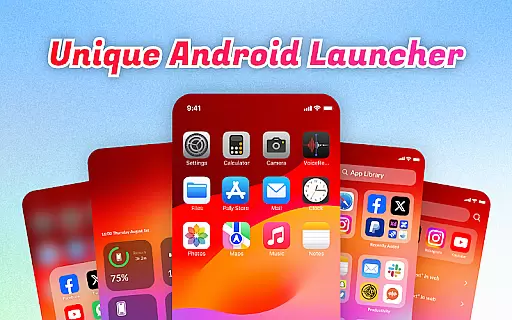
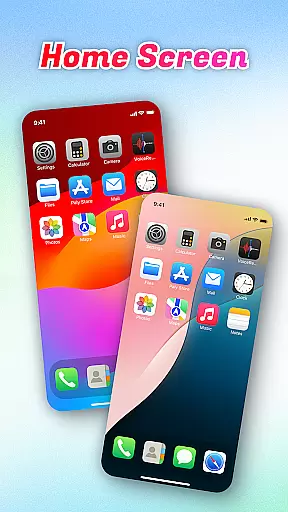
OS Launcher Theme is a personalization app designed to enhance your smartphone experience through an intuitive interface and practical features. This app offers a unique combination of organization tools, convenience shortcuts, and system monitoring capabilities.
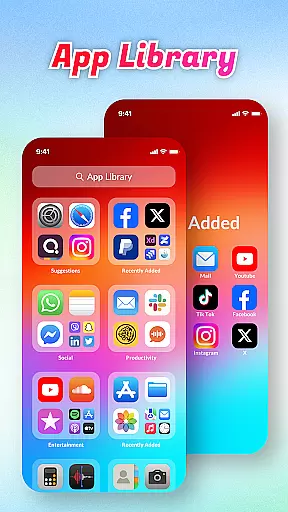
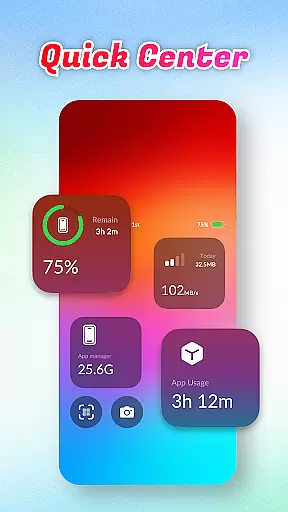
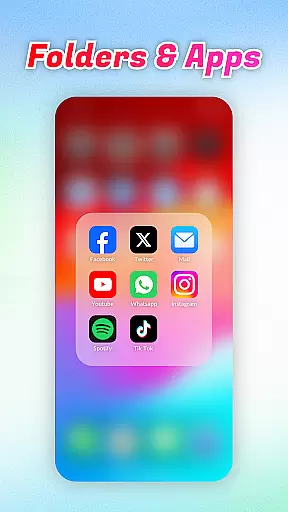
The launcher provides an App Library that automatically sorts apps into categories, helping you maintain a clutter-free home screen. Its Quick Center allows easy access to essential functions like flashlight and settings with a single swipe. With additional features like built-in QR Scanner and comprehensive battery information, it creates a more efficient mobile environment.
Ideal for users who value both aesthetics and functionality, OS Launcher Theme helps streamline daily device usage while offering advanced system insights. The app's design focuses on improving accessibility without compromising on style or performance.
OS Launcher Theme stands out with its diverse feature set tailored for user convenience. The App Library function automatically organizes applications into logical categories, making app management more efficient than ever.
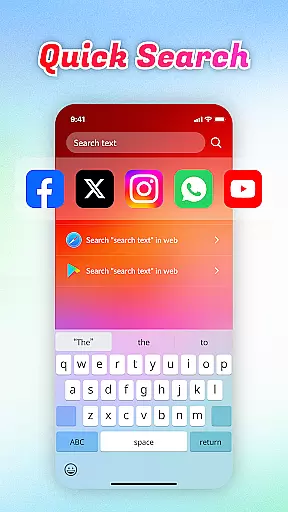
Quick Center revolutionizes how users access essential phone functions. With a simple upward swipe, users can instantly control flashlight, access settings, and utilize other frequently used features. The integrated Quick Search enables rapid keyword-based searching across both installed apps and web content.
Additional practical tools include a built-in QR Scanner for seamless code scanning, Battery Info for monitoring charging status and health, Data Usage tracker to prevent overages, and an App Manager to identify storage-heavy applications. These features work together to create a comprehensive personalization solution.
OS Launcher Theme offers a diverse range of customization options that cater to individual preferences and needs. With features like the App Library, users can organize their apps into categories, eliminating clutter and enhancing accessibility.
The Quick Center provides convenience at your fingertips, allowing you to adjust settings such as flashlight, Wi-Fi, and Bluetooth with just one tap. This feature ensures that essential controls are always within reach, streamlining daily device interactions.
In addition to app organization and quick settings, the launcher includes a built-in QR scanner and tools for monitoring battery health and data usage. These practical utilities add another layer of personalization by enabling users to manage their device's performance according to their specific requirements.
By offering these varied customization options, OS Launcher Theme empowers users to tailor their smartphone experience precisely how they want it, making everyday tasks more efficient and enjoyable.
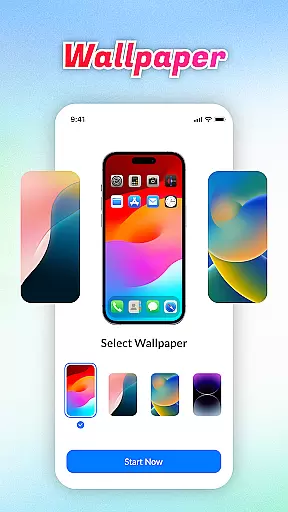
Theme compatibility is a crucial aspect of any launcher application, ensuring that visual enhancements work seamlessly across different devices and operating systems. OS Launcher Theme excels in this area by providing themes that maintain consistency and quality regardless of the device being used.
With its robust design framework, the launcher supports high-quality graphics and smooth animations, which adapt well to various screen sizes and resolutions. This adaptability ensures that users enjoy an aesthetically pleasing interface without compromising on functionality or performance.
Moreover, OS Launcher Theme integrates effortlessly with existing system settings, allowing users to apply new themes without encountering conflicts or inconsistencies. This seamless integration enhances user satisfaction by delivering a cohesive look and feel throughout the deviceu2019s UI components.
Ultimately, the strong theme compatibility offered by OS Launcher Theme guarantees that users can personalize their devices confidently, knowing that their chosen aesthetics will be preserved across all aspects of their mobile experience.
User-friendly interface
Comprehensive feature set
Efficient app organization
Quick access shortcuts
System monitoring tools
May affect device performance
Some features need improvement
Occasional compatibility issues
Limited customization options
Drains battery faster

A light in the dark, a unique style and an andless cutomization!
 4.30
4.30
Art & Emoji Keyboard with Cool Fonts, Cute Themes and Custom Designs.
4.40
Wallpaper HD 4K Live - Thousands of high-quality Anime backgrounds for you.
4.80
Transfer your live wallpapers from Windows to Android using Wallpaper Engine!
4.00
HappyLighting is a Bluetooth lamp control software.
3.40
Adorable pets roam and play right on your phone screen!
3.30
200+ Material Inspired Widgets
4.50
Transform your device in a game console
4.40
A minimalist productivity launcher. One-hand-friendly. Zero ads.
4.70
Nothing Icon pack with more than 3750+ highly crafted icons.
4.70
350+ widgets with a premium glass-style finish, perfect for home & lock screens.
4.70
Add cute Shimeji pets to screen, interact with them and relax with cute motions
4.60
Customize your home screen with stunning themes, blur, widgets & icons.
4.60
300+ widgets inspired by Material You and Material 3 expressive design.
4.60
Customizable screen pets that play, climb, and keep you company.
4.50 4.50
4.50
Realistic animated snow on your wrist, with 10 images landscapes to choose from
4.00 3.50
3.50
⭐ OneUI inspired Fluffy Icon Pack – Soft. Stylish. Standout. ⭐
4.5


User Reviews