
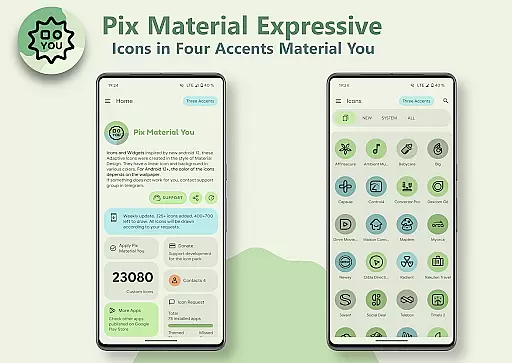
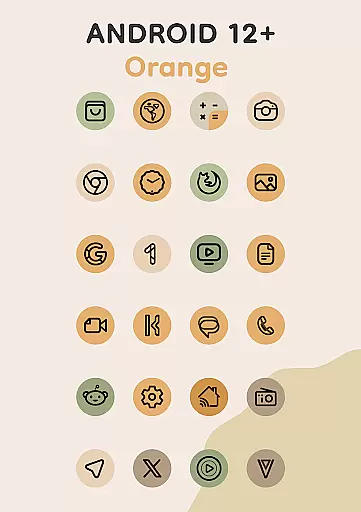
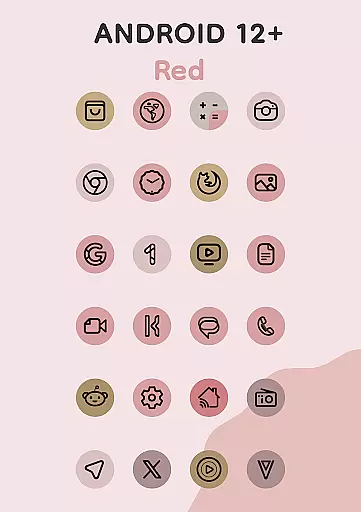
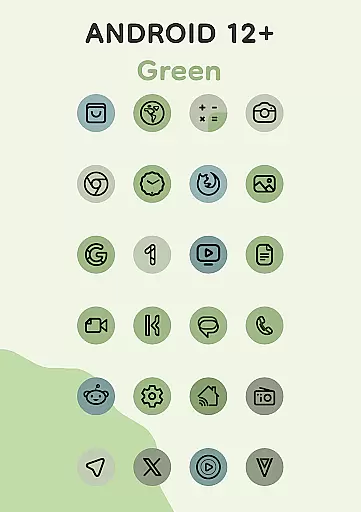
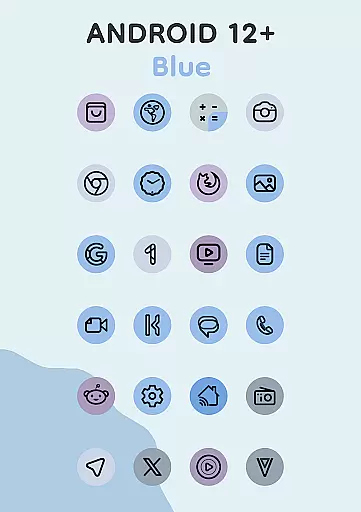
Pix Material Expressive Icons is a premium icon pack that brings your device to life with adaptive icons designed for full Material You support. This app offers over 24,000 adaptive icons that dynamically adjust their colors based on your wallpaper, ensuring seamless integration with your system's color scheme. With added expressive accent colors beyond the standard Monet palette, these icons deliver a next-level personalization experience.
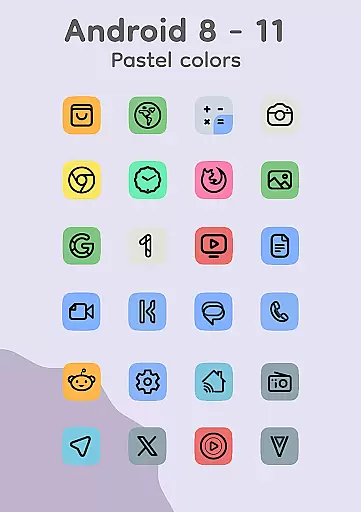
Designed for modern Android devices, the icons feature clean linear outlines and adapt their shapes on supported custom launchers. For devices running Android 8-11, icons display in pastel colors, while Android 12+ users can enjoy enhanced color dynamics. The app also includes functional widgets like Clock and Music widgets, along with an innovative Icon-Widget feature for launchers that don't natively support icon packs.
This icon pack stands out with its complete support for Material You design principles, offering users a modern and cohesive aesthetic. Each icon boasts a clean linear style and dynamic background colors that change based on your wallpaper, creating a personalized and harmonious look. The inclusion of four additional accent colors makes these icons more expressive compared to standard designs.
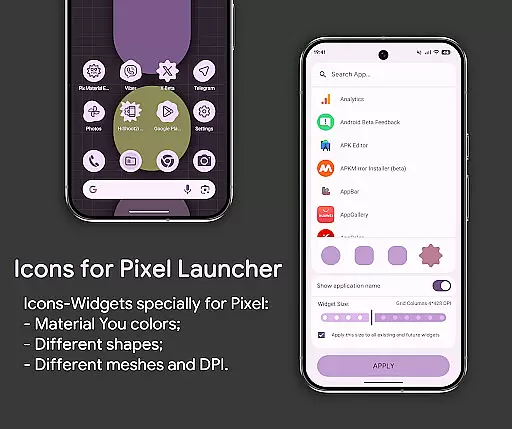
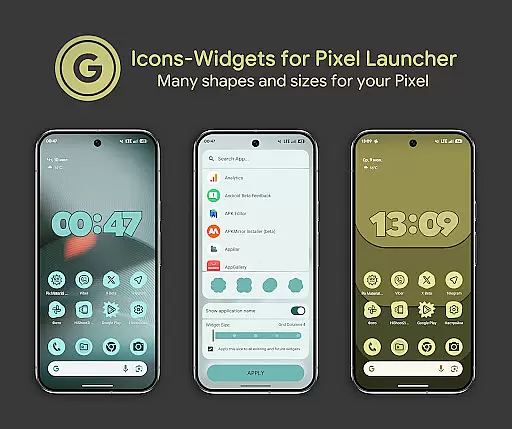
The adaptive nature of Pix Material Expressive Icons allows them to shift shapes on compatible launchers, providing even more customization options. The Icon-Widget feature is particularly innovative, enabling users to apply themed icons on launchers that lack native support. These widgets adapt to both light and dark themes, and users can customize icon shapes, names, and sizes for different screen grids.
With support for over 24,000 icons and compatibility with popular launchers like Nova, Smart, and Pixel Launcher, this app ensures broad usability. Additional features include icon animations and various widget sizes depending on grid and DPI settings, making it a versatile choice for personalizing your device.
When it comes to personalizing your device, Pix Material Expressive Icons offers an impressive array of customization options that go beyond the ordinary. This icon pack is not just about changing the appearance but creating a dynamic and personalized user experience.
Each icon within the set features a clean linear outline complemented by a background that shifts its color based on your device's wallpaper. This adaptive feature ensures that your icons are always in sync with your system's color scheme, providing a seamless and harmonious aesthetic across your device.
Moreover, for users with supported custom launchers, the adaptive nature of these icons allows them to change shape, adding another layer of personalization. Whether you prefer rounded squares, circles, or any other style, this flexibility empowers you to tailor your device's look to your exact preferences.
The inclusion of four expressive accent colors enhances the Material You palette, making each icon not only functional but also a statement of personal style. With over 24,000 adaptive icons, clock widgets, music widgets, and the innovative Icon Widget, the possibilities for personalization are virtually limitless.
Pix Material Expressive Icons excels in theme compatibility, ensuring that no matter your launcher of choice, you can enjoy a cohesive and visually pleasing experience. The pack is designed to work seamlessly with a wide range of launchers, including popular options like Nova Launcher, Smart Launcher, and Pixel Launcher.
For Android 12 and above, the icon pack leverages the full potential of Material You design principles. It dynamically adjusts to your wallpaper and system settings, automatically applying the appropriate color schemes to maintain visual consistency throughout your device.
Users should note that after changing their wallpaper or system accent, they may need to reapply the icon pack to update the colors. This process ensures that all icons remain in harmony with the new settings, preserving the integrity of the overall theme.
In cases where automatic color application isn't supported, such as with certain launchers, users have the flexibility to manually adjust settings. This balance of automation and control underscores the pack's commitment to compatibility and user satisfaction across different devices and configurations.
Full Material You support
Dynamic color adaptation
Extensive icon library
Innovative Icon-Widget
Broad launcher compatibility
Limited Android 8-11 support
Manual reapplication needed
Premium price point
Complex setup for beginners
Feature limitations on older devices

Winter's Journey: digital watch face for Galaxy Watch & Wear OS
 4.80
4.80
A launcher for Samsung Good Lock and Good Guardians modules without ads
4.70
Romantic Kiss Stickers App. Start romantic messaging now!
4.30 4.50
4.50
Nothing Icon pack with more than 3750+ highly crafted icons.
4.70
Organize and manage your photos and videos effortlessly with Photo Gallery
4.20
One 8 icons glass color version
4.80
Emoji Maker app - Design custom emojis and effortlessly blend them with Mixer
3.80
Create stunning widgets with Widget 2026: Aesthetic Widgets for Android!
4.60
Vertically oriented rectangular icons
4.70
A minimalist productivity launcher. One-hand-friendly. Zero ads.
4.70
Glass style colourful icons with a One UI look and feel
4.60
A retro cartoon style watch face and a punch right in the face of the copyright
4.60
Stylish Pink Cute Hippo keyboard with 10000+ customized keyboard themes!
4.60
Try creating your own keyboard with "Keyboard theme for android" app now!
4.50
Customizable screen pets that play, climb, and keep you company.
4.50
Wear Os Watch Face - Seasonal - Animated Snow Effect - 9 Animals
4.20
Ultimate widget creator. Design custom widgets for a truly unique home screen!
3.90
Turn your lock screen into fun with smile live wallpapers & animated wallpapers!
2.50


User Reviews