
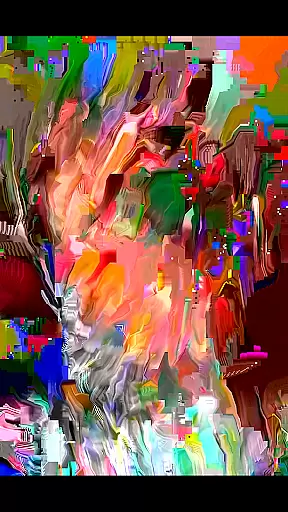
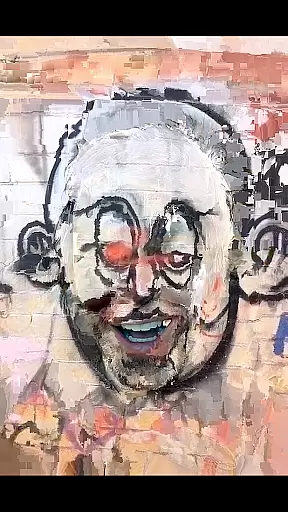
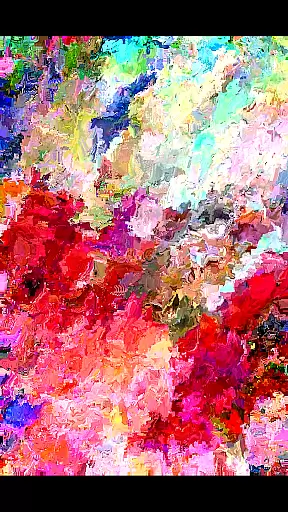
MoshUp is a creative photography app that allows users to perform live datamoshing on their mobile devices. The core functionality lies in its ability to transform the first video recording using the motion data from a second recording, creating unique mapping effects. This innovative approach to video editing enables artists and casual users alike to experiment with visually striking transitions and effects.
The app also supports importing videos from the gallery, expanding creative possibilities. While MoshUp is still under development, it offers photographers and videographers an exciting new tool for transforming ordinary footage into extraordinary visual experiences. Its experimental nature makes it particularly appealing to those interested in avant-garde video techniques.
MoshUp distinguishes itself through several innovative features. The primary capability is its live datamoshing function, which analyzes motion data from one video to transform another. This creates dynamic, unpredictable visual effects that are difficult to replicate with traditional editing software. The recently added feature of importing videos from the gallery enhances this functionality by allowing users to work with pre-existing footage.
Another notable feature is the frame-holding capability when pressing the screen, enabling precise control over the transformation process. This combination of real-time processing and manual control provides users with both spontaneity and precision. The app's experimental nature encourages creative exploration, making it a valuable tool for artists seeking to push the boundaries of conventional video editing.
Real-time capture and preview functionality is essential for photography apps like MoshUp. This feature allows users to see the effects of their actions immediately, providing instant feedback on creative decisions.
MoshUp implements this by enabling live datamoshing directly on the phone. As users film different scenes, the app transforms the first recording based on the motion detected in the second, creating unique mapping effects in real time.
The benefit to users is significant, as they can experiment with various visual styles without delay. This immediate visualization helps photographers and videographers refine their work efficiently.
Additionally, the ability to repeat the last frame by holding the screen adds another layer of creative control, making the real-time capture experience both dynamic and versatile.
AI beauty and enhancement features are increasingly important in modern photography applications. These tools help improve image quality while maintaining a natural look, avoiding the over-processed appearance that can detract from a photo's authenticity.
While MoshUp focuses primarily on creative datamoshing effects, its latest version introduces video import capabilities from the gallery. Although not explicitly marketed as AI-driven, these enhancements rely on sophisticated algorithms to ensure smooth integration of imported content.
Users benefit from more flexibility in editing, as they can now incorporate existing footage into their projects. The app's processing ensures that transitions and transformations maintain visual coherence, preserving the original video's character.
This approach to enhancement emphasizes naturalness, allowing creators to produce visually striking content that remains true to their artistic vision without artificial distortion.
User-friendly interface
Unique visual effects
Real-time processing
Gallery import option
Creative experimentation
Limited device support
Developmental bugs
Performance issues
Learning curve
Feature limitations

[3DSteroid Pro] is a stereoscopic application for Android.
 4.30
4.30
Find time and duration of different sunlight phases at any location
4.90
Professional video recording application with manual controls for filmmakers!
2.80
Application for remote controlling DSLR
3.00
Turn your phone into a professional camera - full DSLR manual photography
4.30
Photo editor & gallery. Crop pictures & edit photos offline, no wifi!
4.50
Fit multiple photos on one post. Create carousels & scroll layouts for Instagram
4.50
Welcome to ProShot, the most powerful camera app on Android.
4.20
Photo & Video Gallery app to manage albums and save WA Status easily.
4.70
Create funny photos and videos with the popular Time Warp Scan filter.
4.90
Pro version: AR sun/moon tracker for any date. Tool for photographers & planners
4.90
Viewfinder, Light meter, Reciprocity failure time, DOF & Bellows Extension
4.60
Use AI Video Generator to turn your words to ai generated videos.
4.50
Natural Beauty, Selfie Retouch
4.30
AI-powered video creator by MiniMax - Where ideas meet cinema
4.20
Photobooth mini FULL app will allow you to add more fun to your parties
4.00
GCamera allows all GCam features on all phone models! Better photos with GCamera
3.30
HD Photo gallery and photo manager to edit, hide private photos, videos & albums
4.5
Add a dreamy vibe to your selfies and videos with soft style filters
4.4


User Reviews