
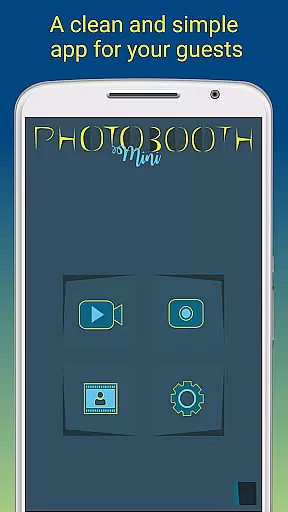
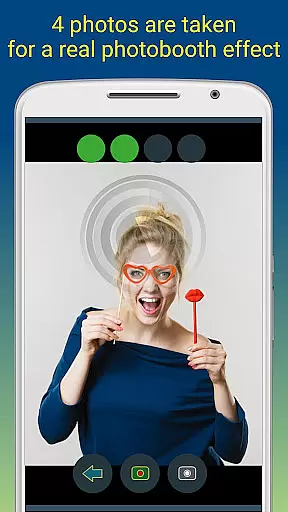
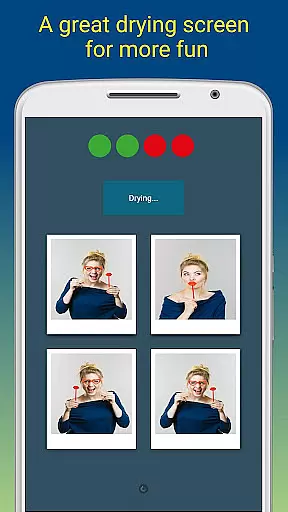
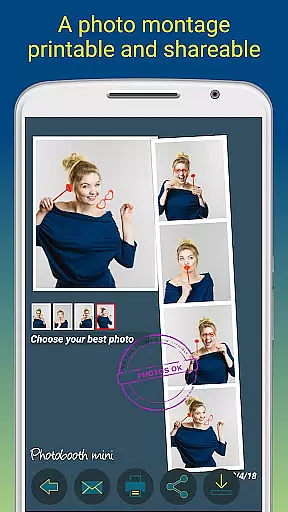
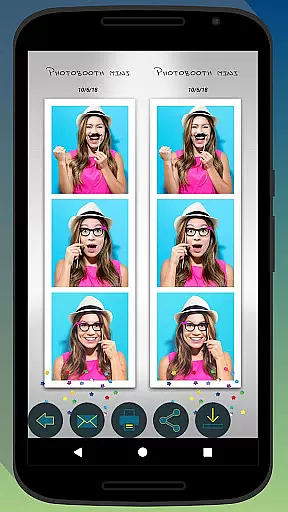
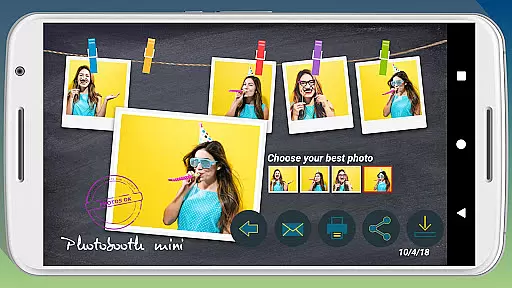
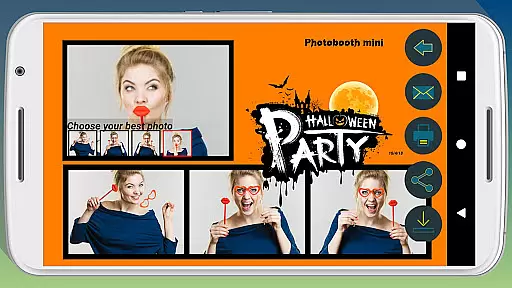
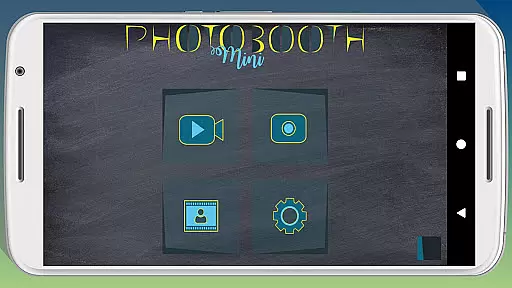
Photobooth mini FULL is a feature-rich photography app designed to capture fun moments at parties and events. The app offers a full-screen preview that adapts to the user's distance, mimicking a real photo booth experience. With functionalities like a timer, multiple picture capture, and video messaging, it ensures an engaging experience. Users can take 4-5 photos per session, enjoy a realistic drying effect with sound, and customize their experience extensively.
The application shines in social settings, allowing continuous use over days without performance issues. It supports direct printing, sharing, and emailing of photos, making it ideal for gatherings. Additionally, users can add text and dates to their photos, creating lasting memories. Its configurability extends to background images and timer settings, adapting seamlessly to different event requirements.
Photobooth mini FULL stands out with its specialized features tailored for event photography. The app's full-screen preview adjusts based on the user's distance, providing an authentic photo booth feel. This feature, combined with the ability to zoom using volume buttons while maintaining the set distance, enhances usability. The timer function and option to take 4-5 photos per session cater to group shots effectively.
Another highlight is the app's adaptability for long events. It remains active and accessible throughout, supporting extensive photo storage. The integrated drying effect with blowing sounds adds a playful touch. Moreover, advanced customization options allow replacement of background images and detailed timer configurations, ensuring the app fits various event themes and setups perfectly.
Photobooth mini FULL offers a real-time capture and preview feature that ensures users can take high-quality, funny pictures with ease. This functionality is crucial for capturing moments accurately and ensuring satisfaction before finalizing the shot.
The app provides a full-screen preview that adapts to the distance of the face, mimicking a real photo booth experience. Users can zoom in or out using the volume buttons, and the chosen distance is maintained, offering precision and control over the framing.
With additional features like a timer and the ability to take 4 to 5 pictures in one session, users can enjoy a dynamic photoshoot. The instant feedback and adjustable settings allow for endless creativity, making it perfect for parties and social gatherings.
This real-time functionality not only enhances user engagement but also ensures that the captured images are exactly what the user envisioned, providing a seamless and enjoyable photography experience.
While Photobooth mini FULL focuses on fun and creativity, it also incorporates AI beauty and enhancement features that ensure natural-looking edits. These enhancements are subtle yet effective, preserving the authenticity of the captured moments while adding a touch of polish.
The app includes options for drying photos with a blowing sound effect and creating video messages, which add an interactive element to the photo-taking process. These features contribute to a more engaging and entertaining user experience without compromising the image's natural state.
Users can customize their photos further by adding text lines and dates, enhancing the personalization aspect. The appu2019s configurability extends to replacing background images and adjusting the timer, allowing users to tailor the experience to their specific needs and preferences.
By balancing AI-driven enhancements with user control, Photobooth mini FULL delivers a photography tool that is both powerful and easy to use, ensuring that every picture taken is a true representation of the moment captured.
User-friendly interface
Highly customizable settings
Realistic photo booth experience
Supports direct printing and sharing
Engaging features like video messaging
May require internet for email features
Interface could appear complex initially
Limited to specific use cases like events
Some features need additional setup
Consumes considerable storage space

All-in-One Editor & AI Photo Enhancer, Beautify & Retouch, Collage, Cartoonify
 4.20
4.20
Professional video recording application with manual controls for filmmakers!
2.80
Android Native system HD camera app. Never been so simple and faster.
4.70
AI photo editor with hair editor, retouch tools, hair color changer & filters!
4.50
Automatically backup your photos and videos to computer, NAS and Cloud services
4.60
AI photo enhancer with Sora 2! Enhance, descratch, and colorize your old photos.
4.50
Professional quality photo edits with the new Snapseed.
4.00
Unlock the full potential of your DJI drone with Litchi
4.50
Try an anime version, cartoon yourself, and generate AI hug or aging videos!
3.70
Pro version: AR sun/moon tracker for any date. Tool for photographers & planners
4.90
Photo editor: AI filters, photo enhancer, pic collage maker, AI art generator.
4.80
1M influencer's special filter
4.60
PhotoSync Bundle Add-On License. Enables all features and services in PhotoSync.
4.60
Cut and paste photo editor & eraser to customize photos easy and swap faces fun
4.50
Virtual makeup, hair filters & body tuner—edit from face to full body!
4.20
Luminar: Photo Editor - easy picture editing with AI
4.20
Catch sunlight, sunrise sunset times and sun phases with the AR sun tracker.
4.10
Gallery Slideshow is slideshow maker app for slideshow from your gallery photos.
3.90
Over 800 film simulation recipes for Fujifilm. Black Friday Offer!
4.1


User Reviews