
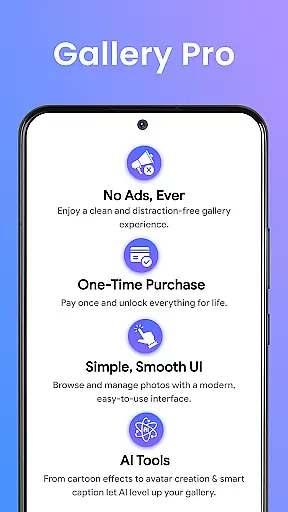
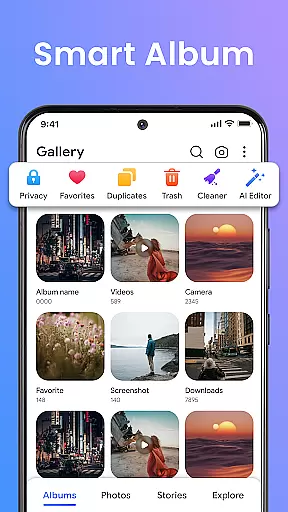
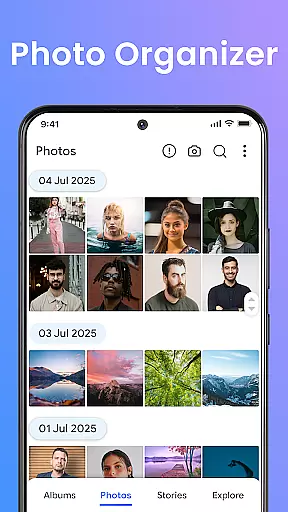

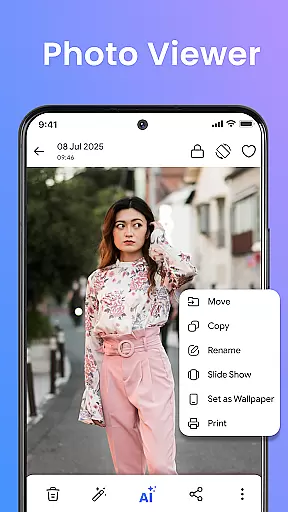

Gallery Pro is a comprehensive HD photo gallery app designed to help users organize, manage, and secure their photos and videos. With its clean and intuitive interface, the app offers effortless media management through features like a gallery vault, intelligent photo organizer, and seamless slideshow creator. Whether you need to sort your albums, view high-quality images, or protect private moments, Gallery Pro provides all the necessary tools in one place.
The app stands out with its advanced security features, particularly the encrypted vault that keeps sensitive media safe. It also includes practical functionalities such as smart tagging, advanced search, and built-in editing tools. These features ensure users can easily find, enhance, and organize their memories while maintaining privacy. The AI-powered enhancements and story memories further enrich the user experience by adding creative and nostalgic value to everyday photo management.
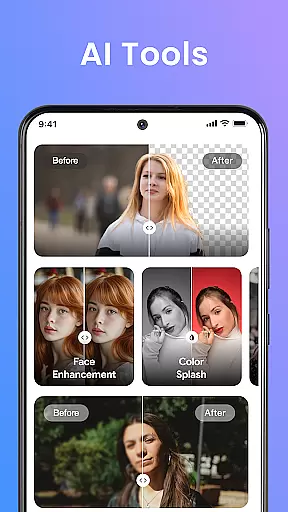
Gallery Pro boasts an array of powerful features tailored for both casual and power users. Its clean and fast HD interface allows quick browsing and sorting of photos, videos, and GIFs, ensuring smooth navigation. The smart photo organizer lets users create albums, add tags, and utilize advanced search to locate specific memories instantly. Additionally, the built-in photo editor offers essential tools like crop and rotate, along with AI-powered features such as object removal and background blur, enhancing image quality with minimal effort.
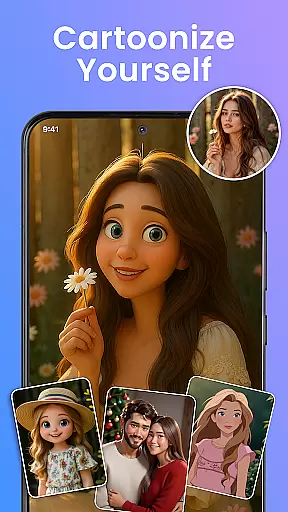
One of the standout features is the secure vault, which encrypts and protects sensitive media. This ensures privacy and peace of mind, especially when managing personal or confidential content. The HD slideshow creator transforms favorite moments into stylish presentations, perfect for sharing with friends and family. Moreover, AI tools integrated into the app provide functionalities like avatar creation and smart cleanup, making photo management not only efficient but also fun and creative.
Real-time capture and preview functionality is essential for any photography app as it allows users to see exactly what the camera sees before taking a shot. Gallery Pro offers an intuitive interface that ensures every photo taken is framed perfectly, with real-time adjustments for exposure, focus, and white balance.
The app's advanced algorithms provide instant feedback on image quality, helping users make necessary adjustments on the fly. This feature is particularly useful in varying lighting conditions, ensuring that photos are clear and vibrant regardless of the environment.
With Gallery Pro, users can also preview their images in high definition immediately after capture. This immediate access to HD previews allows for quick editing decisions, enhancing workflow efficiency and ensuring that the final product meets professional standards.
Ultimately, the real-time capture and preview capabilities of Gallery Pro empower photographers to take control of their creative process, resulting in higher quality images and a more satisfying user experience.
AI-powered beauty and enhancement features have become a staple in modern photo editing applications. Gallery Pro leverages cutting-edge AI technology to offer natural-looking enhancements that preserve the authenticity of the original image while elevating its aesthetic appeal.
The appu2019s AI tools intelligently identify facial features and apply subtle enhancements that highlight natural beauty without appearing artificial. From smoothing skin textures to brightening eyes, each adjustment is made with precision to maintain the subject's unique characteristics.
Gallery Pro also includes options for background blur and object removal, allowing users to create clean, professional-looking compositions. These features are seamlessly integrated into the editing process, providing a smooth and intuitive user experience that caters to both amateur and professional photographers.
By focusing on natural enhancement, Gallery Pro ensures that edited photos retain their genuine feel, offering users the ability to enhance their images while staying true to the original moment captured.
User-friendly interface
Advanced security features
Comprehensive editing tools
Efficient organization options
AI-powered enhancements
Premium features may require payment
Storage permissions needed
Limited free storage space
Occasional performance lags
Complexity for beginners

Photo Album Watch Face shows your favorite pictures as a Watchface.
 1.90
1.90
Natural Beauty, Selfie Retouch
4.30
Pet Camera
3.70
AI photo editor with hair editor, retouch tools, hair color changer & filters!
4.50
Take videos and pictures with the popular TikTok TIME WARP SCAN filter.
4.60
Create Business Headshots, Polaroid Filter, Retake Photos,Profile Pics,AI Photos
4.50
Discover & download millions of art for The Frame TV or Hisense CanvasTV
4.60
Edit photos with the picture generator: PS2 & AI Clay filters, cartoon effects.
4.50
Photo & Video Gallery app to manage albums and save WA Status easily.
4.70
Cartoon and artistic effects for your photos and videos
4.70
Viewfinder, Light meter, Reciprocity failure time, DOF & Bellows Extension
4.60
Automatically backup your photos and videos to computer, NAS and Cloud services
4.60
Fit multiple photos on one post. Create carousels & scroll layouts for Instagram
4.50
Easily stitch panoramas from multiple photos or video.
4.40
[3DSteroid Pro] is a stereoscopic application for Android.
4.30
Hair color changer, AI haircut app, fun hair editor and buzz cut filter for all!
3.80
Create amazing frames with up to five photos. Rounded corners, effects and more!
3.60
Superimpose one photo on top of another using the original Superimpose app!
3.20
Over 800 film simulation recipes for Fujifilm. Black Friday Offer!
4.0


User Reviews