
qDslrDashboard is a powerful photography application designed for DSLR and mirrorless camera users who want to control their Nikon, Canon, or Sony cameras remotely. The app offers advanced features such as remote capture, synchronized shooting, live view with histogram analysis, and manual focus adjustments during live view sessions. It also supports multiple camera connections through USB OTG adapters or wireless routers, making it ideal for professional photographers and enthusiasts alike.
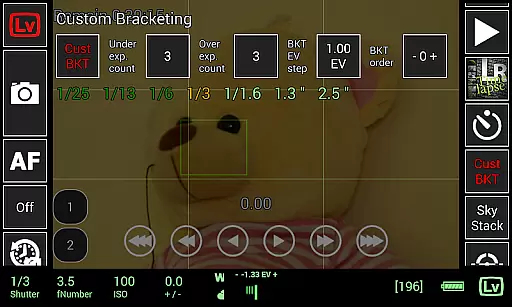
In addition to its core functionalities, qDslrDashboard provides specialized tools like time-lapse creation, custom bracketing, focus stacking, and movie recording initiation (on supported models). These features are particularly useful for astrophotography, studio work, and complex motion-controlled setups. By enabling precise control over camera settings and offering seamless image transfer and preview capabilities, the app enhances productivity and creative possibilities in various photography scenarios.
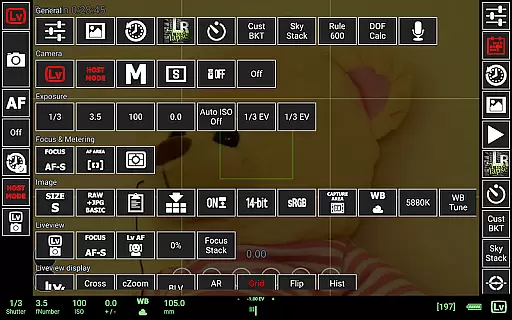
qDslrDashboard stands out with its extensive feature set tailored for professional photography workflows. One of its key highlights is the ability to connect multiple cameras simultaneously, either via USB OTG adapters or portable wireless routers. This allows users to synchronize captures across different devices, which is invaluable for projects requiring consistent timing and coordination. Additionally, the app supports changing camera properties directly from your Android device, providing unparalleled convenience.
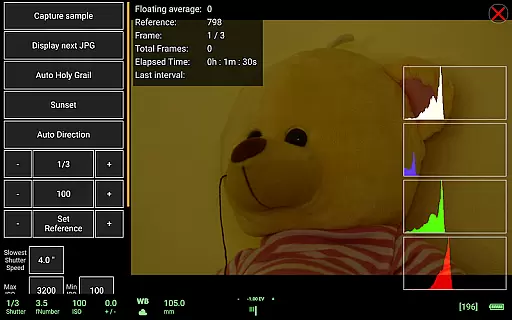
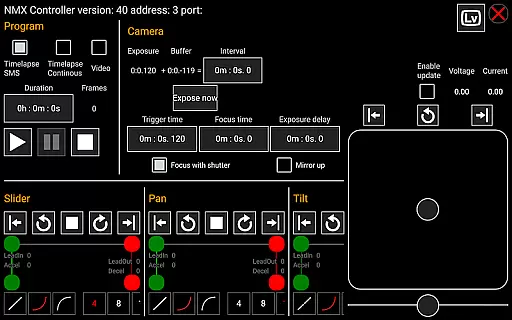
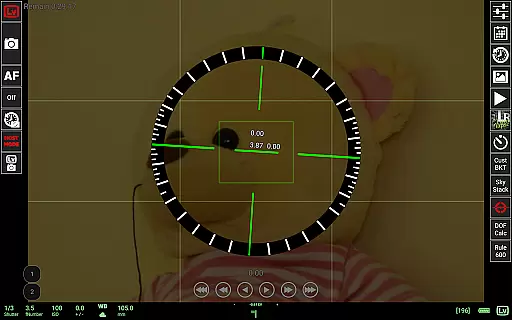
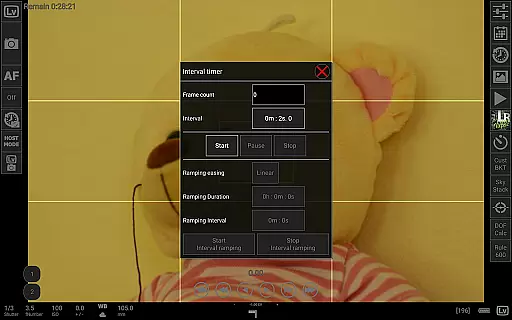
The app includes advanced tools such as time-lapse functionality with customizable control files, sound-initiated capture with spectral display options, and integration with Arduino for automated movements. Its live view mode not only displays real-time footage but also provides histograms and manual focus adjustments. Furthermore, qDslrDashboard supports raw file previews, DoF calculations, Rule600 estimations, and even sky stacking helpers, catering to niche yet critical needs in specialized photography fields.
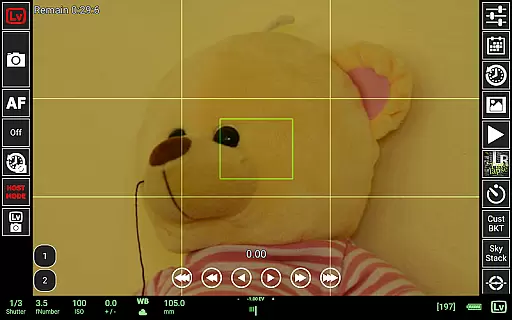
Real-time capture and preview functionality is essential for photographers who need precise control over their shots. qDslrDashboard offers a comprehensive solution that allows users to connect their DSLR or mirrorless cameras to an Android device, providing a live view of the scene being captured.
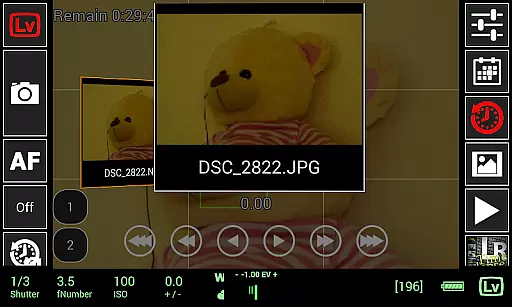
This application supports multiple camera brands, including Nikon, Canon, and Sony. Through a USB OTG adapter, users can change camera properties, browse images directly on the camera, and transfer them to the Android device. The live view feature includes a histogram and manual focus movement, ensuring accurate framing and exposure.
Photographers benefit from features like synchronized capture and time-lapse photography with advanced controls. The ability to preview both JPG and RAW images ensures that users can make informed decisions about their shots before finalizing them. This real-time feedback loop enhances the creative process and improves overall image quality.
While qDslrDashboard does not focus on AI beauty enhancements typically found in mobile photography apps, it excels in delivering natural and authentic image captures through its advanced camera control features. The application provides tools that allow photographers to adjust settings manually, ensuring that each photo reflects true-to-life colors and details.
One standout feature is the live view histogram, which helps users achieve optimal exposure levels without relying on post-processing enhancements. Additionally, the depth of field calculator and Rule600 calculator assist in creating technically accurate photographs, especially useful in astrophotography and macro photography.
The app's support for wireless networks and portable routers enables remote capture, expanding creative possibilities without compromising image quality. By focusing on genuine photographic techniques rather than artificial enhancements, qDslrDashboard caters to professionals seeking authenticity in their work.
Advanced camera control
Multiple camera support
Live view histogram
Customizable profiles
Wireless connectivity
Requires USB OTG adapter
Complex setup process
Limited camera compatibility
No iOS version available
Steep learning curve

Easily stitch panoramas from multiple photos or video.
 4.40
4.40
Create & Edit with AI: AI Remove, Enhance, Retouch, Filter
4.10
Transform photos into videos! Create realistic or anime-style images easily!
4.50
Turn your phone into a professional camera - full DSLR manual photography
4.30
Photo editor & gallery. Crop pictures & edit photos offline, no wifi!
4.50
Create AI photos & videos with Enhancer; restore, fix, beautify, enhance photos
4.50
GCamera allows all GCam features on all phone models! Better photos with GCamera
3.30
Your personal guide to the sun and moon. Plan ahead, visualize and predict!
4.70
Unlock the full potential of your DJI drone with Litchi
4.50
Pro version: AR sun/moon tracker for any date. Tool for photographers & planners
4.90
Perfect body tune & face app - photo retouch, makeup, slim body & beautify face.
4.80
Light-weight Media Gallery app for Android made with Jetpack Compose
4.60
Safe & smart flight with Go Fly drone controller for 40+ drone camera, zone map
4.50
AI photo editor with hair editor, retouch tools, hair color changer & filters!
4.50
A light meter for true photographers.
4.20
Gallery Slideshow is slideshow maker app for slideshow from your gallery photos.
3.90
Remote control of the phone camera from your Wear OS smartwatch
3.70
Pet Camera
3.70
Professional video recording application with manual controls for filmmakers!
2.80


User Reviews