
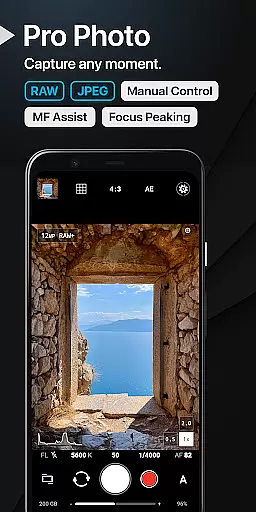
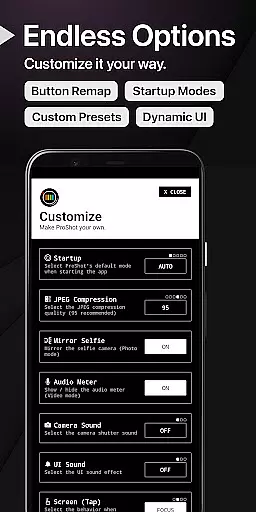
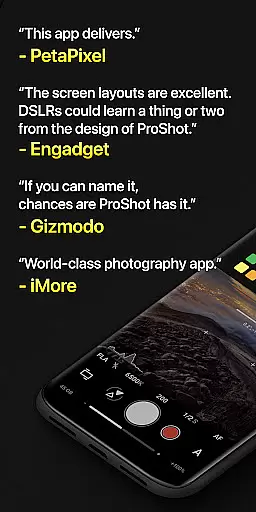
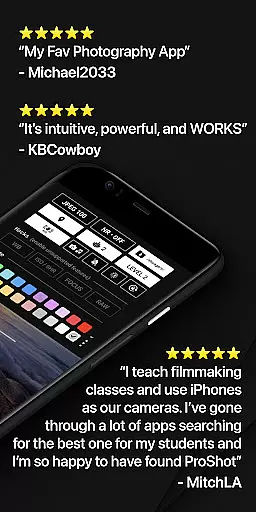
ProShot is a professional-grade photography and filmmaking application designed for Android users who demand full creative control over their mobile photography experience. This app offers an extensive range of manual controls akin to those found in DSLR cameras, including ISO, shutter speed, white balance, and more, all accessible through an intuitive interface that adapts to both amateur and seasoned photographers.
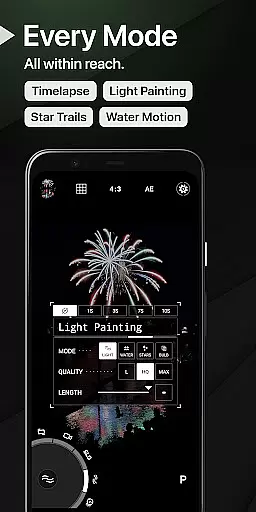
The app's unique Dual Dial system allows swift navigation through settings, while specialized modes like Light Painting and Bulb enable capturing stunning visuals such as star trails and water movements. With support for RAW (DNG), JPEG, HEIC formats, and advanced video features up to 8K resolution, ProShot ensures high-quality output tailored to the user's preferences. Its privacy-conscious design guarantees no personal data is collected or transmitted, making it a secure choice for image and video capture.
Whether you're shooting photos or recording videos, ProShot provides comprehensive tools that include customizable aspect ratios, focus peaking, histograms, and even supports external microphones for audio enhancement during video shoots. The app's dedication to ongoing development promises continuous improvements and new feature additions, ensuring that your photographic journey with ProShot remains dynamic and limitless.
ProShot stands out with its expansive array of features that cater to every photographer's needs. It leverages the camera2 API to deliver DSLR-like functionalities such as Auto, Program, Manual, and Custom modes, alongside options for Shutter priority, ISO priority, and Full Manual control. Users can fine-tune exposure settings, flash intensity, focus points, ISO levels, shutter speeds, and white balance adjustments with precision.
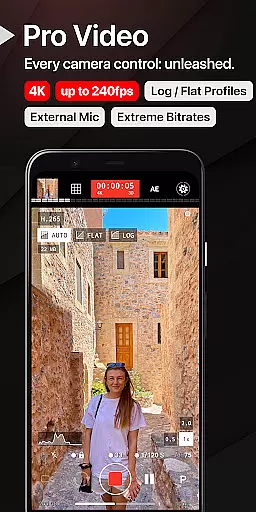
In addition to robust photo capabilities, ProShot excels in videography with support for extreme bitrate options up to 8K resolution, LOG and FLAT color profiles for enhanced dynamic range, and real-time monitoring of audio levels and file sizes. The app also facilitates creative expression through Light Painting modes, timelapse functionality, and custom aspect ratios, allowing photographers to explore various artistic avenues without limitations.
ProShot further enhances user experience by integrating practical utilities like a zero-lag bracket exposure feature, manual focus assist with customizable colors, histogram analysis in three modes, one-finger zoom up to 10X, and accent color customization. These thoughtful inclusions not only streamline workflow but also empower users to personalize their interaction with the app, ensuring each session is as productive and enjoyable as possible.
Real-time capture and preview functionality is essential for photographers who need precision and control over their shots. ProShot offers a seamless experience by providing instant feedback on settings like exposure, white balance, and focus directly through the viewfinder.
The app leverages the camera2 API to ensure that every adjustment made in manual mode is immediately reflected in the preview. This allows users to fine-tune their images with features such as ISO priority, shutter speed, and light painting modes before capturing the final shot.
With ProShot, photographers can trust that what they see on the screen is exactly what they will get in the final image. The zero-lag bracket exposure and live histogram further enhance the ability to capture perfect photos under any lighting condition.
This real-time capability ensures that users never miss a moment, whether shooting in RAW, JPEG, or HEIC formats. The responsive interface empowers both amateur and professional photographers to experiment freely while maintaining complete creative control.
While ProShot focuses primarily on professional-grade manual controls, it also incorporates advanced AI beauty and enhancement features that maintain natural-looking results. These tools are designed to subtly improve image quality without compromising authenticity.
The app includes options for noise reduction, tone mapping, and sharpness adjustments that work harmoniously to produce clean and vibrant photos. Users can customize these settings to suit their preferences, ensuring that enhancements align with their artistic vision.
ProShot's approach to AI enhancement emphasizes subtlety over exaggeration. Features like focus peaking and manual focus assist provide precise control, allowing photographers to achieve tack-sharp images while retaining the organic feel of the original scene.
By combining powerful AI processing with user-controlled parameters, ProShot delivers enhanced images that look professionally retouched yet remain true to life. This balance makes it an ideal choice for photographers seeking both technical excellence and natural aesthetics.
User-friendly interface
DSLR-like controls
Privacy-focused design
High-quality output options
Continuous feature updates
Steep learning curve
Advanced features may overwhelm beginners
Some features require compatible hardware
Premium price point
Limited automated assistance

Photo Album Watch Face shows your favorite pictures as a Watchface.
 1.90
1.90
Perfect photos with body shaping, BG changer and object remover.
3.70
HD Photo gallery and photo manager to edit, hide private photos, videos & albums
4.0
Create & Edit with AI: AI Remove, Enhance, Retouch, Filter
4.10
Virtual makeup, hair filters & body tuner—edit from face to full body!
4.20
HD Camera Pro with HD Video shooting, Panorama, Photo editor , Beauty Camera.
4.50
Future baby face generator: AI kids generator, kid face! What my baby look like?
4.40
Easily create custom gifts, cards, photo books & more on the Shutterfly app!
4.60
Catch sunlight, sunrise sunset times and sun phases with the AR sun tracker.
4.10
See your baby AI baby face generator AI baby maker Face generator babymaker fun!
4.70
A collection of tools and reference tables for DPs, ACs, DITs and Operators.
4.70
Enhance, retouch & create your story - Share the moment with Photoshop Express.
4.60
RAW video capture with advanced controls
4.40
[3DSteroid Pro] is a stereoscopic application for Android.
4.30
What celebrity do you look like? Celebs will find your celebrity match!
4.10
All-in-One Editor & AI Photo Enhancer, Collage, Cartoonify, Funny Stickers & BGS
4.10
Transform Photos: Edit, Beautify and Craft Memories & Make Collages!
4.10
Photo editor: face & body editor, beauty cam, filters and quality enhancer.
4.00
Professional video recording application with manual controls for filmmakers!
2.80


User Reviews