
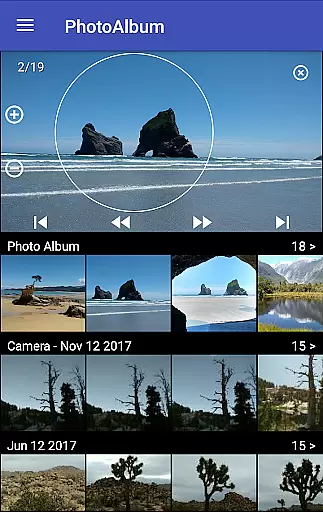
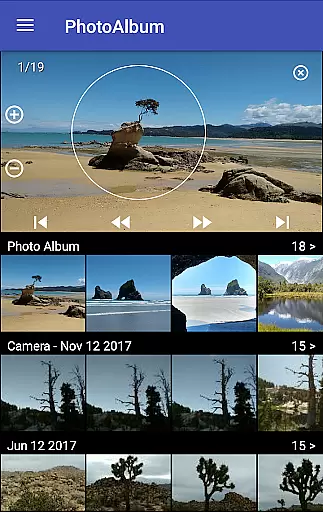
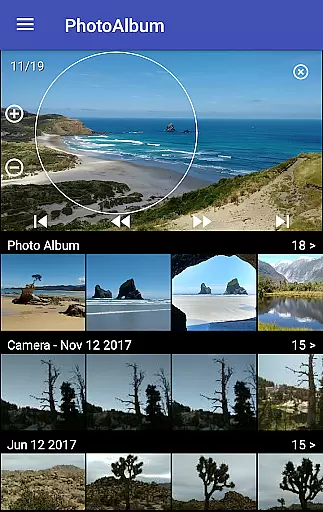
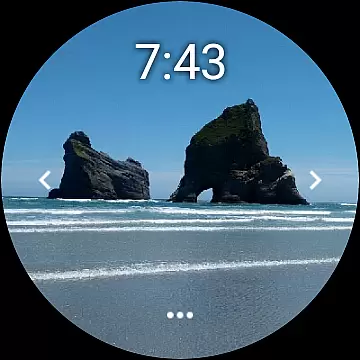
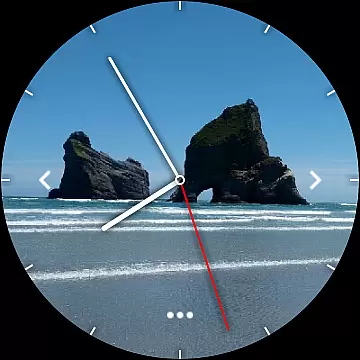
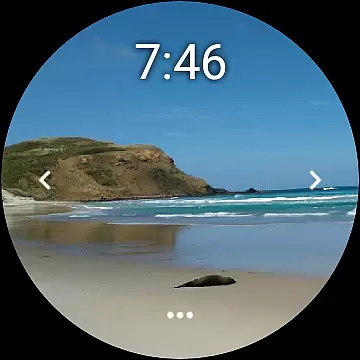
Photo Album Watch Face is an innovative photography app that allows users to personalize their smartwatch faces with selected photos from their phone. Designed for both functionality and personal expression, this app supports automatic photo cycling directly on the watch face, providing a dynamic and customized time-telling experience.
The app's core feature is its ability to sync user-selected images from a smartphone to a compatible smartwatch, including Wear OS devices. Users can easily navigate through their chosen photos by swiping left or right on the watch face. Additionally, the app offers offline functionality, allowing users to enjoy their personalized watch faces even without a phone connection.
This application is particularly useful for individuals who value personalization and convenience. Whether you want to keep cherished memories close or create a unique style statement, Photo Album Watch Face delivers both aesthetic appeal and practical usability, making it an ideal choice for photography enthusiasts and tech-savvy users alike.
Photo Album Watch Face stands out with its comprehensive set of features designed to enhance user experience. One of its primary capabilities is the automatic photo synchronization between smartphones and smartwatches. This feature ensures that users can effortlessly update their watch faces with fresh content from their mobile devices.
The app incorporates intuitive navigation controls, enabling users to swipe through their photo collection directly on their smartwatch display. For more control, users can utilize specific buttons on the watch interface to manage downloads and updates independently. Notably, the app maintains functionality without constant phone connectivity, offering flexibility and convenience.
What sets Photo Album Watch Face apart is its compatibility with multiple smartwatch operating systems, including Wear OS. This cross-platform support expands its user base and demonstrates the developer's commitment to accessibility. These features collectively contribute to a seamless and personalized smartwatch experience, catering to both casual users and photography enthusiasts seeking unique customization options.
Real-time capture and preview functionality is essential for ensuring that users can see exactly what their smartwatch face will look like before finalizing their selection.
Photo Album Watch Face offers a seamless experience where users can choose their favorite images directly from their phone, instantly previewing them as potential watch faces. This immediate feedback loop allows for quick adjustments and optimal picture selection.
The ability to cycle through photos automatically or manually by swiping left or right further enhances the user's control over their watch face display. This feature ensures that each glance at the watch provides a fresh memory or aesthetic pleasure.
By integrating with both Android Wear and Wear OS devices, this application guarantees broad compatibility, making it easy for users across different platforms to enjoy personalized, real-time photo previews on their smartwatches.
AI beauty and enhancement features are increasingly important in photography applications, offering users tools to refine and perfect their images while maintaining a natural appearance.
Although Photo Album Watch Face does not explicitly market itself as an AI-powered beautification tool, its core functionality inherently enhances the visual appeal of selected photos by optimizing them for the watch face display. The automatic cycling of images ensures that each photo is presented in the best possible light.
Users benefit from having their chosen memories displayed prominently on their smartwatch, with the underlying technology working to ensure these images look their best within the constraints of a smaller screen format.
This subtle yet effective enhancement contributes to a more enjoyable and personalized user experience, allowing individuals to carry cherished moments with them throughout the day, beautifully presented on their wristwear device.
User-friendly interface
Offline functionality
Automatic photo cycling
Wear OS compatibility
Customizable watch face
Limited editing tools
Phone app dependency
Occasional sync issues
Basic design options
Premium feature costs

Gallery show photo, video, slideshow, is perfect 3D effect private photo albums.
 4.80
4.80
Shooting photos and records video easily and efficient with professional Camera
4.30
Find time and duration of different sunlight phases at any location
4.90
1M influencer's special filter
4.60
Photo editor: AI filters, photo enhancer, pic collage maker, AI art generator.
4.80
Transform photos into videos! Create realistic or anime-style images easily!
4.50
Automatically backup your photos and videos to computer, NAS and Cloud services
4.60
Photo editor & gallery. Crop pictures & edit photos offline, no wifi!
4.50
Create AI photos & videos with Enhancer; restore, fix, beautify, enhance photos
4.50
See your baby AI baby face generator AI baby maker Face generator babymaker fun!
4.70
Amazing Photo Effects - The most fun you can have with your photos!
4.70
The original Rarevision VHS look seen everywhere!
4.70
Enhance, retouch & create your story - Share the moment with Photoshop Express.
4.60
Add Watermark - Sign your pictures with a text or logo. Effective, quick, easy!
4.50
Fit multiple photos on one post. Create carousels & scroll layouts for Instagram
4.50
Edit like a pro with Hypic. Apply filters, AI effects, & magic touch.
4.40
Photo editor: face & body editor, beauty cam, filters and quality enhancer.
4.00
Gallery Slideshow is slideshow maker app for slideshow from your gallery photos.
3.90
Long exposure camera with computational photography
2.60


User Reviews