
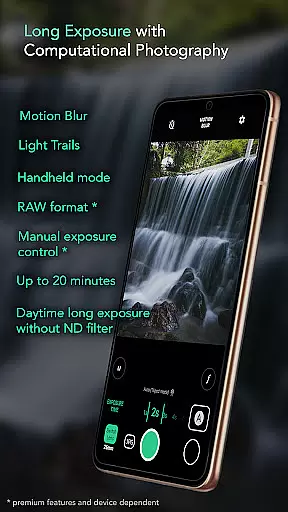
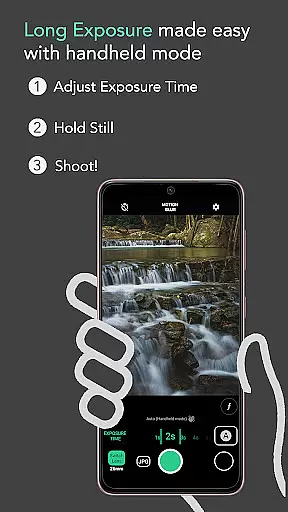
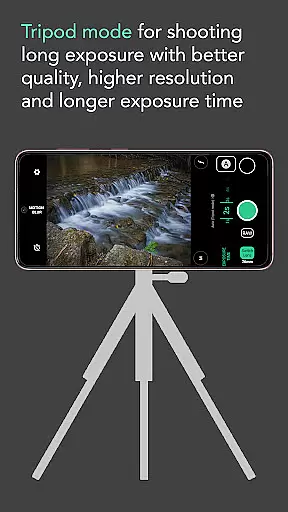
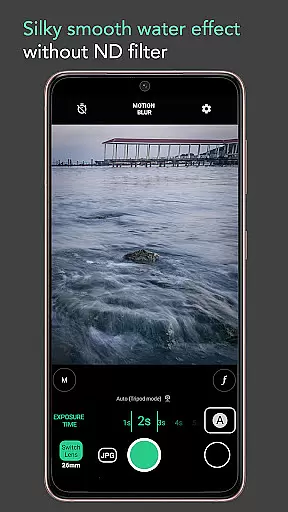
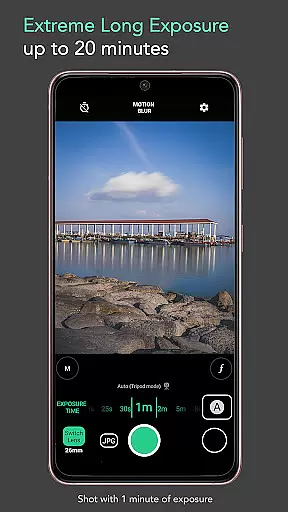
Motion ProCam is a specialized camera application designed to simplify the process of capturing long exposure photographs. This app allows users to effortlessly create stunning motion blur and light trails by intelligently aligning multiple images, eliminating the need for a tripod or ND filters even in bright daylight conditions.
With advanced computational photography techniques, Motion ProCam combines dozens of shots into one refined long exposure image. The app offers both automatic stabilization for handheld shooting and professional-grade features like RAW format support and manual exposure controls, making it suitable for both casual users and photography enthusiasts.
Whether you're aiming to capture silky waterfalls, serene seascapes, or vibrant light trails, this app provides the tools needed to produce high-quality long exposure photos with ease.
Motion ProCam stands out with its innovative approach to long exposure photography. The app's auto-stabilization feature ensures sharp images even when shooting handheld, while its ability to work without ND filters makes daytime long exposure photography more accessible than ever.
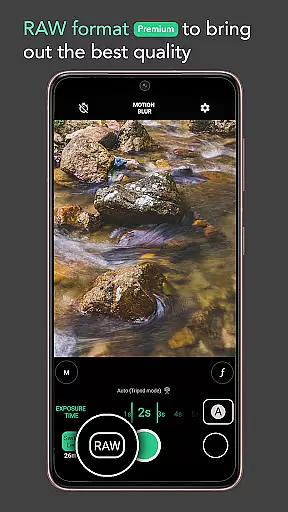
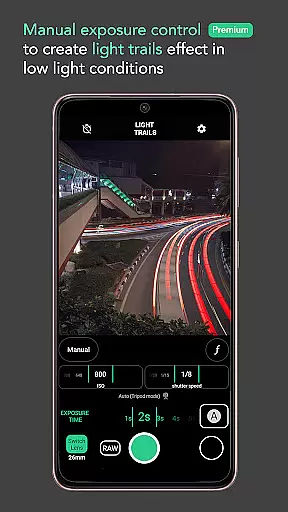
The app offers two distinct effects modes - motion blur and light trails - allowing users to choose the desired artistic effect. With exposure times ranging up to 20 minutes, photographers can experiment with various creative possibilities. Additional features include volume button shutter control and premium options like RAW format support and manual exposure settings.
These professional features enable enthusiasts to capture exceptional quality long exposure images, whether they're photographing moving clouds, creamy lakes, or bustling cityscapes with smooth crowd removal effects.
Real-time capture and preview functionality is essential for ensuring that users can accurately frame and adjust their shots before capturing the final image. Motion ProCam offers a seamless experience by providing instant feedback on exposure settings and composition.
The app's computational photography techniques allow users to preview the long exposure effects, including motion blur and light trails, in real-time. This ensures that photographers can make necessary adjustments to achieve the desired outcome without any guesswork.
With features like auto stabilization in handheld mode and manual exposure control, users can trust that their images will be sharp and correctly exposed. The ability to shoot in RAW format further enhances the quality of the captures, providing enthusiasts with the best possible starting point for post-processing.
While Motion ProCam focuses primarily on long exposure photography, it also incorporates AI-driven enhancements to ensure natural-looking results. These enhancements help in reducing noise and improving the overall clarity of the images without compromising the authenticity of the scene.
The app uses advanced algorithms to auto-align and combine multiple images into a final long exposure shot. This process not only smooths out any minor hand movements but also enhances the details in the image, making waterfalls appear silky and clouds move gracefully across the sky.
For enthusiasts looking to capture scenes like seascapes or light trails, the AI enhancements provide an added layer of polish. By intelligently processing each frame, Motion ProCam ensures that every element from moving crowds to flowing water is captured with precision and natural beauty.
Easy-to-use interface
Daylight long exposure
Auto stabilization
Professional RAW support
Versatile effects options
Premium features locked
Limited free options
High battery consumption
Steep learning curve
Occasional processing errors

How would you look like with a differently shaped nose, chin or lips?
 3.90
3.90
1M influencer's special filter
4.60
Cut and paste photo editor & eraser to customize photos easy and swap faces fun
4.50
How old age camera Gender Swap App Face Shape Hairstyle App Hair Styler App fun!
4.00
Create & Edit with AI: AI Remove, Enhance, Retouch, Filter
4.10
Light-weight Media Gallery app for Android made with Jetpack Compose
4.60
The #1 app for B&W film developing featuring an advanced darkroom timer.
4.10
RAW video capture with advanced controls
4.40
Your personal guide to the sun and moon. Plan ahead, visualize and predict!
4.70
Collage your moments in one tap: 1000+ layouts, filters, stickers, and texts.
4.90
A collection of tools and reference tables for DPs, ACs, DITs and Operators.
4.70
Enhance, retouch & create your story - Share the moment with Photoshop Express.
4.60
Professional photography on your mobile phone
4.20
Luminar: Photo Editor - easy picture editing with AI
4.20
Hair color changer, AI haircut app, fun hair editor and buzz cut filter for all!
3.80
Application for remote controlling DSLR
3.00
An interval timer to automate photo taking process for timelapse
2.90
Remote control the phone camera shutter from your smartwatch and take a picture
1.60
HD Photo gallery and photo manager to edit, hide private photos, videos & albums
4.1


User Reviews