
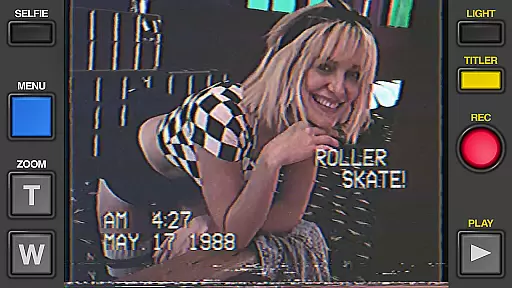
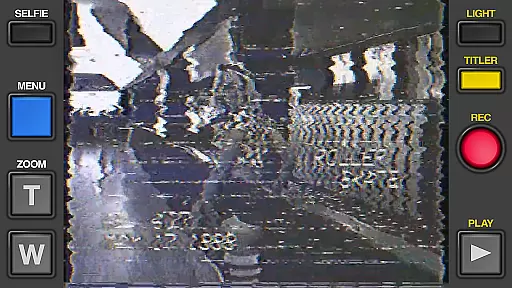
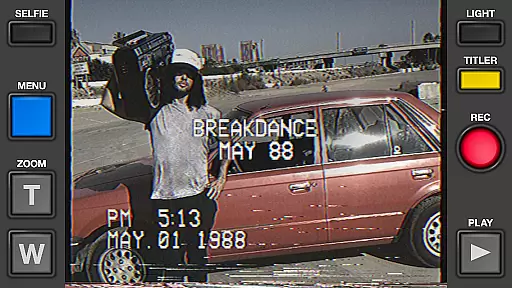
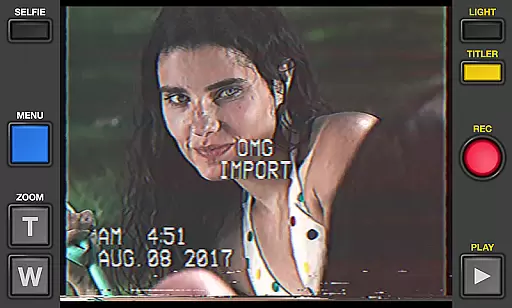
Rarevision VHS is a unique photography app that allows users to create authentic retro-style videos reminiscent of the 1980s. With its advanced VHS simulation technology, the app recreates the nostalgic look and feel of old videotape recordings, complete with on-screen date stamps, cheesy titles, and realistic glitches.
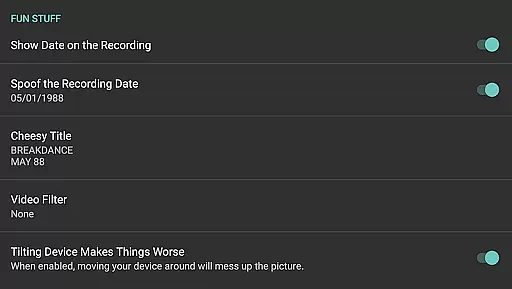
The app offers a range of creative features including customizable video effects, animated titles, and adjustable picture settings. Users can import existing videos or record new footage while applying these vintage effects in real-time. The ability to change the on-screen date and add dramatic zoom effects makes it perfect for creating convincing throwback videos or even pranking friends into believing you've built a time machine.
Whether you're capturing your kids' school plays, documenting themed parties, or experimenting with found-footage filmmaking, Rarevision VHS adds a touch of retro charm to any video project. Its intuitive interface and impressive effect library make it an essential tool for anyone looking to relive the golden age of home movies.
Rarevision VHS stands out with its comprehensive set of features designed to recreate the authentic VHS experience. The app's core functionality lies in its ability to simulate various imperfections and artifacts typical of analog video recordings from the 1980s and 1990s. This includes realistic tape glitches, tracking errors, and color distortions that can be controlled during recording through device movement or touch gestures.
One of the app's most innovative features is its animated title creation system, allowing users to design custom on-screen text with various retro fonts and animations. The built-in date stamp function enables precise control over the displayed recording date, making it possible to create convincingly aged footage. Additionally, the app supports both standard and widescreen recording modes, though purists might prefer the traditional 4:3 aspect ratio for maximum authenticity.
Advanced technical capabilities include up to 60p recording for smoother VHS-style footage (device-dependent) and sophisticated audio processing that mimics the characteristic sound quality of VHS recordings. The app also provides professional-grade picture adjustment tools similar to those found on vintage camcorders, giving users precise control over brightness, contrast, and color settings. These features combined make Rarevision VHS an indispensable tool for filmmakers, content creators, and nostalgia enthusiasts alike.
Real-time capture and preview functionality is essential for ensuring that the retro VHS-style videos you create with Rarevision VHS are exactly what you envision. This app allows users to record videos while applying its unique VHS effects in real time, providing an authentic 1980s camcorder experience.
The application simulates the glitches and visual artifacts typical of old videotape recordings, which can be controlled by shaking the device or using touch gestures during recording. This immediate feedback empowers creators to adjust their shots on-the-fly, capturing the perfect throwback footage with a high degree of realism.
With support for up to 60p recording, depending on device capability, Rarevision VHS ensures that your retro videos maintain a smooth frame rate consistent with actual VHS tapes. The optional widescreen recording feature adds another layer of customization, although purists may opt to stick with the classic 4:3 aspect ratio for true authenticity.
Ultimately, this real-time functionality not only saves time in post-production but also enhances creativity, allowing users to fully immerse themselves in the nostalgic process of making home movies just like they did decades ago.
While Rarevision VHS focuses primarily on delivering an authentic retro video experience, it also incorporates elements akin to AI beauty and enhancement features found in modern photography apps. These enhancements are cleverly disguised as part of the overall VHS aesthetic, ensuring that any digital touch-ups blend seamlessly into the aged videotape look.
Users have access to old-school picture adjustment menus where they can tweak various parameters such as brightness, contrast, and color saturation. This allows for subtle enhancements that improve image quality without compromising the natural feel of vintage footage. By fine-tuning these settings, users can emphasize certain aspects of their video while maintaining the illusion of untouched, decades-old media.
In addition to visual adjustments, Rarevision VHS offers audio processing capabilities that mimic the degraded sound quality associated with aging videotapes. This attention to auditory detail complements the visual effects, resulting in a cohesive and immersive experience that transports viewers back in time.
By balancing enhancement features with its core retro simulation capabilities, Rarevision VHS delivers a product that feels both nostalgically raw and subtly polished, appealing to those who appreciate the charm of yesteryear's technology while benefiting from today's digital advancements.
User-friendly interface
Authentic VHS effects
Real-time processing
Customizable options
Social media integration
No HDR support
Limited format options
High storage usage
Occasional crashes
Paid upgrades required

1M influencer's special filter
 4.60
4.60
HD Photo gallery and photo manager to edit, hide private photos, videos & albums
4.4
How old age camera Gender Swap App Face Shape Hairstyle App Hair Styler App fun!
4.00
Photo prints, cards, & gifts at Walgreens. Easy ordering & fast local pickup !
4.80
AI photo editor with hair editor, retouch tools, hair color changer & filters!
4.50
Over 800 film simulation recipes for Fujifilm. Black Friday Offer!
4.4
AI Photo Editor with 100+ Filters, Effects! Remove BG, Retouch & Photo Enhancer.
4.80
Solocator stamps photos you take with GPS location, Compass Direction, Date/Time
3.80
Photo & Video Gallery app to manage albums and save WA Status easily.
4.70
Find time and duration of different sunlight phases at any location
4.90
Gallery show photo, video, slideshow, is perfect 3D effect private photo albums.
4.80
Android Native system HD camera app. Never been so simple and faster.
4.70
Take videos and pictures with the popular TikTok TIME WARP SCAN filter.
4.60
A must-have app for landscape photographers
4.60
Create AI photos & videos with Enhancer; restore, fix, beautify, enhance photos
4.50
What celebrity do you look like? Celebs will find your celebrity match!
4.10
Gallery Slideshow is slideshow maker app for slideshow from your gallery photos.
3.90
Remote control of the phone camera from your Wear OS smartwatch
3.70
Add a dreamy vibe to your selfies and videos with soft style filters
4.0


User Reviews