
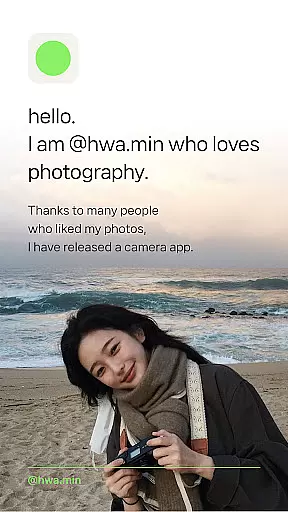
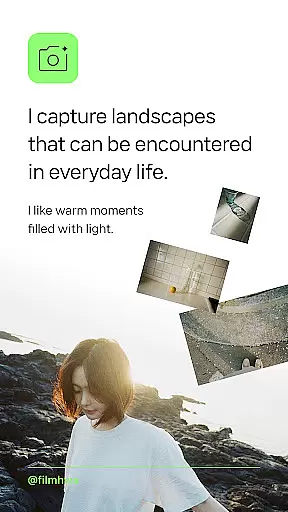
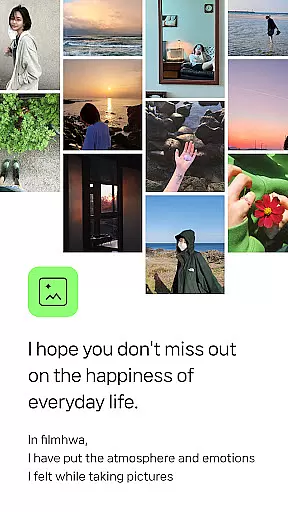
Filmhwa is a photography app that brings the unique color aesthetics of @hwa.min, an influencer with 1 million followers, to your fingertips. This specialized camera app offers distinct film-like filters that capture the warmth and light of everyday moments.
Designed for those who appreciate analog sensibility, Filmhwa allows users to create natural, basic camera feels with ease. Whether capturing landscapes, light, sea, flowers, or trees, this app provides the tools needed to enhance each photo's atmosphere and emotion.
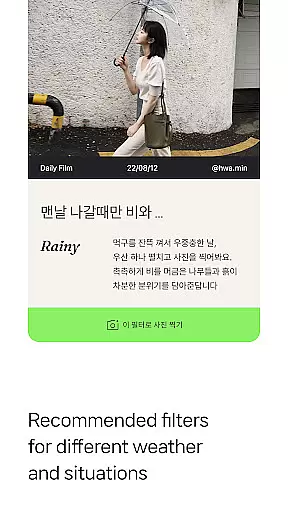
With recommendations from @hwa.min himself, users can choose filters based on weather and situations like lazy mornings or afternoon walks. The app also includes editing tools for both photos and videos, making it perfect for creating vintage film-inspired content.
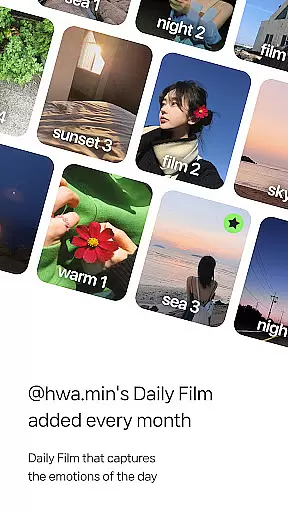
Filmhwa stands out with its unique atmosphere photo filters crafted by @hwa.min. These filters reproduce emotional colors and are updated monthly, ensuring fresh options for users. Each filter comes with detailed information, including date, time, location, and camera model used.
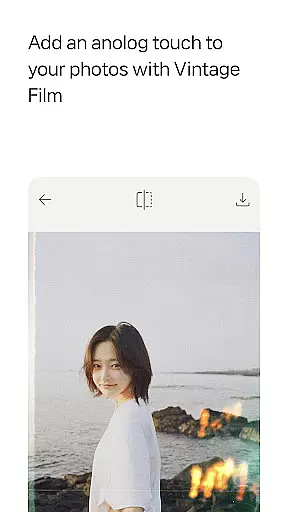
The app offers comprehensive photo shooting and editing tools tailored for vintage film sensibility. From basic adjustments like brightness, exposure, and contrast to advanced effects such as grain, light, and dust, Filmhwa covers all essential editing needs. It even supports Instagram-specific aspect ratios.
In addition to photo capabilities, Filmhwa includes video shooting and editing features. Users can capture moving moments with @hwa.min’s signature filters and share them seamlessly in full aspect ratio formats suitable for platforms like Instagram Reels.
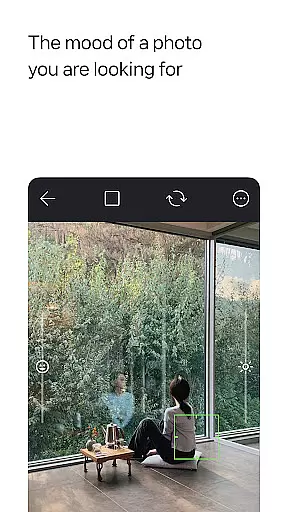
Real-time capture and preview functionality is essential for photography apps like filmhwa, allowing users to see exactly what the camera sees before taking a shot. This feature ensures that photographers can make necessary adjustments on the fly, optimizing their chances of capturing the perfect moment.
The app provides an authentic experience by integrating unique photo filters developed by @hwa.min, which are applied in real time to the camera feed. Users can witness how different filters alter the mood and atmosphere of their photos instantly, making it easier to choose the right one for the situation.
With additional tools such as brightness, exposure, and contrast adjustments available during capture, users have extensive control over the final image. These capabilities empower creators to produce images with a vintage film sensibility that aligns with their artistic vision without needing post-processing.
AI beauty and enhancement features in photography applications aim to improve image quality while maintaining a natural look. For filmhwa, this means offering advanced editing options that enhance photos without compromising the analog sensibility that users love.
The app includes various effects such as grain, light, and dust, which add character to photos and emulate the imperfections found in traditional film photography. By applying these enhancements naturally, the app helps retain the emotional colors and atmosphere intended by @hwa.min's filters.
Furthermore, filmhwa offers skin texture correction functions that refine portraits subtly, ensuring subjects look their best without appearing overly processed. This balance between enhancement and authenticity is key to delivering a satisfying user experience that respects the original aesthetic of each photograph.
User-friendly interface
Vintage film effects
Monthly filter updates
Comprehensive editing tools
Suitable for Instagram
Limited to specific aesthetics
No advanced video editing
Filters may feel repetitive
Requires frequent updates
Premium features cost extra

Remote control of the phone camera from your Wear OS smartwatch
 3.70
3.70
All-in-One Editor & AI Photo Enhancer, Beautify & Retouch, Collage, Cartoonify
4.20
Cut and paste photo editor & eraser to customize photos easy and swap faces fun
4.50
Edit like a pro with Hypic. Apply filters, AI effects, & magic touch.
4.40
Transform photos into videos! Create realistic or anime-style images easily!
4.50
Turn your phone into a professional camera - full DSLR manual photography
4.30
live datamoshing
4.00
Effortlessly make high-quality GIFs from images & videos without any watermarks.
4.70
Try an anime version, cartoon yourself, and generate AI hug or aging videos!
3.70
Perfect body tune & face app - photo retouch, makeup, slim body & beautify face.
4.80
Android Native system HD camera app. Never been so simple and faster.
4.70
Light-weight Media Gallery app for Android made with Jetpack Compose
4.60
Fit multiple photos on one post. Create carousels & scroll layouts for Instagram
4.50
All-in-One Editor & AI Photo Enhancer, Collage, Cartoonify, Funny Stickers & BGS
4.10
Professional quality photo edits with the new Snapseed.
4.00
Turn photos into cartoons & avatars! - Photo Editor, Cartoon Face!
3.90
An interval timer to automate photo taking process for timelapse
2.90
Photo Album Watch Face shows your favorite pictures as a Watchface.
1.90
Over 800 film simulation recipes for Fujifilm. Black Friday Offer!
4.4


User Reviews