
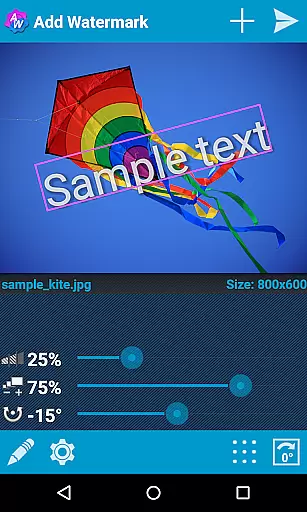

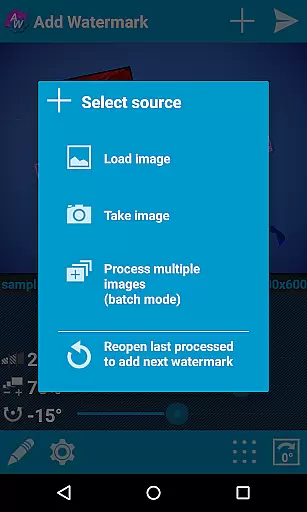
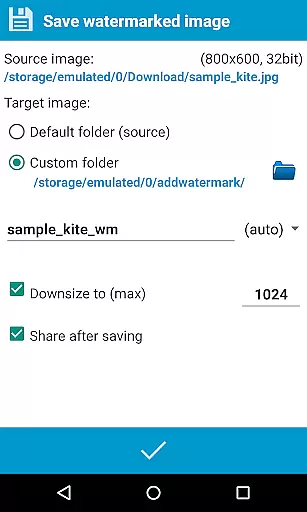
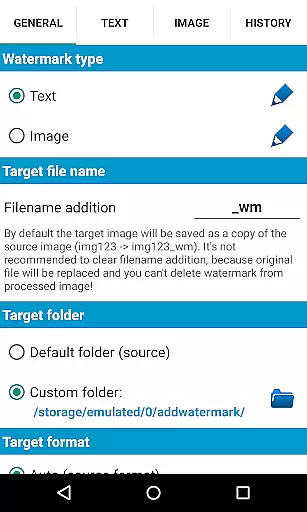
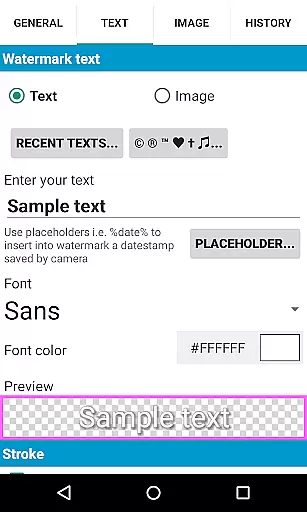
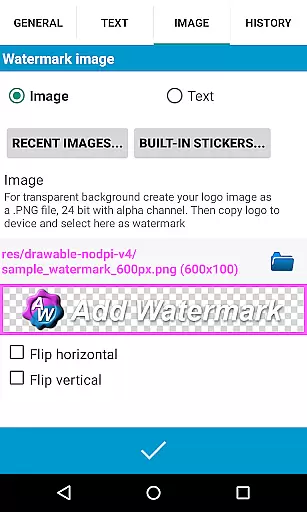
Add Watermark is a powerful photography app designed to help users protect their digital images by adding customizable watermarks. The application allows you to embed personalized text or logo images into photos, with options to adjust size, transparency, rotation, and alignment. This makes it an essential tool for professional photographers and bloggers who need to secure their visual content while maintaining high-quality standards.
The app offers advanced features such as batch processing, auto-processing through sharing from other apps, and support for transparent PNG images as watermarks. With 72 built-in fonts and the ability to import up to 20 custom fonts, users can create unique watermark designs. Additionally, the app supports EXIF and XMP metadata, 360° panoramas, and various saving formats including JPG and PNG. These capabilities ensure that your watermarked images retain their professional quality across different platforms.
Whether you're managing a large volume of images or looking to automate your watermarking process, Add Watermark provides the tools necessary to streamline your workflow. Its user-friendly interface and comprehensive settings make it accessible for both beginners and experienced users, ensuring that your images are always protected and ready to share.
Add Watermark stands out with its extensive range of features tailored for photographers and content creators. One of its key functionalities is the batch mode, which allows users to process multiple images simultaneously, significantly reducing the time required for large projects. The auto-processing feature enables seamless integration with other apps, automatically applying predefined watermark settings when images are shared to Add Watermark.
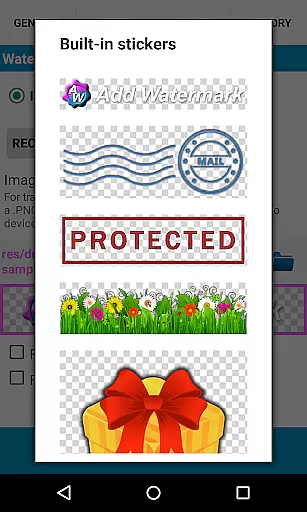
The app also includes a rich set of customization options. Users can choose from 72 built-in fonts or import custom fonts to create distinctive text watermarks. The application supports various effects in text mode, including color adjustments and transparency settings, allowing for creative freedom. Additionally, the built-in sticker collection and support for transparent PNG images as watermarks provide even more ways to personalize your images.
For those concerned with image quality and metadata preservation, Add Watermark ensures full support of EXIF and XMP metadata, making it suitable for professional use. The app also supports 360° panoramas and offers flexible saving options, including JPG and PNG formats. With quick sharing capabilities to platforms like Instagram, Facebook, and Flickr, users can easily distribute their watermarked images while maintaining control over their digital rights.
Real-time capture and preview functionality is essential for ensuring that users can see the effects of their edits immediately. In Add Watermark, this feature allows photographers and bloggers to visualize how watermarks will appear on their images before finalizing them.
The application provides a dynamic interface where users can adjust watermark size, transparency, rotation, and alignment in real time. This instant feedback loop enables users to fine-tune their watermark settings with precision, ensuring that the final image meets their expectations without any surprises.
By offering real-time previews, Add Watermark enhances user experience by reducing the guesswork involved in editing. Users can experiment with different fonts, colors, and effects, seeing changes as they make them, which streamlines the creative process and saves valuable time.
AI beauty and enhancement features are designed to improve image quality while maintaining a natural look. Although Add Watermark primarily focuses on watermarking, its advanced settings contribute to enhancing overall image aesthetics subtly.
The app includes options for adjusting image properties such as brightness, contrast, and saturation, which work together to enhance the visual appeal of photos. These adjustments ensure that even after adding watermarks, images retain their original charm and professional appearance.
With support for transparent PNG images as watermarks and built-in sticker collections, Add Watermark offers subtle enhancements that complement the primary content of the photo. This approach ensures that the watermark does not overpower the image but rather adds an element of authenticity and ownership without compromising on natural beauty.
User-friendly interface
Batch processing capability
Extensive font options
Supports EXIF metadata
Quick sharing to social media
Free version has limitations
No video watermarking
Limited customer support
Occasional bugs reported
Some features require technical knowledge

Create collages easily! Nice pic collage maker & background eraser for Instagram
 4.50
4.50
Be your best in every shot! Fix, edit and retouch your face in selfies & photos.
3.70
Create AI Photos, Improve and restore quality of blurry, old or damaged pics.
4.20
A must-have app for landscape photographers
4.60
See your baby AI baby face generator AI baby maker Face generator babymaker fun!
4.70
Turn photos into cartoons & avatars! - Photo Editor, Cartoon Face!
3.90
The original Rarevision VHS look seen everywhere!
4.70
Solocator stamps photos you take with GPS location, Compass Direction, Date/Time
3.80
Your Family Calendar + Photos. Manage your Skylight Calendar and Skylight Frame.
4.40
1M influencer's special filter
4.60
PhotoSync Bundle Add-On License. Enables all features and services in PhotoSync.
4.60
Future baby face generator: AI kids generator, kid face! What my baby look like?
4.40
Smart, light, and fast photo and video gallery
4.30
Professional camera app that brings DSLR manual photography controls to Android.
4.20
Professional quality photo edits with the new Snapseed.
4.00
Superimpose one photo on top of another using the original Superimpose app!
3.20
Application for remote controlling DSLR
3.00
Long exposure camera with computational photography
2.60
Photo Album Watch Face shows your favorite pictures as a Watchface.
1.90


User Reviews