
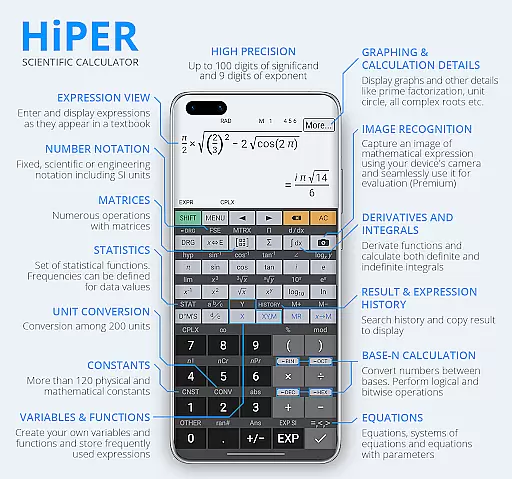
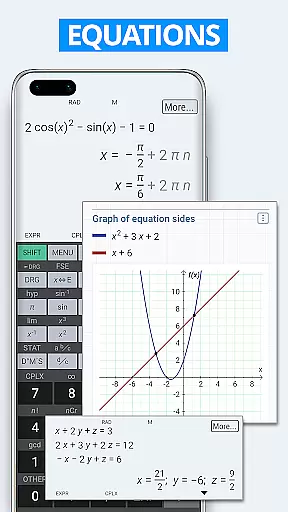
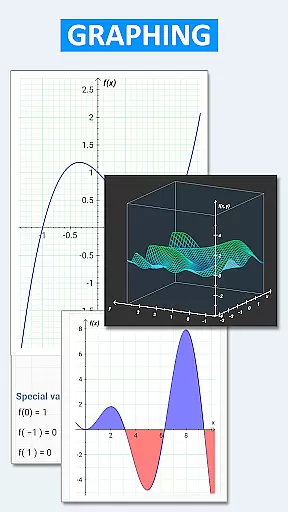
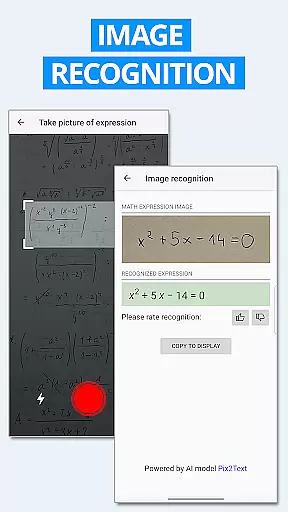
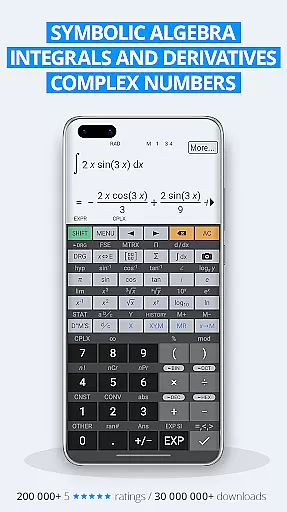
HiPER Calc Pro is an advanced scientific calculator that stands out with its powerful symbolic algebra capabilities, graphing functions, and comprehensive mathematical operations. Designed for students, engineers, and professionals, this app supports equations, integrals, derivatives, and a wide range of calculations with precision up to 100 digits of significand and 9 digits of exponent.
The app offers multiple layouts tailored to different screen sizes, including pocket mode for small devices, compact mode for smartphones, and expanded mode for tablets. A multiline display option allows users to view the complete history of their calculations, making it easier to track previous results. With high-quality themes and customizable settings, HiPER Calc Pro ensures both functionality and user comfort.
Whether you're solving complex equations, analyzing statistical data, or working with matrices and vectors, HiPER Calc Pro provides all the tools needed in one intuitive interface. Its ability to handle advanced computations like limits, regression analysis, and 3D graphs makes it an indispensable tool for anyone requiring precision and versatility in their daily work.
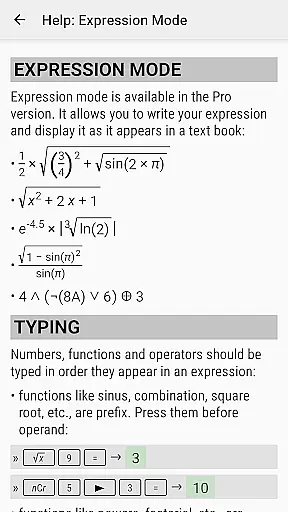
HiPER Calc Pro boasts an extensive set of features designed to cater to various mathematical needs. One standout aspect is its support for natural expression input, allowing users to write expressions as they would on paper while receiving immediate results in simplified forms. This feature is complemented by advanced functionalities such as symbolic computation, equation solving, and graph plotting, which include 2D and 3D visualizations.
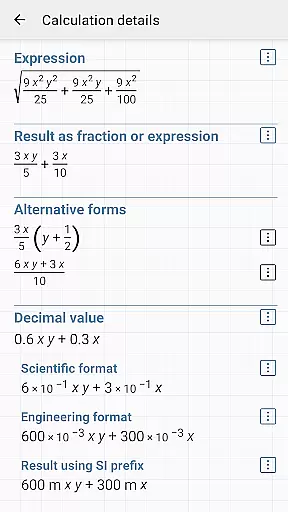
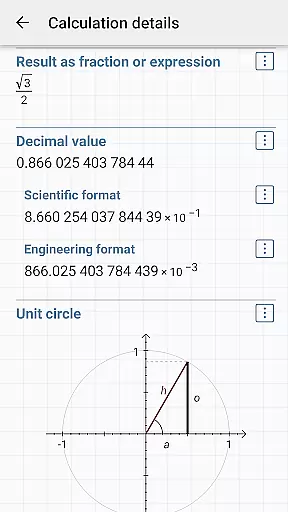
The app also excels in customization options. Users can choose from several layouts optimized for different devices, ensuring optimal usability regardless of screen size. Additionally, the availability of multiple high-quality themes enhances personalization. For those who require detailed insights into their calculations, the app provides extended information about roots, unit circles, and more through its 'calculation details' feature.
Other notable features include support for binary, octal, and hexadecimal numeral systems, logical operations, bitwise shifts, and rotations. With over 90 physical constants and 250 unit conversions, HiPER Calc Pro is not only versatile but also highly practical for real-world applications. These robust features make it a top choice for users seeking a reliable and multifunctional scientific calculator.
HiPER Calc Pro stands out as a highly accurate and effective scientific calculator, offering advanced mathematical capabilities. The app supports symbolic algebra, graphing, equations, integrals, and derivatives, ensuring precision in every calculation. With features like up to 100 digits of significand and 9 digits of exponent, it handles complex computations effortlessly.
The calculator's functionality extends to matrices, vectors, statistics, and regression analysis, making it indispensable for students and professionals alike. It also includes trigonometric and hyperbolic functions, powers, roots, logarithms, and more, providing comprehensive coverage of mathematical operations. This ensures that users can rely on HiPER Calc Pro for both basic arithmetic and sophisticated scientific calculations.
One of the key benefits for users is the ability to write expressions naturally and watch calculations unfold in real-time. The result is displayed not only as a number but also as a simplified expression, enhancing understanding and verification. This intuitive interaction with mathematical processes significantly boosts productivity and learning.
Despite its extensive functionality, HiPER Calc Pro maintains an intuitive and user-friendly interface. The calculator offers several layouts tailored to different screen sizes, including pocket for small devices, compact for smartphones, and expanded for tablets. This adaptability ensures a seamless experience across various devices, enhancing accessibility and convenience.
A notable feature is the multiline display available on tablets, which shows the complete history of calculations and allows access to previous results. Users can choose from several high-quality themes, customizing their experience to personal preferences. These thoughtful design elements contribute to a pleasant and efficient user experience.
Moreover, HiPER Calc Pro provides haptic feedback and clipboard operations with various formats, further simplifying interactions. Settings to manage full-screen mode, decimal and thousand separators, and other preferences ensure the interface remains straightforward and easy to navigate. Such attention to detail makes the app both powerful and approachable for all users.
High precision
Versatile layouts
Advanced math
Custom themes
Comprehensive help
No offline maps
Complex UI
Heavy storage
Paid upgrades
Limited integrations

Change your GPS location instantly. Simulate routes anywhere in the world.
 4.90
4.90
A powerful, easy-to-use flight computer on your phone or tablet!
3.80
FV File Manager Pro, Fast and powerful file manager for Android
4.60
Remote for Roku, Fire TV, Samsung TV, LG TV, Android TV, Chromecast and VIZIO TV
4.20
Quickly & easily calculate the spacing of handrail balusters
4.20
A non-root local ADB shell client. READ BELOW!
3.40
With videos, electrical calculators, and built-in ebook, Ugly’s has your answer.
4.50
Automate everything from settings to photos, SMS to speech. ADC2 prize winner.
4.10
Fast VPN USA for any country. Super secure VPN for calls, streaming, games, TV.
4.40
The Ultimate Flex Drivers Utility App - Convenient Tapping & Block Filters
4.70
Small and simple app to Verify Root Access and BusyBox Install!
4.70
NFC Tools can read and write NFC tags.
4.70
Button mapper, mouse toggle, sleep timer and a lot of another features
4.50
Clean up large files and similar photos, fast and easy to use
4.40
Quickly check the frequency of the Earth
4.30
Unleash gamepad precision for ultimate mobile gaming dominance.
3.90
Safely recover deleted photos, videos, and files with a single easy tap.
3.70
PDF Reader - Document Viewer: Read, Manage & Organize Your Documents
3.10
card-reader app
2.20


User Reviews