

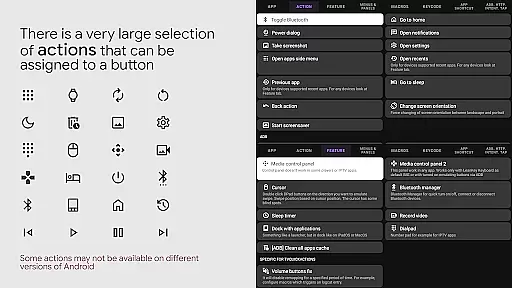
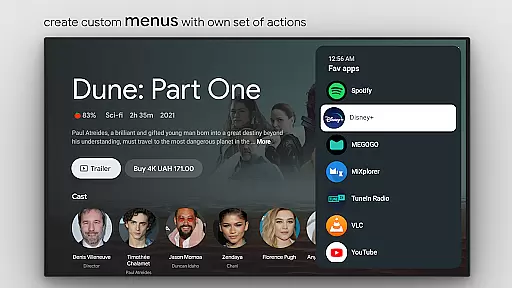
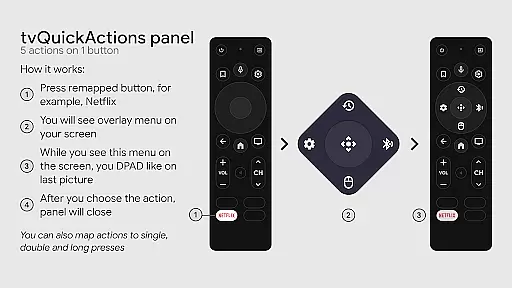
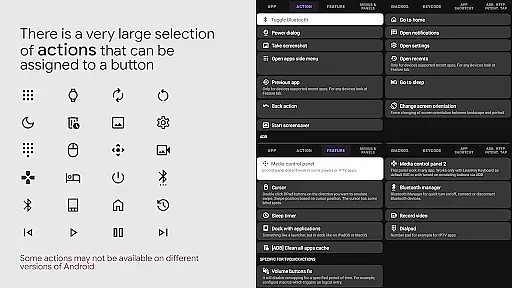
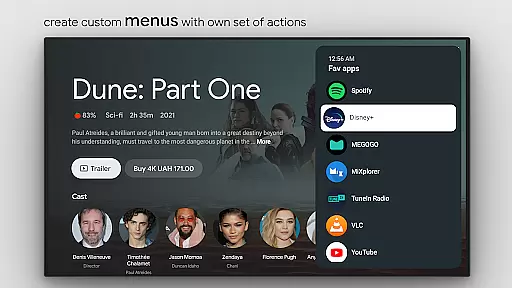
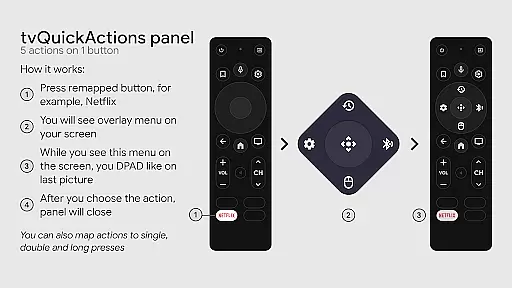
tvQuickActions Pro is an advanced button/key mapper specifically designed for TV devices, compatible with Android TV, Google TV, and AOSP on most devices. Its standout feature allows users to assign up to five actions to a single remote button, significantly enhancing device functionality.
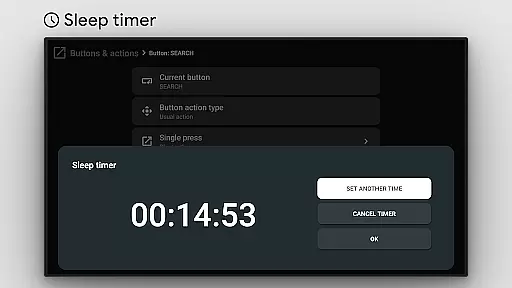
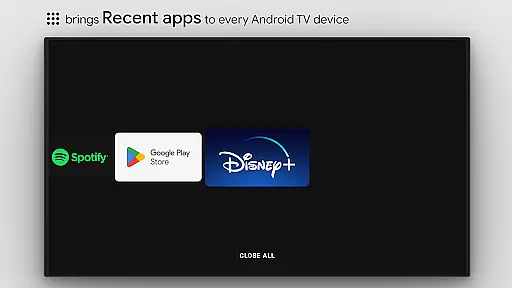
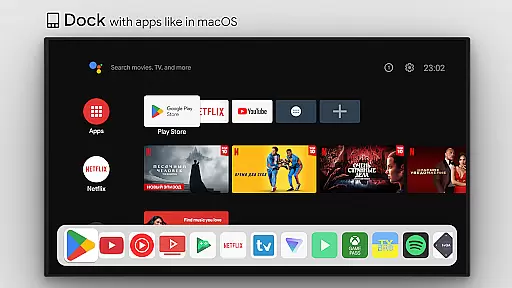
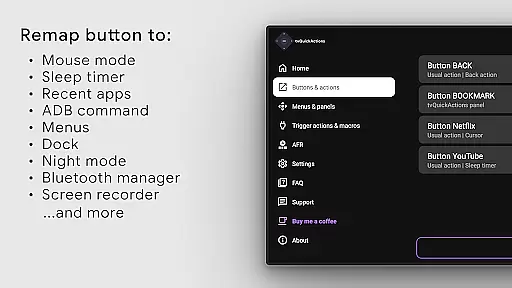
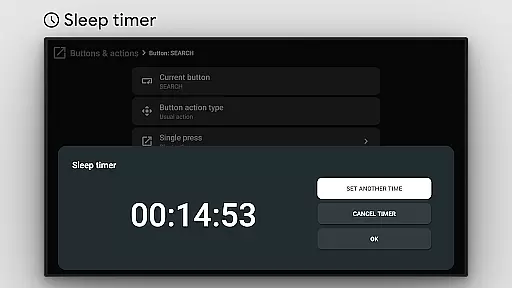
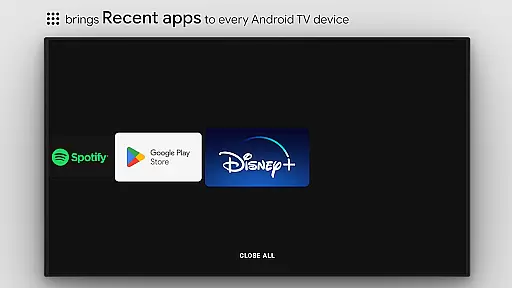
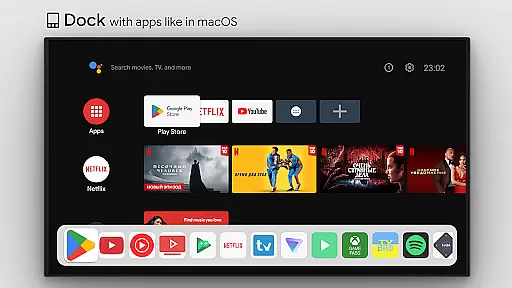
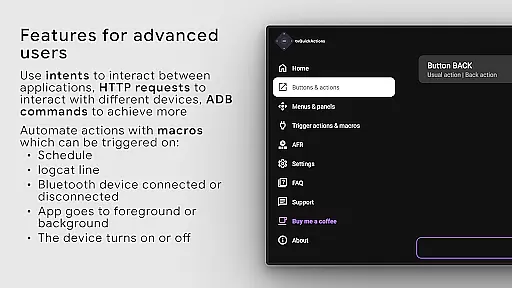
The app offers a range of powerful features including a dock system similar to macOS/iPadOS, recent apps management, custom action menus, and ADB command integration. It also provides practical utilities like a sleep timer, dialpad, screen recording, night mode, and Bluetooth management. These capabilities make it an essential tool for optimizing TV device usage.
Whether you need to automate tasks, control media playback, or manage device settings, tvQuickActions Pro delivers a comprehensive solution that transforms how you interact with your TV device, offering both convenience and customization options.
tvQuickActions Pro stands out with its extensive feature set tailored for TV device optimization. The app's key remapping functionality supports assigning multiple actions to a single button, enabling complex workflows through simple remote controls.
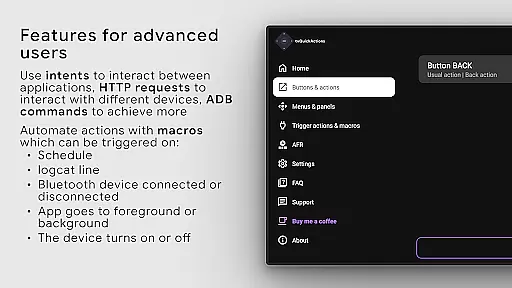
Among its notable features are the ability to create custom channels for Android TV home screens, lock apps, and execute user-defined ADB commands. The app also includes a media control panel, quick TV input switching, and an auto framerate feature for Amlogic-based devices running Android 9-11. These tools provide users with precise control over their viewing experience.
Additional capabilities include mouse toggle functionality, sleep timer automation, and support for remapping special buttons on specific devices like Xiaomi and TiVo Stream 4K remotes. The app leverages AccessibilityService API to enable these advanced remapping features while maintaining system-level integration.
tvQuickActions Pro stands out as a highly accurate and effective button/key mapper specifically designed for TV devices, including Android TV, Google TV, and AOSP. The app's core functionality allows users to assign up to five actions to a single remote button, significantly enhancing the utility of their devices.
The precision in mapping buttons ensures that each action is executed exactly as intended, whether it's opening an app, toggling WiFi, or controlling media playback. This level of customization transforms rarely used buttons into powerful tools, streamlining user interactions with their TV environment.
By integrating advanced features like AutoFrameRate for Amlogic devices and supporting remapping on specific hardware such as Xiaomi and TiVo Stream 4K, tvQuickActions Pro demonstrates its commitment to delivering reliable performance tailored to diverse device capabilities.
Despite its sophisticated feature set, tvQuickActions Pro maintains an interface that is both simple and intuitive. Users can easily navigate through options to create custom menus or assign multiple actions to buttons without feeling overwhelmed by complexity.
The app provides clear categories for different types of actionsu2014such as opening apps, controlling media, or toggling device settingsu2014making it straightforward for users to find and implement the functions they need. This logical organization ensures that even those new to button mapping can quickly grasp how to enhance their TV experience.
Furthermore, the inclusion of familiar elements like docks similar to macOS/iPadOS enhances user comfort, allowing seamless interaction with recent apps and other functionalities while maintaining an uncluttered design that prioritizes ease of use.
Extensive customization
Wide device compatibility
Powerful automation tools
Comprehensive media controls
Innovative feature set
Complex setup process
Device-specific limitations
Requires technical knowledge
Potential compatibility issues
Steep learning curve

 4.50
4.50
Change your GPS location instantly. Simulate routes anywhere in the world.
4.90
A recovery soft,it features photo recovery, video recovery, file recovery.
3.40
Detect hidden spy camera with advanced scanning {{ Premium version }}
4.00
A non-root local ADB shell client. READ BELOW!
3.40
The Ultimate Bluetooth Keyboard & Mouse. Securely control your PC, Mac, and more
4.50
Planner and Tracker for Stardew Valley
4.60
Fast Video Downloader, Movie Downloader, Torrent Downloader & Adblock Browser
4.70
Create your own custom widget with endless possibilities
3.90
Unit and currency converter with easy and simple UI.
4.80
The Ultimate Flex Drivers Utility App - Convenient Tapping & Block Filters
4.70 4.50
4.50
Mirror your screen to Fire TV - Super fast and simple
4.40
pdf merge, word to pdf, jpg to pdf, edit pdf, convert to pdf and much more!
4.20
Effortlessly run ADB commands directly on your device without a PC.
4.20
Introducing Smart Printer, your ultimate destination for printing solutions!
4.00
Unleash gamepad precision for ultimate mobile gaming dominance.
3.90
Smart and comfortable browsing experience.
3.80
PDF Reader - Document Viewer: Read, Manage & Organize Your Documents
3.10


User Reviews