
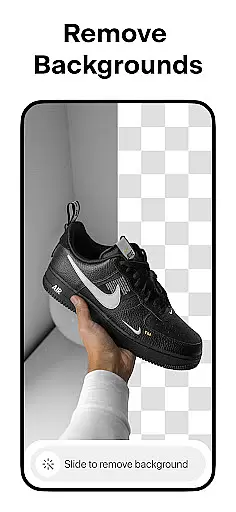



Pixelcut AI Photo Editor is a comprehensive design tool tailored for creators, marketers, and e-commerce businesses. This all-in-one photo editor leverages artificial intelligence to simplify complex design tasks, enabling users to produce professional-quality visuals in seconds. The app's standout feature is its ability to instantly remove backgrounds with precision, making product photography seamless.
In addition to background removal, Pixelcut offers tools like the Magic Eraser for cleaning up images, AI Photoshoot for generating unlimited product photos, and Magic Writer for creating engaging copy using AI. With templates designed specifically for shopping platforms, stunning collages, and creative text overlays, this app empowers users to enhance their social media presence on platforms like Instagram and Shopify. Whether you're a small business owner or a content creator, Pixelcut streamlines workflows while delivering visually appealing results.
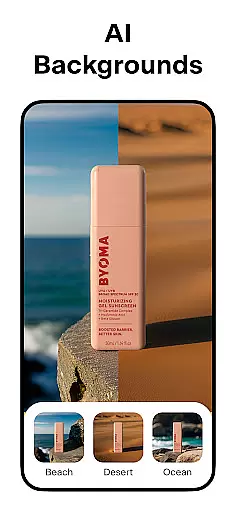
Pixelcut AI Photo Editor stands out with its robust set of AI-powered features. One of its core functionalities is the Background Remover, which allows users to erase image backgrounds effortlessly, producing clean cutouts ideal for e-commerce listings. Paired with the AI Photoshoot feature, users can generate an endless variety of product photos optimized for online stores, saving both time and resources.
The app also includes creative tools such as Magic Writer, which uses advanced AI to generate product descriptions, hashtags, and captions, enhancing marketing efforts. For video content, the Reels Maker simplifies video creation for businesses. Additionally, users can experiment with thousands of customizable templates, beautiful font styles, and color backdrops to create unique designs. These features collectively enable users to elevate their brand aesthetics while maintaining efficiency.
In the realm of digital art and design, having a comprehensive suite of creative tools is essential for bringing visions to life. Pixelcut AI Photo Editor stands out by offering an extensive array of features tailored for creators who demand versatility and power in their toolkit.
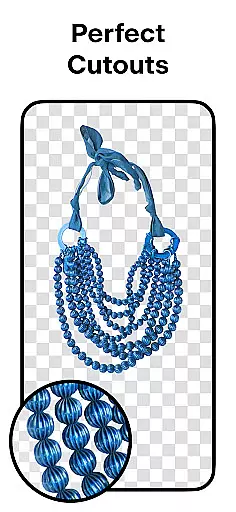
At its core, Pixelcut provides functionalities such as background removal with precision cutouts, an AI-powered magic eraser for cleaning up images, and even an innovative AI photoshoot generator that can produce countless product shots. These capabilities ensure users have everything they need to manipulate and enhance their visuals effortlessly.
Moreover, the inclusion of advanced text styles, collage creation options, and professional templates means artists and designers are equipped to explore various creative avenues. With these robust tools at their disposal, Pixelcut empowers users to craft compelling content that meets both personal and commercial needs.
The true value of this complete set of creative instruments lies in its ability to streamline workflows while opening new possibilities for visual expression. Whether you're looking to refine your e-commerce store's imagery or seeking inspiration from community-driven template designs, Pixelcut delivers a seamless experience that supports growth and creativity.
Flexibility in canvas size and format options is crucial for designers who wish to tailor their work precisely to different platforms and mediums. Pixelcut AI Photo Editor addresses this need by providing adaptable solutions that cater to diverse project requirements.
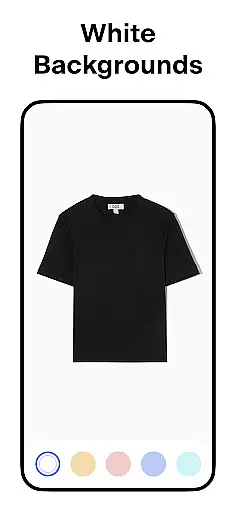
Users can easily adjust their workspace to accommodate specific dimensions, whether it's for social media posts, online store displays, or print materials. The platform allows for placing products on simple white backgrounds or choosing from a vibrant palette of colors and backdrops, ensuring each piece aligns perfectly with its intended use case.
This adaptability extends beyond mere sizing; it encompasses control over shadows, text overlays, and other design elements that contribute to the realism and impact of the final image. Such granular control enables creators to fine-tune every aspect of their artwork.
By prioritizing canvas and format flexibility, Pixelcut not only enhances the quality of output but also significantly boosts efficiency. Designers can switch between projects without being constrained by fixed formats, thus maintaining creative momentum and achieving professional-grade results across all their endeavors.
User-friendly interface
AI-powered tools
Versatile templates
Instant background removal
Professional results
Premium features locked
Subscription cost
Limited free options
Internet required
Learning curve

Create sweet, cool and unique couple avatars easily, in just a few steps!
 3.40
3.40
Sketch, trace and master AR drawing with awesome anime art!
3.30
Easy 3D drawing design maker & creator. Model designing, Sculpting. Create&paint
4.00
Trace, draw, and create art with AR - from memes to masterpieces!
4.30
Unleash your drawing and painting potential
4.50
Draw anime easily with AR guidance, sketch templates & trace tools!
3.10
The perfect place to start sketching! Use Sketchbook to draw and paint sketches.
4.50
Art of Combination Wear OS Watch Faces
3.30
Unleash the artist in you with our AR drawing and tracing tool for photo drawing
4.10
Your AI soulmate — meaningful chats, and unique emotional moments
4.70
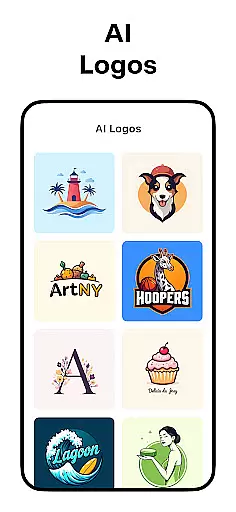
Logo Generator powered by AI: Create stunning logos effortlessly!
4.70
Minecraft & Roblox Clothes
4.70
Draw beautiful mandala's very easily
4.60
Draw glowing spinners, relax, and spin your creative art
4.60
Turn your drawings into flipbook-style animations with simple creative tools
4.60
Draw anime & manga drawing, art with templates to create stunning picture!
4.50
Custom Character Creator & PFP Maker!
4.20
OneUI 8.5 icons ✨ Smooth, modern & based on the latest Play Store design ??
4.10
Design your dream room with AI. Get decor ideas & plan home interiors
3.90


User Reviews