
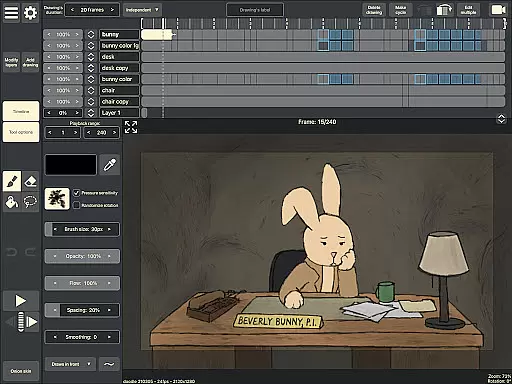
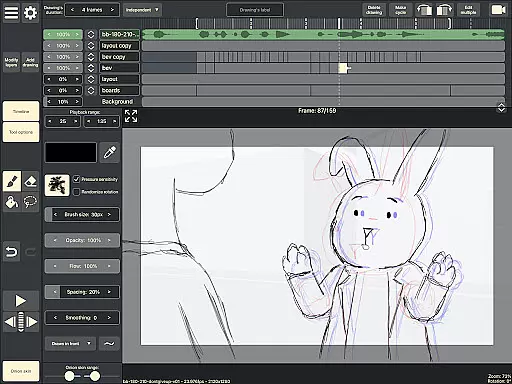
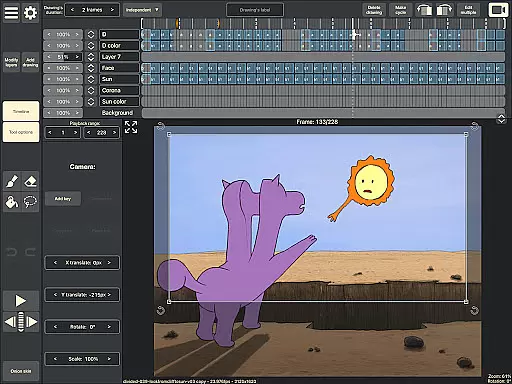
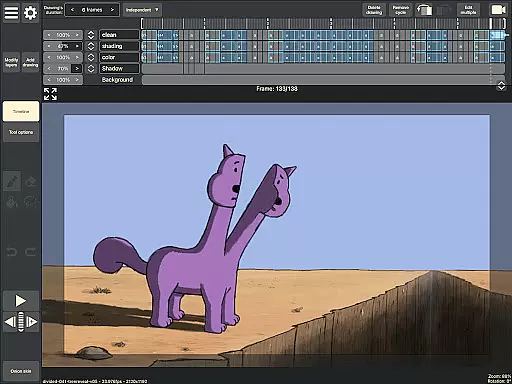
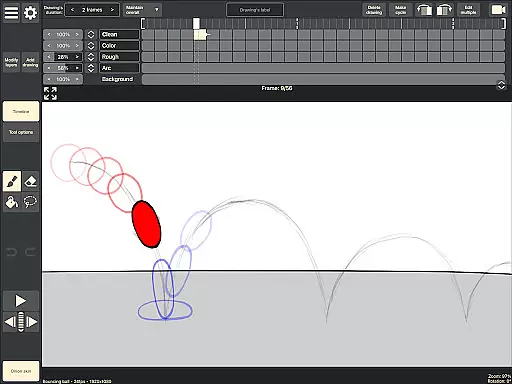
RoughAnimator is a professional-grade hand-drawn animation app designed for both Android tablets and smartphones. This powerful tool provides animators with everything needed to create frame-by-frame animations on the go. With its robust feature set, it caters to professional animators while remaining accessible to beginners.
The application includes advanced tools such as onion skinning, unlimited layer support, and customizable brushes. Users can import audio for lip-syncing or video for rotoscoping, making it versatile for various animation styles. RoughAnimator also supports pressure-sensitive devices like the Samsung S-Pen, ensuring precision in every stroke.
Whether you're working on traditional hand-drawn animations or looking to integrate projects into professional workflows with software like Adobe Animate and After Effects, RoughAnimator offers the flexibility and power needed for creative expression anywhere.
RoughAnimator stands out with its comprehensive suite of animation features tailored for artists. The app's timeline supports unlimited layers, allowing animators to build complex scenes with ease. Each drawing's exposure length can be individually adjusted, perfect for both pose-to-pose and straight-ahead animation techniques.
One of the key highlights is the onion skinning functionality, which enables users to see previous and next frames as they work, ensuring smooth transitions between frames. Additionally, the app allows for preview playback and scrubbing along the timeline, giving animators precise control over their work.
For those looking to refine their animations further, RoughAnimator supports importing audio tracks for lip-syncing and video files for rotoscoping. Animations can be exported in multiple formats including Quicktime video, GIFs, or image sequences, providing flexibility for different project requirements.
Creative tools are essential for any artist or designer, and RoughAnimator excels in providing a comprehensive suite of features tailored for hand-drawn animation. This application offers unlimited layers on its timeline, allowing animators to work with pose-to-pose or straight-ahead techniques without constraints.
Onion skinning is another critical feature that RoughAnimator includes, enabling users to see multiple frames at once for better continuity and flow in their animations. The app also supports custom brushes, which means artists can replicate their preferred drawing styles digitally, ensuring the creative process remains personal and unique.
For those who require advanced functionalities, RoughAnimator does not disappoint. It allows for importing audio for lip-syncing and video for rotoscoping, making it a versatile choice for professional animators. With support for pressure-sensitive devices like the Samsung S-Pen, this app ensures that every stroke translates accurately from traditional to digital media.
Flexibility in canvas and format options is crucial for adapting to various project requirements, and RoughAnimator provides remarkable versatility. Users have control over the framerate and resolution, which is vital for producing high-quality animations that meet specific industry standards or personal preferences.
The ability to export animations into different formats such as Quicktime video, GIF, or image sequences demonstrates RoughAnimator's commitment to format flexibility. This ensures that no matter where your work will be showcasedu2014whether online platforms or broadcast mediau2014you can deliver it in the most suitable format.
RoughAnimator projects can also be imported into popular software like Adobe Flash/Animate, After Effects, and Toon Boom Harmony. This interoperability enhances workflow efficiency by allowing seamless transitions between different stages of production and post-production processes across various design environments.
Powerful animation tools
User-friendly interface
Supports professional workflows
Flexible export options
Pressure-sensitive device support
Steep learning curve
Requires high-end hardware
Limited free features
No cloud sync
Occasional bugs

Vidu is an AI video generator made for creators and aspiring makers.
 3.30
3.30
Premium version of Shimeji-ee app with no ads & no limit active shimeji
4.4
Draw on screen: FP sDraw is a simple and lightweight drawing app
4.70
Passport size photo maker, create ID photo and visa photo in seconds
4.80
Convert image to JPG PNG HEIC PDF, support almost all kinds of image formats
4.70
Create stunning video, photo & magic from text with FlixAI GPT video generator.
3.10
Nano Banana AI Image Generator, Anime Filter, AI Portrait, AI Photo Generator
4.30
Draw glowing spinners, relax, and spin your creative art
4.60
Beauty Camera - Selfie Camera is the ultimate beauty camera and selfie app
4.30
Draw anime & manga drawing, art with templates to create stunning picture!
4.50
Draw Trace image sketch by, AR art projector app, Easy to trace any image.
4.50
Create and Design Custom Logos in Seconds with AI-Powered Tools!
4.40
Sketch, plan, take notes and illustrate on an infinite canvas.
4.20
Turning simple sketches into captivating tales filled with life and motion
3.90
Powerful home decoration & house design that allows you to design dream home.
3.80
Your homescreen as an elegant glass with customized blur, lighting, and visuals.
3.70
Create cute cat emojis & PFPs! Fun, custom avatars for cat lovers.
3.70
Experience next-gen icons with a modern liquid glass look.
3.60
Art of Combination Wear OS Watch faces (for Wear OS 5+ devices)
3.00


User Reviews