
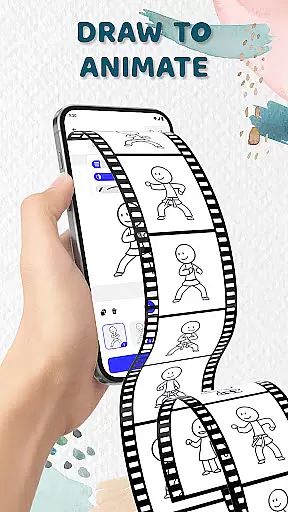
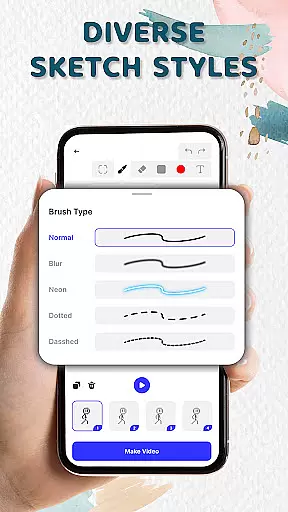
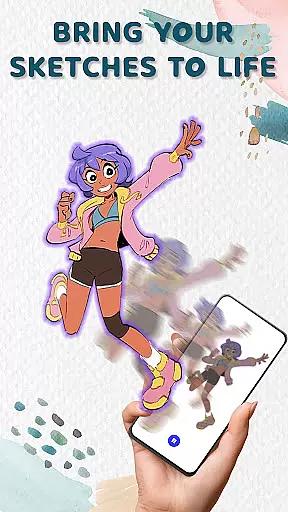
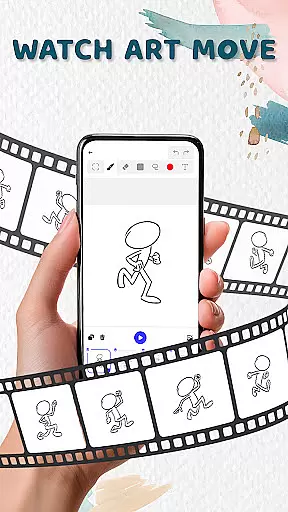
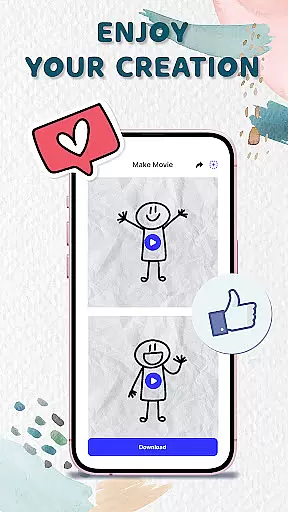
Animation Draw: Flip Maker is a creative app designed for artists and hobbyists who want to bring their sketches to life through animation. The app offers an intuitive platform where users can draw frame by frame, transforming simple illustrations into dynamic animations. With features like flipbook-style animation and onion skinning, it provides tools that cater to both beginners and experienced animators.
The app's strength lies in its ability to make animation accessible. Users can experiment with different drawing styles, adjust pen sizes, add colors, and control the smoothness of motion. Whether creating short comics, stickman adventures, or playful cartoons, Animation Draw supports various creative expressions. It also allows exporting animations in popular formats such as GIF or MP4, making it easy to share creations with others.
Perfect for anyone interested in art and storytelling, Animation Draw: Flip Maker serves as a pocket studio for creativity. Its user-friendly interface and powerful features enable users to explore endless possibilities in animation while enjoying the process of creation.
Animation Draw: Flip Maker stands out with its comprehensive set of animation tools. One of its key features is the flipbook-style animation, which mimics traditional hand-drawn techniques in a digital format. This allows users to create lively scenes by adding movement frame by frame, bringing static sketches to life.
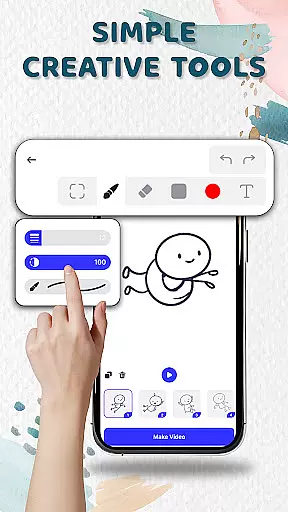
The app includes creative tools like adjustable pen sizes, color palettes, and onion skinning, which helps in achieving smooth transitions between frames. These features are designed to be simple enough for beginners but robust enough for advanced users. Additionally, the app supports storytelling through animation, enabling creators to produce stickman adventures, short comics, or humorous cartoons.
Another notable feature is the ability to export animations in multiple formats, including GIF and MP4. This functionality not only enhances the sharing experience but also allows users to showcase their work on various platforms. Overall, Animation Draw: Flip Maker empowers users to experiment, learn, and express themselves through the art of animation.
In the realm of digital artistry, having access to comprehensive creative tools is essential for unleashing one's imagination. Animation Draw: Flip Maker offers a suite of features that cater to both budding artists and seasoned creators.
With options to adjust pen size, incorporate vibrant colors, and utilize onion skinning for seamless motion, this app ensures precision and fluidity in every animation you create. These tools are designed not only for ease of use but also to provide depth and versatility in your artistic expression.
The inclusion of flipbook-style animation brings an element of nostalgia while enhancing modern storytelling techniques. Users can experiment with different sketch styles, transforming static images into dynamic narratives with just a few taps.
Ultimately, Animation Draw empowers users by offering powerful yet intuitive tools that make the process of creating animations as enjoyable as the outcome itself.
A hallmark of any robust art application is its ability to adapt to various canvas sizes and formats, allowing artists unrestricted freedom in their work. Animation Draw: Flip Maker excels in providing such flexibility, ensuring that creativity isn't hindered by technical limitations.
Artists can explore endless possibilities with customizable canvas dimensions tailored to fit specific project requirements or personal preferences. Whether crafting short comics or elaborate stickman adventures, the app supports diverse formats including GIF and MP4 exports.
This adaptability extends beyond mere dimensions; it encompasses control over every aspect of the artworku2019s presentation. From simple waves to epic jumps, each frame can be meticulously crafted and exported in popular formats suitable for sharing across multiple platforms.
By prioritizing canvas and format flexibility, Animation Draw ensures that every artist has the liberty to tell their stories exactly how they envision them without compromise.
User-friendly interface
Powerful drawing tools
Supports multiple formats
Great for beginners
Encourages creativity
Limited advanced features
Occasional bugs
Ads can be intrusive
Export quality could improve
Learning curve for some

Discover Cartoon Dream : Unleash Your Creativity with CuttingEdge AI
 4.50
4.50
Draw anime & manga drawing, art with templates to create stunning picture!
4.50
Meet the magic aı 3d photo generator and smart AI video generator app.
3.20
Passport size photo maker, create ID photo and visa photo in seconds
4.80
Experience next-gen icons with a modern liquid glass look.
3.60
Turning simple sketches into captivating tales filled with life and motion
3.90
Draw, make movies & animate cartoons easily with our 2D animation maker app
4.40
Sketch and paint on your device with the feel and freedom of drawing on paper
4.00
How to draw anime step by step for beginner easily by AR drawing sketch & paint.
3.60
See Color, Paint Color
4.90
Logo Generator powered by AI: Create stunning logos effortlessly!
4.70
Convert image to JPG PNG HEIC PDF, support almost all kinds of image formats
4.70
Draw, fidget, and spin glow art! Relax and express your creativity with a finger
4.60
Unleash your drawing and painting potential
4.50
Easy 3D drawing design maker & creator. Model designing, Sculpting. Create&paint
4.00
AR Anime Drawing: How to draw anime with AR drawing & sketching apps!
4.00
Powerful home decoration & house design that allows you to design dream home.
3.80
Create sweet, cool and unique couple avatars easily, in just a few steps!
3.40
Your Essential Color Theory Guide: Red, Yellow, Blue (RYB)
4.1


User Reviews