
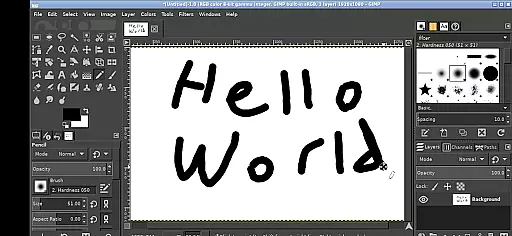
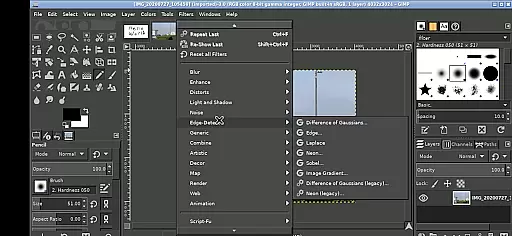
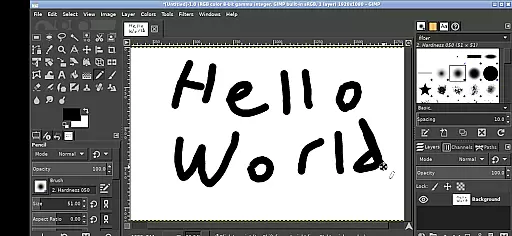
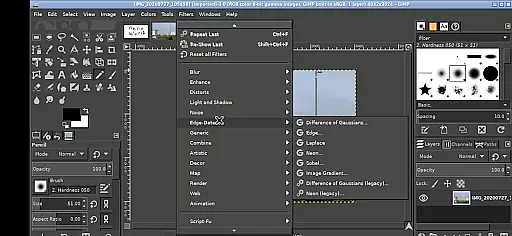
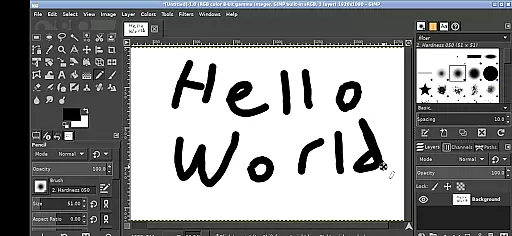
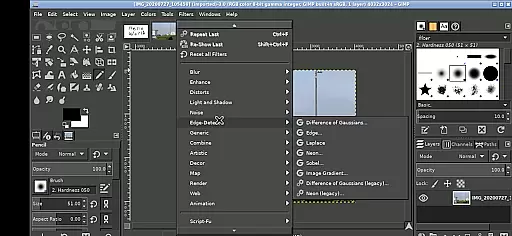
GIMP, the GNU Image Manipulation Program, brings professional-grade image editing to your mobile device. This full-featured application supports a wide array of tools and features expected from desktop-grade software.
Designed for creative professionals and hobbyists alike, GIMP offers advanced photo retouching, image composition, and image authoring capabilities. The Android version retains the core functionalities while adapting to touch-based interactions, making it suitable for on-the-go editing tasks.
Whether you're enhancing photographs, creating digital art, or preparing images for web and print, GIMP provides the necessary tools within a mobile-friendly interface. Its seamless integration with Android's file system allows easy access to your documents and media files.
GIMP stands out with its comprehensive set of image editing tools that rival professional desktop applications. Key features include layers, filters, paths, and customizable brushes, enabling complex image manipulations directly on your Android device.
The app supports various input methods optimized for mobile use. Users can perform left clicks by tapping, zoom using pinch gestures, and pan by pressing and holding. Advanced navigation options like two-finger scrolling and right-click emulation enhance the editing experience.
One of GIMP's notable strengths is its open-source nature and active community support. The application runs under GPLv3 licensing, ensuring transparency and continuous improvement. While not developed by the main GIMP team, this Android adaptation maintains compatibility with the Linux version, offering users a familiar environment across platforms.
GIMP for Android offers a comprehensive suite of creative tools that rivals its desktop counterpart. This includes advanced photo retouching, image composition, and image authoring capabilities.
The application supports a full range of professional tools for selection, path editing, drawing, color correction, and cloning, among others. These features ensure that users have everything they need for complex image manipulation tasks.
Additionally, GIMP provides support for various plugins and extensions, allowing users to expand the functionality according to their specific needs. This adaptability makes it suitable for both amateur and professional use.
By offering such an extensive array of features, GIMP empowers users to execute their creative visions without compromise, directly from their mobile devices.
One of GIMP's standout features is its canvas and format flexibility, which allows users to work with a wide variety of image formats and sizes. Whether you're editing high-resolution photographs or creating simple graphics, GIMP can handle the task.
The app supports industry-standard file types like JPEG, PNG, GIF, and TIFF, as well as specialized formats such as PSD. This ensures compatibility with other software and services, making it easier to integrate GIMP into your existing workflow.
Moreover, GIMP allows for customizable canvas sizes and resolutions, giving artists the freedom to create within the exact parameters they require. This level of control is crucial for producing high-quality work.
With this flexibility, users can seamlessly switch between different projects and formats, enhancing productivity and creative possibilities on the go.
Professional-grade tools
Active open-source community
Comprehensive feature set
Touch-optimized interface
Seamless file integration
Steep learning curve
Complex mobile interface
High system requirements
Limited official support
Occasional performance issues

Premium version of Shimeji-ee app with no ads & no limit active shimeji
 4.3
4.3
Download now for a stylish and functional timepiece
4.0
Meet the magic aı 3d photo generator and smart AI video generator app.
3.20
Logo Generator powered by AI: Create stunning logos effortlessly!
4.70
See Color, Paint Color
4.90
Convert image to JPG PNG HEIC PDF, support almost all kinds of image formats
4.70
Make your phone cooler and have a fantastic experience
4.80
Design unique, funny and adorable cat stickers that reflect your own style!
3.80
Explore future self face age filter & remove background image for a unique look.
3.50
Passport size photo maker, create ID photo and visa photo in seconds
4.80
Draw, fidget, and spin glow art! Relax and express your creativity with a finger
4.60
Share the joy of painting with ibis Paint! Drawing anime and manga art.
4.50
Stylish letters, Stylish Keyboard, Symbols, Emojis, Cool nickname
4.40
Bring One UI 8.5 Icons to life -elegant dark icons with a modern, premium touch.
4.30
Create Logos, Tattoos, AI Art & more with our AI Photo Generator & Design Editor
4.20
Turning simple sketches into captivating tales filled with life and motion
3.90
Resize photos and print photos in exact size with our powerful photo printer!
3.80
AI Assistant, powered by ChatGPT GPT-4 & GPT-4o. Your intelligent companion.
3.50
Create trending AI photos & videos with powerful effects and 3D styles.
3.20


User Reviews