
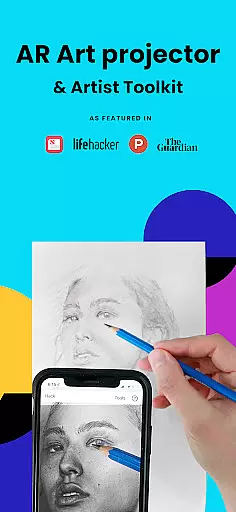
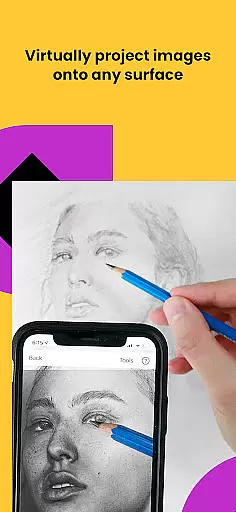
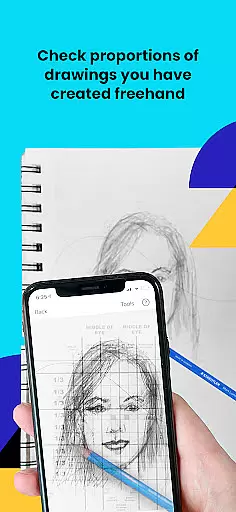
Da Vinci Eye's AR Art Projector is a revolutionary tool designed to elevate your drawing and sketching skills. This app utilizes augmented reality technology to project images onto your canvas, allowing precise tracing and detailed artwork creation. With features like strobe for hyper-realistic drawings, time-lapse recording, and color layer separation, it caters to artists of all levels.
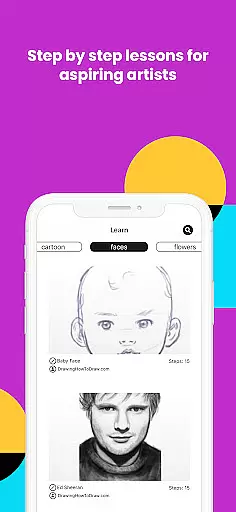
Beyond just tracing, the app offers comprehensive learning tools including video tutorials and step-by-step image breakdowns. Whether you're a professional illustrator or hobbyist, Da Vinci Eye supports various art forms from cartooning to makeup design. The app also fosters a creative community where users can share their work and receive rapid customer support.
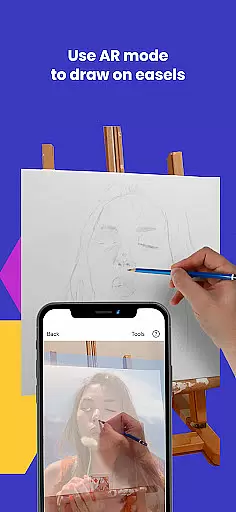
Da Vinci Eye stands out with its unique combination of AR technology and traditional art techniques. The app's AR mode anchors images to real-world objects, enabling seamless movement between your device and canvas. For those preferring classic methods, a traditional projector mode is available as well.
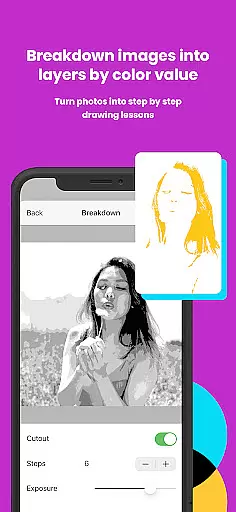
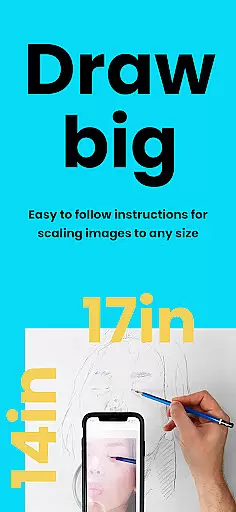
Artists can benefit from advanced functionalities such as zooming into micro-details, applying filters for easier drawing, and breaking down images into shading instructions. Additionally, the app provides a structured learning path through patent-pending methods and custom photo-based lessons, ensuring steady skill improvement.
The versatility of Da Vinci Eye extends to its wide user base, accommodating professionals like animators and tattoo artists, as well as enthusiasts such as bakers and nail technicians. Its supportive ecosystem not only enhances individual artistic journeys but also connects creatives worldwide.
When it comes to digital art applications, the comprehensiveness of creative tools is paramount. AR Art Projector offers an extensive suite of features that cater to artists of all levels. The app provides unique functionalities such as the AR art projector and tracing tool, which allow users to accurately layout their artwork before they begin or check their progress along the way.
In addition to its core AR capabilities, the application includes a variety of sketching and drawing tools designed to enhance the creative process. Users can separate images into layers by color value, apply filters to simplify drawing, zoom in for micro-details, and even record time-lapse videos of their work. These tools collectively ensure that artists have everything they need to create hyper-realistic drawings with precision.
The inclusion of video tutorials and step-by-step shading drawing lessons further enriches the user experience. By breaking down any image into manageable instructions, AR Art Projector not only aids in creating artwork but also in learning and mastering new techniques. This educational aspect adds significant value, making it more than just a drawing appu2014it's a comprehensive learning platform.
Ultimately, the completeness of AR Art Projector's toolset empowers artists to focus on their creativity without being hindered by technical limitations. Whether you're a professional illustrator or a hobbyist, the app equips you with the necessary instruments to take your drawing skills to the next level.
Flexibility in canvas and format options is crucial for artists who require adaptability in their creative workflows. AR Art Projector excels in this area by offering versatile solutions that accommodate various artistic needs. The app allows users to sketch or draw on any surface, providing unparalleled freedom that traditional tools cannot match.
One of the standout features is the ability to use both AR tracing mode and classic drawing mode. AR tracing mode anchors the image to real-world objects, enabling artists to move their canvas or device while maintaining alignmentu2014a feature particularly useful when working on easels. Meanwhile, classic mode functions like a traditional art projector, catering to those who prefer conventional methods.
Moreover, the app supports high-detail work through its zoom functionality, allowing artists to capture intricate details in their pieces. This ensures that no matter how complex the artwork, users can achieve the precision required for professional-quality results. The capability to handle different drawing styles and techniques makes AR Art Projector a go-to solution for diverse artistic projects.
By combining these flexible canvas and format options with powerful creative tools, AR Art Projector positions itself as an indispensable companion for modern artists. It bridges the gap between traditional artistry and cutting-edge technology, empowering creators to explore new dimensions in their work.
User-friendly interface
Innovative AR features
Comprehensive learning tools
Vibrant artist community
Responsive customer support
Device compatibility issues
Requires stable setup
Premium feature costs
Learning curve for new users
Limited offline functionality

Discover Cartoon Dream : Unleash Your Creativity with CuttingEdge AI
 4.50
4.50
Download now for a stylish and functional timepiece
4.0
Create sweet, cool and unique couple avatars easily, in just a few steps!
3.40
Custom Character Creator & PFP Maker!
4.20
See Color, Paint Color
4.90
AI Art Generator transforms your words into AI generated art & paintings.
3.70
AR Anime Drawing: How to draw anime with AR drawing & sketching apps!
4.00
Powerful home decoration & house design that allows you to design dream home.
3.80
Retouch photos. Create or edit images. Endless capabilities.
2.70
The ultimate tool for creating animations
4.60
Stylish letters, Stylish Keyboard, Symbols, Emojis, Cool nickname
4.40
AI generated images & photos, turn your words into drawing, painting & pictures.
4.30
800+ Drawing, Painting Lessons App to Practice, Sketch & Paint Art.
4.30
Bring One UI 8.5 Icons to life -elegant dark icons with a modern, premium touch.
4.30
Apply cartoon, caricature, and portrait effects to make your photos stand out!
3.60
Vidu is an AI video generator made for creators and aspiring makers.
3.30
Pose and morph realistic male and female models! 3D poser app
3.00
Inky runs Inkscape on Android devices and Chromebooks
2.90
A luxurious gold watch face for an elegant and refined look.
4.3


User Reviews