
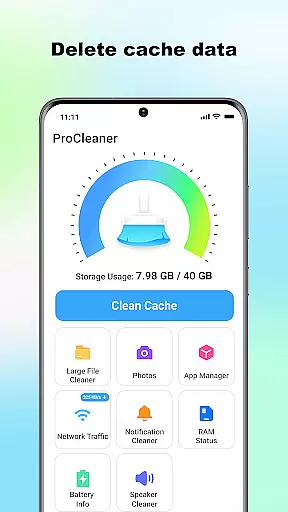
ProCleaner is a comprehensive device optimization tool designed to help users efficiently manage their smartphone storage. The app's core functionality revolves around scanning and cleaning various types of unnecessary files, including cache, residual, and junk files that accumulate over time.
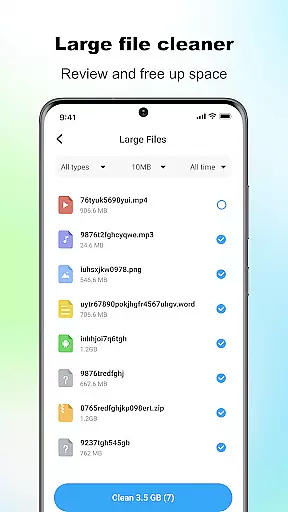
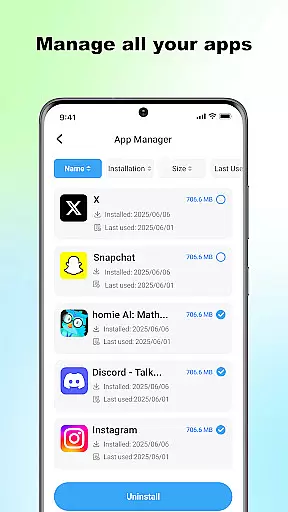
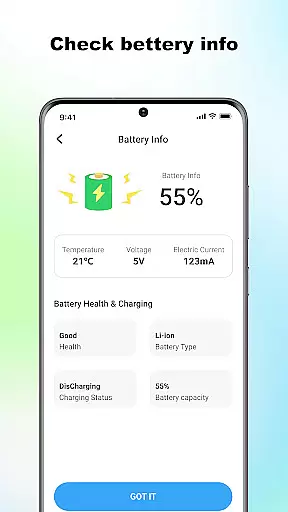
Beyond basic cleaning capabilities, ProCleaner offers advanced features for managing large files and uninstalling multiple applications simultaneously. Users can also monitor network speed and check battery status, providing a complete solution for device maintenance and performance optimization.
This application proves particularly valuable for users who frequently encounter storage limitations or experience sluggish device performance. By maintaining optimal storage conditions, ProCleaner helps ensure smooth device operation and maximizes available space for essential applications and data.
ProCleaner distinguishes itself through its comprehensive suite of optimization tools. The application's primary feature is its intelligent scanning system, which thoroughly examines device storage to identify various types of unnecessary files, including temporary cache files, leftover installation packages, and other junk files that consume valuable space.
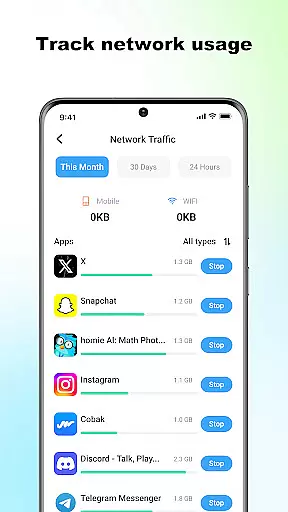
The app's multi-functional interface allows users to manage large files effectively while providing batch uninstallation capabilities for unwanted applications. Its network monitoring tool delivers real-time insights into connection speeds, while the battery status checker helps users maintain optimal power consumption levels.
What sets ProCleaner apart is its commitment to user privacy and security. All operations are performed locally on the device, ensuring that personal data remains protected. The application requires only necessary permissions for storage access and app management, maintaining transparency in its operations while delivering powerful optimization capabilities.
ProCleaner excels in delivering accurate and effective core functions that are essential for maintaining optimal device performance. The app's scanning algorithms thoroughly analyze storage, identifying cache files, residual data, and junk files with precision.
Each feature is designed to provide tangible results. For instance, the large file finder allows users to locate and manage space-consuming files effortlessly. Similarly, the application uninstaller supports batch operations, streamlining the process of removing unwanted apps while ensuring no remnants are left behind.
The network speed monitor and battery status checker further enhance the user experience by providing real-time insights into critical device metrics. These tools empower users to make informed decisions about their device usage and maintenance.
By focusing on both accuracy and effectiveness, ProCleaner ensures that every action taken within the app produces meaningful improvements in device performance and storage management.
A simple and intuitive interface is crucial for ensuring a seamless user experience, and ProCleaner delivers exactly that. The app employs a clean layout with clearly labeled sections, making it easy for users to navigate through its various features.
Every tool is accessible within just a few taps, minimizing the learning curve even for less tech-savvy users. Visual indicators and straightforward menus guide users through tasks like cache cleaning, file removal, and app management without any confusion.
Additionally, ProCleaner maintains consistency in design language across all its functions. This uniformity enhances usability as users can predict where to find specific tools or settings based on their previous interactions with the app.
By prioritizing interface simplicity and intuitiveness, ProCleaner ensures that users can efficiently utilize its powerful features without being overwhelmed by complex controls or options.
Comprehensive cleaning tools
Batch app uninstallation
Local data processing
Network speed monitoring
User-friendly interface
Limited advanced features
No cloud backup option
Basic UI design
Occasional scan errors
Ads in free version

Just one-tap to easy translate in any language after calls within seconds.
 4.20
4.20
Extremely fast, secure, and protects your privacy
4.80
Carry a FTP server in your pocket and avoid USB cables for file transfer
4.20
Amateur Radio app for APRS: Track friends, exchange messages, get tactical info.
3.90
VESC Tool can monitor and configure VESC-compatible devices over BLE and Wifi
4.20
MS-DOS in your pocket. Play old DOS games anywhere you are ;)
4.10
Navigate with Ease and Style
4.90
Game Booster, GFX Tool is now compatible with newer game update
4.50
Enhance your Beats
3.70
The ultimate tool for network analysis, wifi scanning and problem detection.
4.90
Powerful collection of electronics tools and reference.A must for any enthusiast
4.90
Optimize your WiFi network, turn your phone into Wifi Analyzer
4.70
FV File Manager Pro, Fast and powerful file manager for Android
4.60
Head tracking for PC sim games such as MSFS 2024 or Elite:Dangerous. No headset!
4.50
Button mapper, mouse toggle, sleep timer and a lot of another features
4.50
Forza Tuning Calculator App for Forza Horizon 5, Motorsport and Earlier Titles
4.40
Safely recover deleted photos, videos, and files with a single easy tap.
3.70
PDF Reader - Document Viewer: Read, Manage & Organize Your Documents
3.10
Transfer Files, APK from Phone to Watch & Install.
4.4


User Reviews