
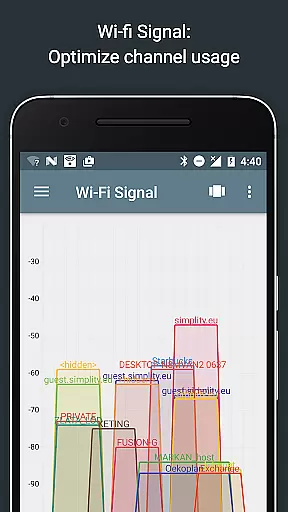
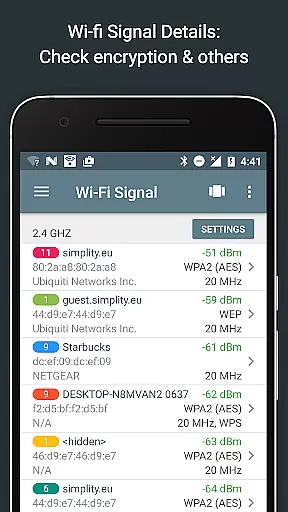
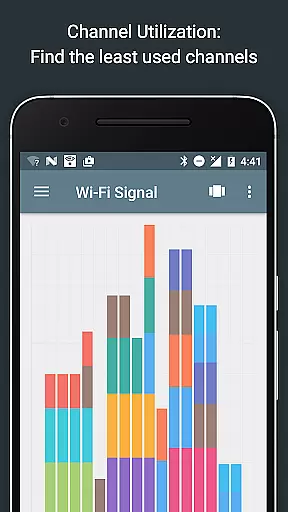
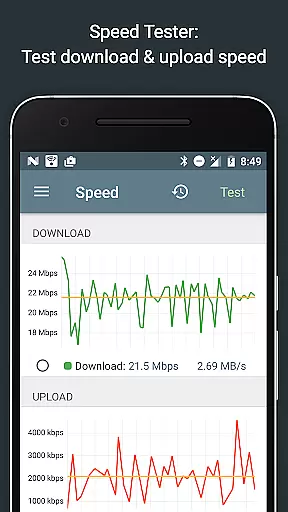
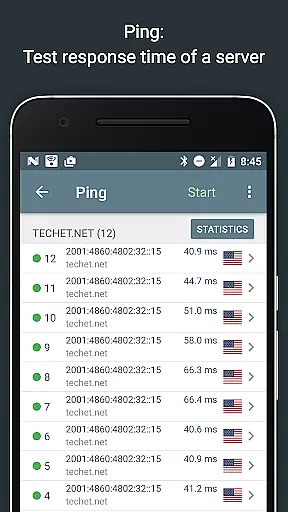
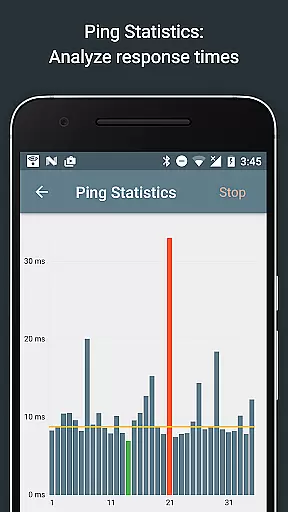
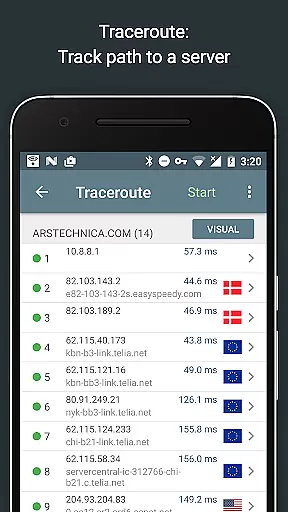
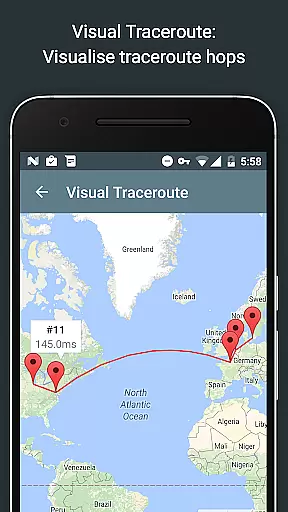
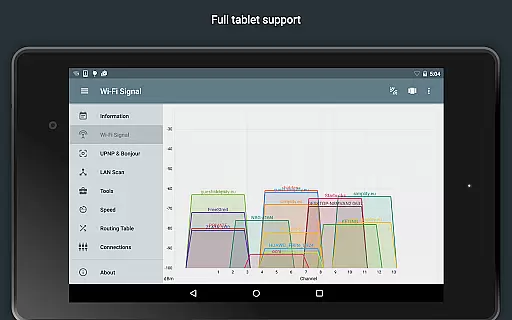
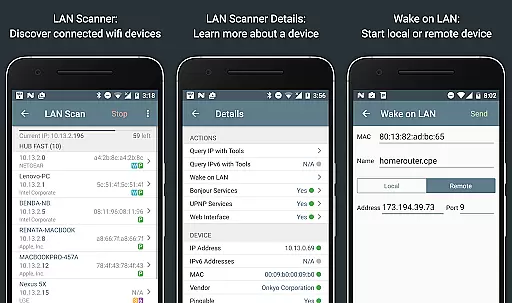
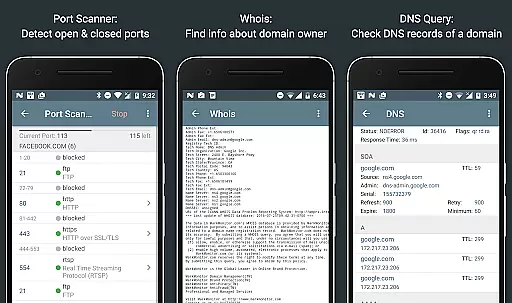
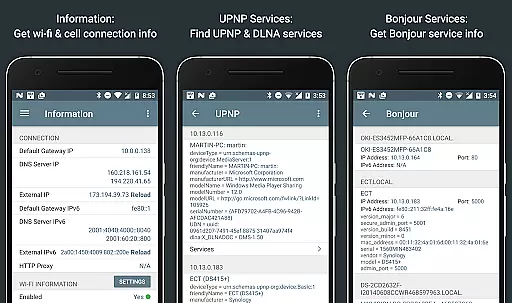
Network Analyzer Pro is a comprehensive network diagnostic tool designed to help users troubleshoot various issues related to their Wi-Fi networks and Internet connectivity. The app provides an extensive suite of utilities, including a fast Wi-Fi device discovery tool that identifies all LAN devices along with their addresses and names, as well as the Bonjour/DLNA services they offer. It also includes standard diagnostic tools such as ping, traceroute, port scanner, DNS lookup, whois, and network speed test.
In addition to diagnosing local network problems, Network Analyzer Pro can detect issues on remote servers, making it an invaluable tool for both home and professional use. Whether you're looking to optimize your Wi-Fi channel, monitor signal strength, or perform detailed network diagnostics, this app offers everything needed to ensure smooth and reliable network performance. Its support for both IPv4 and IPv6 ensures compatibility across different network configurations.
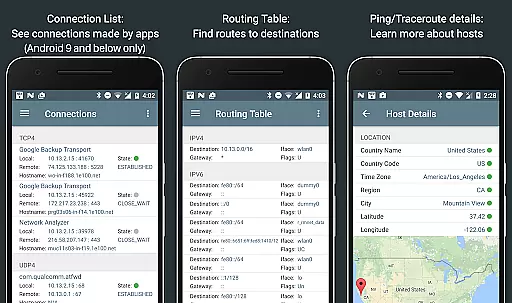
One of the standout features of Network Analyzer Pro is its robust set of diagnostic tools. These include a Wi-Fi signal meter that provides both graphical and textual representations of network channels and signal strengths, helping users identify the best channel for their wireless router. The LAN scanner quickly detects all network devices, providing IP addresses, NetBIOS, mDNS (Bonjour), LLMNR, and DNS names where available. Additionally, the routing table feature displays destination and gateway information, interface usage, and flags for both IPv4 and IPv6.
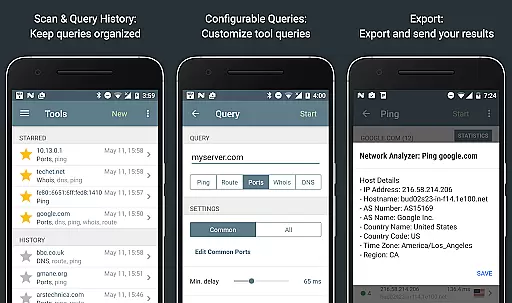
The app's ping and traceroute functionalities offer detailed insights into network latency and routing paths, complete with geolocation data and AS number information. The port scanner uses a fast, adaptive algorithm to check the most common ports or user-specified ranges, detecting closed, firewalled, and open ports. Other notable features include Whois queries for domains, IP addresses, and AS numbers, DNS lookups supporting various record types, and comprehensive internet speed tests with graphical views and history tracking.
Network Analyzer Pro stands out for its precision and effectiveness in diagnosing network issues. The app provides a comprehensive suite of tools including ping, traceroute, port scanner, DNS lookup, and whois to accurately identify problems in your wifi network or Internet connectivity.
The application's capabilities extend to detecting issues on remote servers, thanks to its robust set of diagnostic features. Whether it's analyzing signal strength, scanning for open ports, or performing a DNS lookup, Network Analyzer Pro ensures that each function is executed with the highest level of accuracy.
Users benefit from real-time information and analysis, allowing them to troubleshoot network problems efficiently. With both IPv4 and IPv6 support, this tool guarantees that no matter the network protocol, users receive precise and actionable data to optimize their network setup.
A streamlined and intuitive interface makes Network Analyzer Pro accessible to users of all technical backgrounds. Despite the complexity of the tasks it performs, the app maintains an easy-to-navigate design that simplifies the process of network diagnostics.
Each tool within the app is presented with clarity, ensuring that users can perform tasks such as scanning for devices on the network or checking the speed of their internet connection without a steep learning curve. Visual aids and straightforward menus contribute to a seamless user experience.
By focusing on an intuitive layout, Network Analyzer Pro enables users to swiftly move through its features, making network management less daunting and more efficient. This dedication to user-friendly design enhances overall productivity and satisfaction.
Comprehensive diagnostic tools
Fast Wi-Fi device discovery
Supports both IPv4 and IPv6
Detailed network information
Regular updates and support
Complex for beginners
Some features require advanced knowledge
Premium price point
Limited offline functionality
Interface can be overwhelming

 4.50
4.50
pdf merge, word to pdf, jpg to pdf, edit pdf, convert to pdf and much more!
4.20
Quickly switch to an encrypted DNS server on Android TV
4.50
HD Camera captures every special moment.
4.60
PDF Reader - Document Viewer: Read, Manage & Organize Your Documents
3.10
Undelete and recover your lost or deleted files with DiskDigger!
3.40
Quickly check the frequency of the Earth
4.30
Fun lie-detection pranks for friends and parties.
3.80
Screen recorder with audio to record high-quality videos and take screenshots.
4.40
Small and simple app to Verify Root Access and BusyBox Install!
4.70
Optimize your WiFi network, turn your phone into Wifi Analyzer
4.70
Canon PRINT is a companion app for your Canon printer.
4.60
Mirror your screen to Chromecast and Android TV - Super fast and simple
4.60
Planner and Tracker for Stardew Valley
4.60
PC precision for mobile gaming: dominate with keyboard and mouse!
4.30 4.10
4.10
Family Locator, Share location, StayConnect with your family in real time
3.90
A powerful, easy-to-use flight computer on your phone or tablet!
3.80
Transfer Files, APK from Phone to Watch & Install.
4.4


User Reviews