
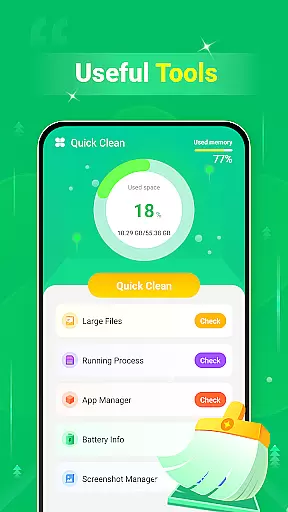
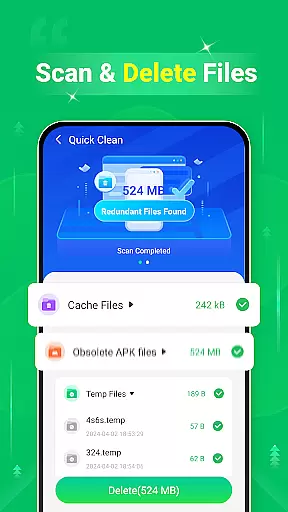
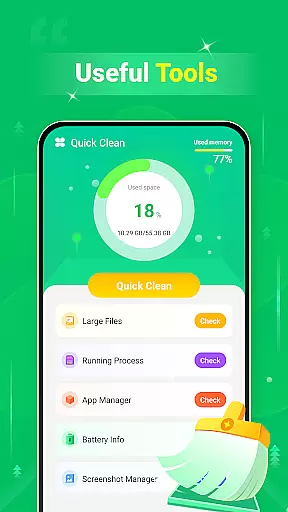
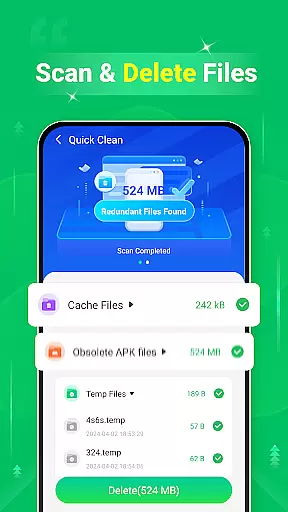
Quick Clean is a powerful mobile application designed to optimize device performance by scanning and removing unnecessary files. With its comprehensive cleaning capabilities, the app targets various file types including cache, log, and temporary files that accumulate over time.
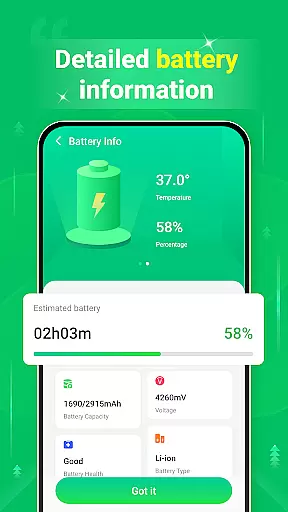
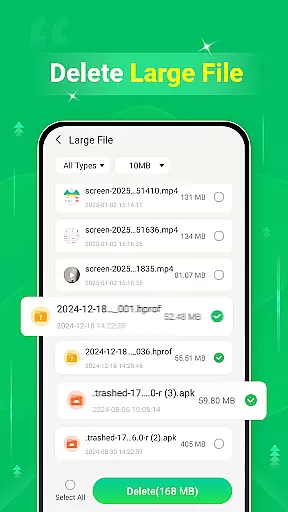
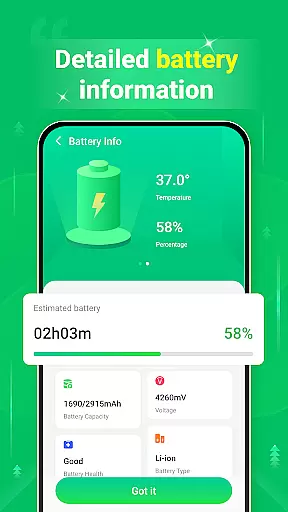
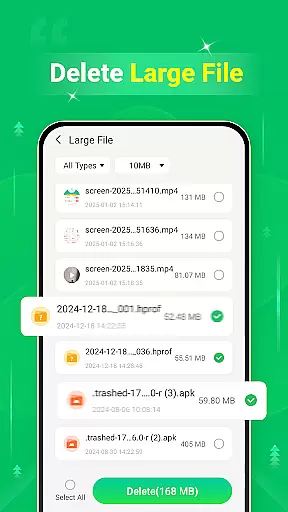
In addition to basic cleaning functions, Quick Clean offers specialized features such as large file management and screenshot cleanup. Users can efficiently manage their storage space by identifying and removing hefty files that consume valuable memory. The app also provides essential battery information, helping users monitor their device's power consumption.
This tool proves especially useful for individuals seeking to maintain optimal device functionality while maximizing available storage. Whether you're a casual user or a power user, Quick Clean delivers a streamlined solution for maintaining your device's health and performance.
Quick Clean distinguishes itself through its diverse feature set tailored for comprehensive device maintenance. The app's primary function revolves around its ability to scan and delete redundant files across multiple categories, including cache, log, and temporary files.
One of the standout features is its large file management capability, which allows users to identify and remove sizable files that significantly impact storage capacity. Additionally, the screenshot cleanup function enables users to review and delete unnecessary screenshots, further optimizing storage space. The inclusion of battery information monitoring adds another layer of utility, providing users with crucial insights into their device's power usage patterns.
These features collectively contribute to a more efficient device maintenance experience, setting Quick Clean apart from basic cleaning applications. The combination of storage optimization tools and battery monitoring makes it an invaluable asset for users seeking complete control over their device's performance and resource allocation.
When it comes to utility applications like Quick Clean - Space Cleaner, the precision and efficacy of its core functions are paramount. This app specializes in scanning and removing unnecessary files from your device, including cache, log, and temp files, which can significantly free up storage space.
The app's scanning engine is designed to accurately identify redundant files without affecting essential system files or user data. By implementing advanced algorithms, Quick Clean ensures that only safe-to-delete files are targeted, preserving the integrity of your device while maximizing available space.
Users benefit from this functionality by experiencing faster device performance and increased storage capacity. The ability to remove large files and unwanted screenshots further enhances the app's value, providing a comprehensive solution for device optimization.
Moreover, the inclusion of battery information adds another layer of utility, allowing users to monitor their device's power consumption alongside storage management. This dual functionality makes Quick Clean a reliable tool for maintaining optimal device performance.
A well-designed interface is crucial for utility apps like Quick Clean - Space Cleaner, where ease of use directly impacts user satisfaction. The app features an intuitive layout that allows even novice users to navigate its cleaning functions effortlessly.
Upon launching the app, users are greeted with clear options for different cleaning tasks. Each function, whether it's deleting large files or clearing cache, is presented with straightforward buttons and indicators showing potential storage savings. This visual representation helps users make informed decisions about which files to delete.
The app maintains consistency in its design language throughout, using familiar icons and terminology. This approach minimizes the learning curve and enables quick access to essential features. Users can complete cleaning tasks in just a few taps, making regular maintenance convenient and efficient.
Additionally, the interface provides real-time feedback during scanning and cleaning processes, keeping users informed about ongoing operations. This transparency builds trust and confidence in the app's performance, encouraging regular use for device optimization.
User-friendly interface
Comprehensive cleaning options
Effective storage management
Convenient one-tap optimization
Reliable performance enhancement
Limited advanced features
Basic design aesthetics
Occasional scanning delays
No cloud backup integration
Ads in free version

Connect instantly to a fast, encrypted VPN with one tap
 4.60
4.60
Remote for Roku, Fire TV, Samsung TV, LG TV, Android TV, Chromecast and VIZIO TV
4.20
Canon PRINT is a companion app for your Canon printer.
4.60
App that Recover your pictures, videos or files after you delete them.
4.20
Optimize your WiFi network, turn your phone into Wifi Analyzer
4.70
The Ultimate Bluetooth Keyboard & Mouse. Securely control your PC, Mac, and more
4.50
Support Fossify apps with a warm thank you!
5.00
Create your own custom widget with endless possibilities
3.90
fast and easy mp3 music downloader
4.80
Connect wirelessly to your computer to watch movies, browse the web, play games
5.00
Extremely fast, secure, and protects your privacy
4.80
Unit and currency converter with easy and simple UI.
4.80
Remote Play with FSR upscaling, low latency & full controller support
4.80
Fast Video Downloader, Movie Downloader, Torrent Downloader & Adblock Browser
4.70
Play your X-Box games remotely in 1080p with any controller and zero latency
4.60 4.50
4.50
Making emulation easy for everyone!
4.30
Carry a FTP server in your pocket and avoid USB cables for file transfer
4.20
Family Locator, Share location, StayConnect with your family in real time
3.90


User Reviews