
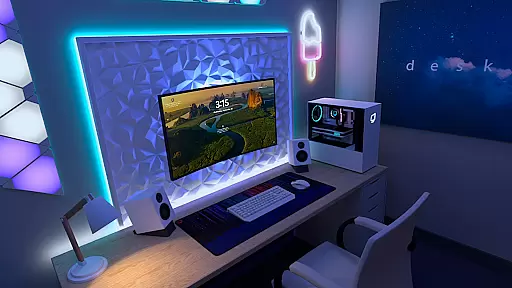
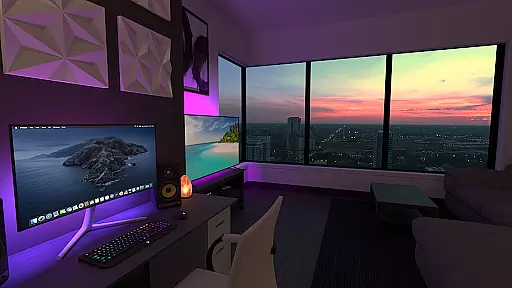
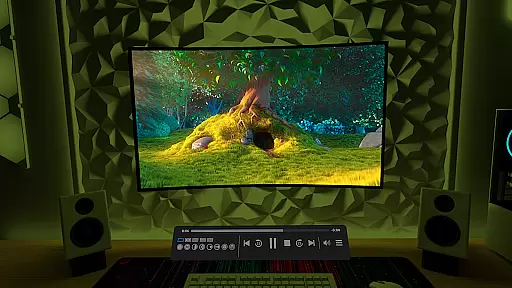
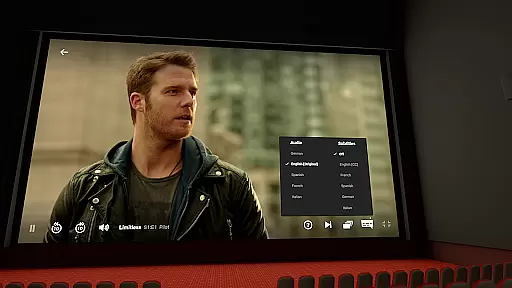
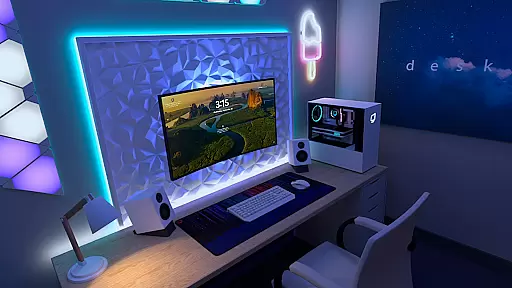

Virtual Desktop is a powerful tool that allows users to connect wirelessly to their computers for an immersive experience. Watch movies, browse the web, and play games on a large virtual screen or stream PCVR games with ease. Designed for low latency and high-quality streaming, this native application is optimized for performance.
The app supports PCs and laptops running Windows 10 or 11, as well as macOS Catalina or later. With features like Bluetooth device support, multi-monitor setups, and microphone passthrough, Virtual Desktop offers a versatile solution for remote computing needs.
Virtual Desktop boasts several key features that enhance its functionality. It requires a computer wired with a Gigabit Ethernet cable to a 5 or 6 GHz router for optimal performance. The app supports video streaming directly from your computer, including regular, 180, and 360-degree videos.
Additional features include support for Bluetooth mice, keyboards, and gamepads, making it highly adaptable for various use cases. Users can also enjoy 3D content in Side-by-Side or Over-Under formats and take advantage of multi-monitor support, both physical and virtual, for an expansive workspace.
Virtual Desktop excels in delivering a seamless and high-quality streaming experience, ensuring that users can enjoy their computer activities on a virtual screen with minimal latency. The application is optimized for low-latency streaming, making it possible to watch movies, browse the web, and even play games without noticeable delays.
The app supports both local network streaming and remote connections over the internet, provided users enable UPnP on their routers. This flexibility allows you to connect wirelessly to your computer(s) from virtually anywhere, enhancing productivity and entertainment options. Whether you're using a Windows or macOS device, Virtual Desktop ensures compatibility and performance.
For gamers, Virtual Desktop offers PCVR game streaming, which requires a VR Ready PC running Windows 10 or 11. This feature opens up new possibilities for immersive gaming experiences, allowing you to enjoy a wide range of VR content without being tethered to your main computer.
Virtual Desktop boasts an intuitive interface designed to make navigation and setup as straightforward as possible. Upon launching the app, users are greeted with clear instructions and easy-to-follow steps for connecting their devices, ensuring a hassle-free initial setup process.
The app's layout is clean and organized, providing quick access to essential features such as video streaming, web browsing, and game streaming. Users can effortlessly switch between different functions, thanks to the well-thought-out design that prioritizes usability and accessibility.
In addition to its user-friendly interface, Virtual Desktop supports various input methods including Bluetooth mice, keyboards, and gamepads. This versatility enhances the overall user experience by allowing individuals to interact with their virtual desktop in a way that feels most comfortable and natural to them.
High-quality streaming
Multi-monitor support
Low latency performance
Wide device compatibility
Remote connection options
Requires wired Ethernet
Limited OS compatibility
Internet UPnP setup needed
No mobile VR support
PCVR hardware required

Just one-tap to easy translate in any language after calls within seconds.
 4.20
4.20
FV File Manager Pro, Fast and powerful file manager for Android
4.60
Fluid navigation gestures for all of us!
4.30
Enjoy smooth gameplay with Game Booster
4.90
Quickly & easily calculate the spacing of handrail balusters
4.20
App to pay for FUTO Keyboard
4.60
Game Booster, GFX Tool is now compatible with newer game update
4.50
Enjoy a smooth mobile reading experience!
3.60
Enhance your Beats
3.70
Navigate with Ease and Style
4.90
Best leveling tool for your Android device. Hang paintings like a pro.
4.90
Remote Play with FSR upscaling, low latency & full controller support
4.80
ADB support Android 4.X-Android 13(Support wireless pair mode).No root required!
4.70
Pro Emulator is an easy to use game console emulator for a range of consoles.
4.40
App that Recover your pictures, videos or files after you delete them.
4.20
A simple app to back up and restore SMS & MMS messages and call logs.
4.10
Detect hidden spy camera with advanced scanning {{ Premium version }}
4.00
Family Locator, Share location, StayConnect with your family in real time
3.90
A recovery soft,it features photo recovery, video recovery, file recovery.
3.40


User Reviews