
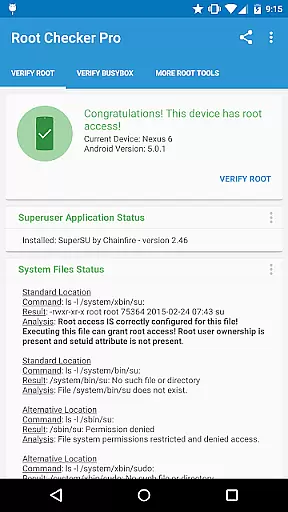
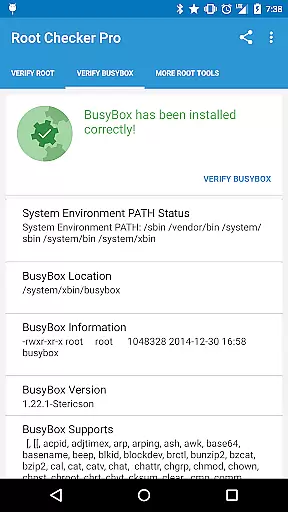
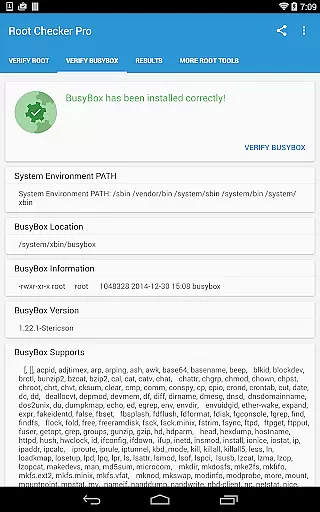
Root Checker Pro is a powerful diagnostic tool designed to verify root access on Android devices. The application provides a comprehensive check of the su binary, BusyBox installation, and related permissions without requiring root itself. It offers both basic and advanced users detailed insights into their device's root status.
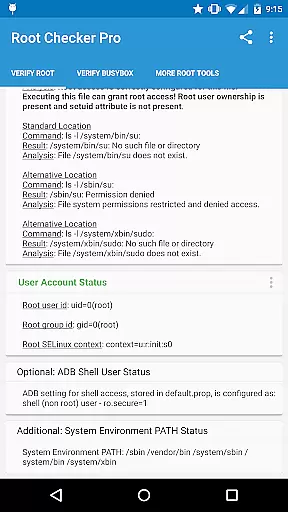
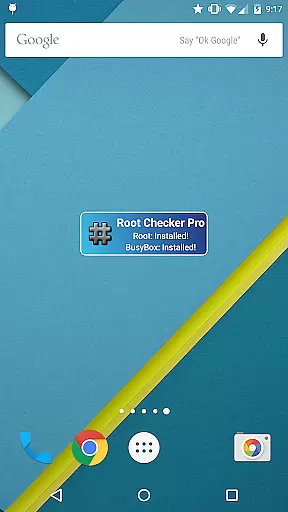
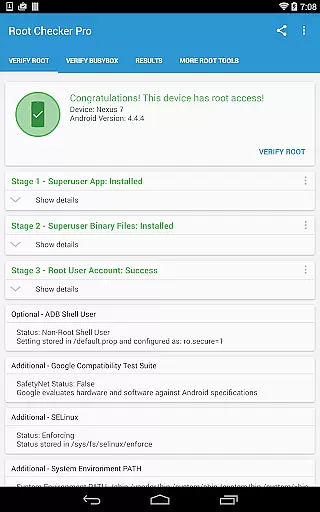
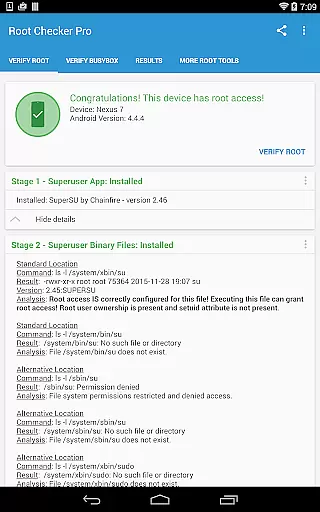
The app presents crucial information such as su binary locations, file permissions, SELinux context results, and Superuser app versions. For technically inclined users, it delivers in-depth details about the root environment. Additionally, its intuitive widget feature allows continuous monitoring of root and BusyBox status through customizable intervals.
This application proves especially valuable when troubleshooting root-related issues or verifying proper configuration after rooting. With simple exporting options for technical details via email or social media, it facilitates easy collaboration with support communities. Its reliability and ease of use make it an essential tool for anyone managing rooted Android devices.
Root Checker Pro stands out with its robust feature set tailored for root verification and diagnostics. The app's primary function is to perform a quick and reliable test of root access by checking the su binary's location and permissions. This ensures users can confirm whether their device has been properly rooted.
Beyond basic checks, the application provides advanced diagnostic data that benefits both novice and experienced users. It displays important details like SELinux status, ADB shell user mode, and system PATH information. The built-in sharing functionality allows users to export these technical details easily via email or other installed applications for troubleshooting assistance.
A standout feature is the included widget, which enables real-time monitoring of root and BusyBox status. Users can configure update intervals to receive timely notifications about any changes in their root environment. This proactive approach to root management helps maintain system stability and quickly identify potential issues.
Root Checker Pro delivers exceptional accuracy in verifying root access on Android devices. The application meticulously checks the presence and status of the su binary, which is critical for granting root permissions.
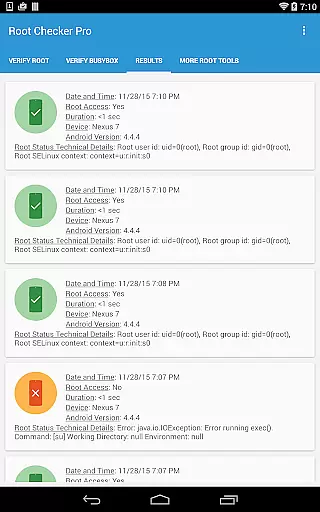
The app's effectiveness lies in its comprehensive analysis of various root-related parameters. It examines standard su binary locations, file permissions, root uid/gid results, and SELinux contexts, providing users with a detailed overview of their device's root status.
For technically inclined users, the app offers advanced details about the root environment, including Superuser application versions and adb shell user modes. This level of detail enables effective troubleshooting of any root access issues.
The true value of this tool is evident in its ability to quickly export diagnostic information through email or other sharing methods. This feature facilitates collaboration and support when resolving complex root access problems.
The interface of Root Checker Pro has been designed with user-friendliness as a top priority. Even novice Android users can easily navigate through the application's straightforward layout and understand the presented information.
Key features are accessible through simple button presses, allowing users to perform root checks and export results with minimal effort. The widget functionality adds another layer of convenience by providing constant monitoring of root status.
The application presents technical information in a clear and organized manner, making it easy for users to interpret the results. Important details about root access and BusyBox installation are displayed in a logical sequence.
Despite dealing with complex technical data, the interface maintains an intuitive flow that guides users naturally through the verification process. This approach ensures that both beginners and experienced users can effectively utilize the tool's capabilities.
User-friendly interface
Detailed root diagnostics
Reliable su binary checks
Convenient sharing options
Helpful monitoring widget
No iOS compatibility
Paid version only
Technical knowledge required
Limited to Android platform
Occasional false positives

 4.50
4.50 4.50
4.50
Change your GPS location instantly. Simulate routes anywhere in the world.
4.90
Connect instantly to a fast, encrypted VPN with one tap
4.60
Complete kernel toolbox with features to manage and tweak your rooted device
4.30
Keep track of your Palia friendships, tasks, and inventory with Palia Notebook
4.60
View detailed information about your Nissan Leaf the dealer never shows you.
4.10
Undelete and recover your lost or deleted files with DiskDigger!
3.40
Screen Mirroring with sound for Samsung TV, LG TV, Sony TV, Smart TV and Browser
4.20
Support Fossify apps with a warm thank you!
5.00
Unit and currency converter with easy and simple UI.
4.80
The one-and-only remote control for PC, Mac, and Linux
4.70
Creation, Learning, Entertainment & More — The All-in-One AI Search Engine
4.70 4.50
4.50
eXtended Permission Manager - a small app to manage permissions and AppOps
4.50
Game Booster, GFX Tool is now compatible with newer game update
4.50 4.10
4.10
Family Locator, Share location, StayConnect with your family in real time
3.90
Transfer Files, APK from Phone to Watch & Install.
4.0


User Reviews