
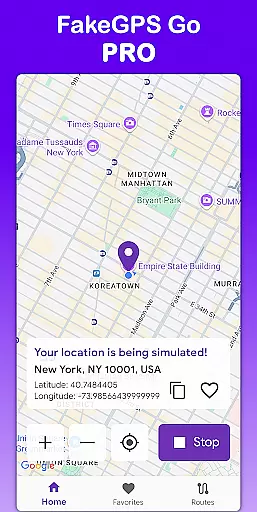
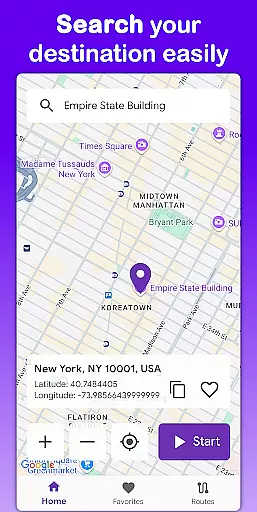
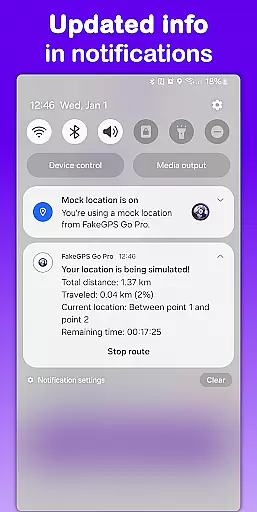
Fake GPS Go Pro is a powerful tool designed to help users instantly change their GPS location and simulate routes anywhere in the world. This app is ideal for developers testing location-based apps, individuals exploring virtual locations, or anyone needing to spoof their GPS position. With no root access required, it offers seamless functionality across devices while maintaining high precision and ease of use.
The app provides advanced features such as route simulation with adjustable speeds, saving favorite locations for quick access, and multilingual support in 8 languages. Whether you're debugging software or experimenting with new geolocation ideas, Fake GPS Go Pro ensures reliable performance without draining your device's battery.
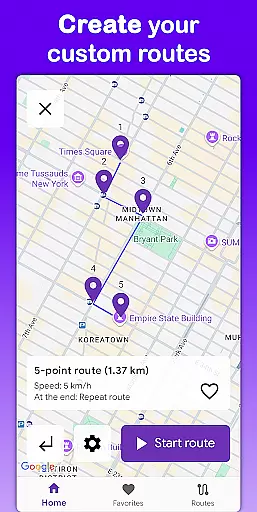
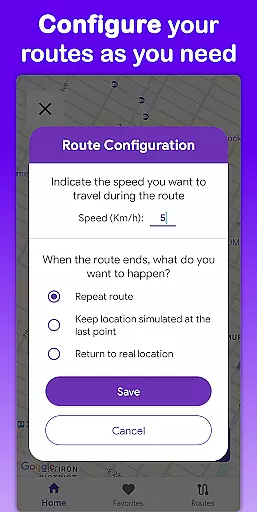
Fake GPS Go Pro stands out with its comprehensive feature set tailored for both casual users and professionals. One of its core strengths is the ability to instantly spoof GPS locations with just a few taps, allowing users to place themselves anywhere on the map. The app also supports detailed route creation, where users can customize paths by placing markers and selecting travel speeds.
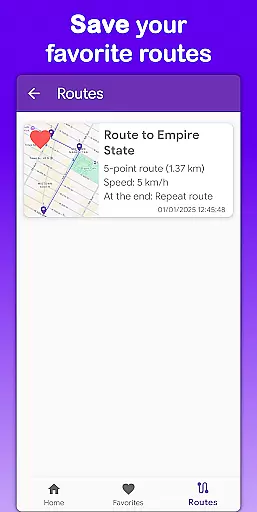
In addition to location manipulation, the app allows saving frequently used spots and routes for future use, streamlining workflows for repeated tasks. Its multilingual interface ensures accessibility, while the lightweight design minimizes battery consumption. With no ads or interruptions in the premium version, users can enjoy uninterrupted productivity during their projects.
Fake GPS Go Pro excels in providing accurate and effective core functionality for spoofing location data. The app allows users to instantly change their GPS location with just a few taps, ensuring precision in every use case.
One of the standout features is its route simulation capability. Users can create custom routes by placing markers on the map and selecting the speed at which the simulated movement occurs. This level of control ensures that developers and testers can mimic real-world scenarios with high fidelity.
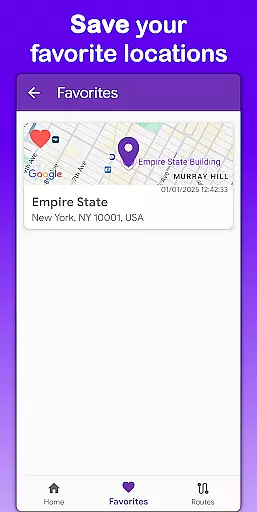
The app also supports saving favorite locations and routes, making it easy to return to frequently used spots without reconfiguring each time. This feature enhances productivity by streamlining repetitive tasks, allowing users to focus more on their primary objectives.
Overall, Fake GPS Go Pro delivers an unmatched level of accuracy and effectiveness in location spoofing, making it an essential tool for app testing, development, and virtual exploration.
The interface of Fake GPS Go Pro is designed to be simple and intuitive, ensuring that users can easily navigate through its features without any hassle. Upon opening the app, users are greeted with a clean layout that highlights key functionalities such as changing GPS location and simulating routes.
Creating custom routes is straightforward thanks to the intuitive map interface where users can place markers and set speeds with ease. The app provides clear visual feedback, helping users understand their configured paths and movements at a glance.
Saving favorite locations and routes further simplifies the user experience. By storing commonly used settings, the app reduces the need for repetitive configurations, thus enhancing usability. Additionally, multilingual support in eight languages ensures that users from different regions can comfortably interact with the app.
In summary, Fake GPS Go Pro combines simplicity and intuitiveness in its design, offering a seamless experience for both novice and advanced users looking to manipulate GPS data efficiently.
User-friendly interface
High-precision GPS simulation
No root access required
Multilingual support
Lightweight and efficient
Limited non-premium functionality
Potential ethical concerns
Not suitable for real-world navigation
Requires technical understanding
May conflict with some apps

 4.50
4.50 4.50
4.50
Small and simple app to Verify Root Access and BusyBox Install!
4.70
MS-DOS in your pocket. Play old DOS games anywhere you are ;)
4.10
Signal Strength, Mobile, Wifi, Speed Test, Bad Signals, Cellular, 5G, LTE, 4G
4.20
The one-and-only remote control for PC, Mac, and Linux
4.70
WiFi Signal Strength Meter help you detect WiFi Signal Strength in real time.
4.80
Play your X-Box games remotely in 1080p with any controller and zero latency
4.60
The Ultimate Flex Drivers Utility App - Convenient Tapping & Block Filters
4.70
Remote Play with FSR upscaling, low latency & full controller support
4.80
Learn the vast amount of system information about device and monitor it's state
4.70
Screen Mirroring for Roku Sticks, Roku TCL TV and Roku Hisense TV
4.50
Clean up large files and similar photos, fast and easy to use
4.40
Complete kernel toolbox with features to manage and tweak your rooted device
4.30
Making emulation easy for everyone!
4.30
VESC Tool can monitor and configure VESC-compatible devices over BLE and Wifi
4.20
Effortlessly run ADB commands directly on your device without a PC.
4.20 4.10
4.10
Clean the junk files on your device
3.40


User Reviews