
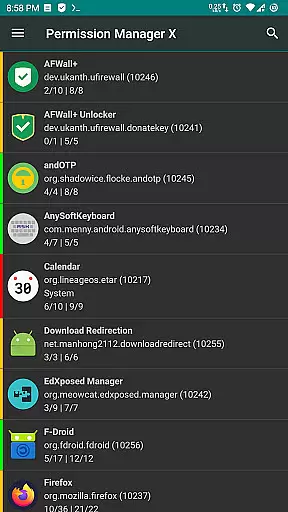
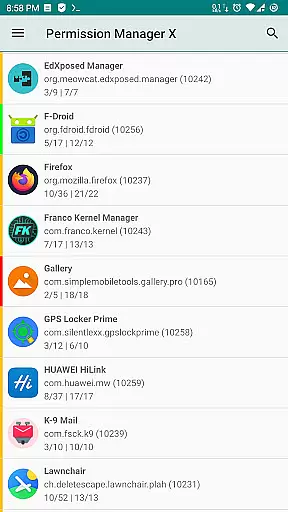
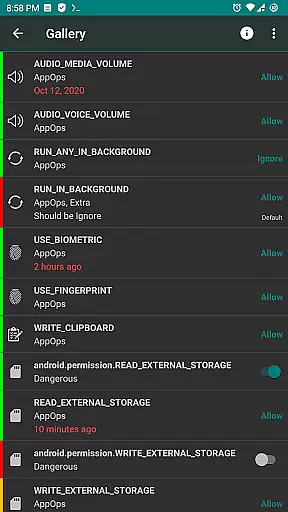
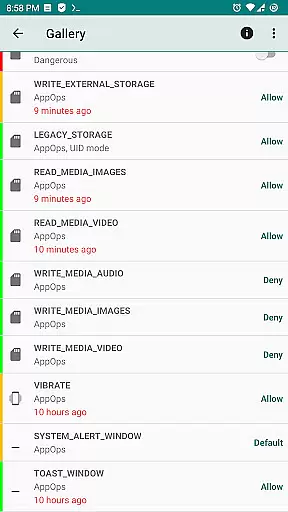
Permission Manager X is a powerful tool designed to give users complete control over app permissions on their Android devices. With this application, you can view, grant, or revoke both manifest permissions and AppOps permissions for every installed app from a single screen. This allows for fine-grained access control, ensuring that apps only have the permissions they truly need.
The app also provides advanced features such as setting reference values for permissions, which can be backed up and restored, making it easy to maintain your privacy settings across reinstalls or devices. Whether you're concerned about background execution, location tracking, or access to your contacts, Permission Manager X offers the tools necessary to protect your privacy while maintaining optimal device functionality.
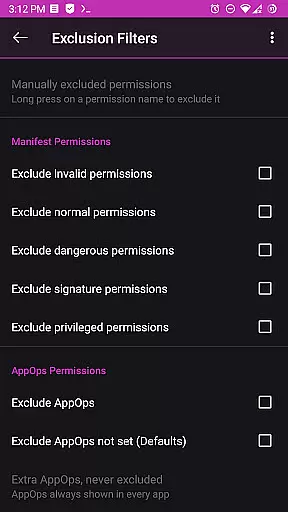
One of the standout features of Permission Manager X is its ability to manage both manifest permissions and AppOps. Manifest permissions include commonly known permissions like Storage and Camera, while AppOps provide deeper control over these permissions and add additional restrictions such as background execution and clipboard access.
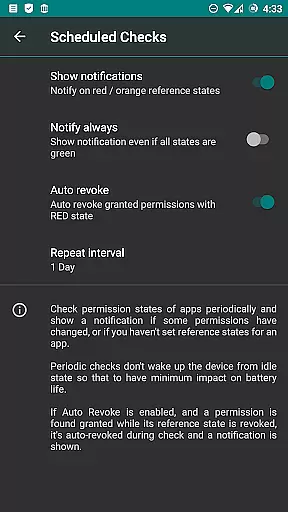
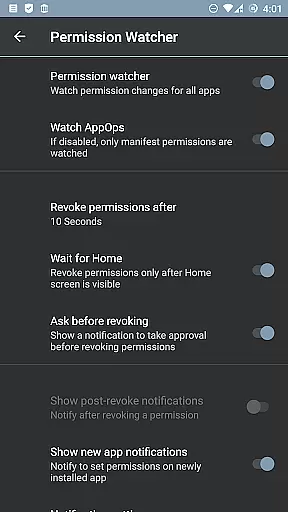
For power users, the app includes paid features such as scheduled checks to notify about bad permission states, auto-revoke capabilities for granted permissions with red states, and a Permission Watcher to quickly remove unwanted permissions. These functionalities ensure that your device remains secure and efficient, with options for theming, search suggestions, and batch operations further enhancing the user experience.
Additionally, Permission Manager X supports multi-user profiles and work profiles, making it ideal for both personal and professional environments. The app respects user privacy by not collecting any data, and its open-source nature means that it is transparent and community-driven, offering a trustworthy solution for managing app permissions.
Permission Manager X offers a comprehensive solution for managing app permissions with precision and efficiency. The app allows users to view, grant, or revoke both manifest permissions and AppOps permissions from a single screen. This functionality is crucial for maintaining control over what each installed app can access on your device.
The application provides fine-grained control over permissions such as storage, camera, location, and more. By integrating manifest permissions with AppOps, it ensures that changes are accurately reflected in the system's backend, offering robust access control. This dual management approach becomes increasingly important with every new Android release, where dependencies between these permission types grow stronger.
For users reinstalling apps, changing devices, or upgrading their ROM, Permission Manager X streamlines the process of reviewing and restoring permission settings. With reference states and colored bars, users can quickly identify and adjust permissions, ensuring privacy without compromising convenience. This feature significantly enhances user experience by simplifying complex permission management tasks.
Despite its powerful capabilities, Permission Manager X maintains an intuitive and straightforward interface. Users can easily navigate through different sections to manage permissions effectively. The design emphasizes clarity, presenting all necessary information on a single screen, which reduces the learning curve for new users.
The app categorizes permissions logically, making it simple to locate specific controls. Whether managing background execution, clipboard access, or other sensitive operations, users will find the interface responsive and easy to understand. Such organization helps prevent accidental changes while enabling swift adjustments when needed.
Additionally, advanced features like scheduled checks, auto-revoke options, and permission watcher enhance usability without complicating the interface. These tools empower users to maintain optimal security settings effortlessly. Overall, Permission Manager X strikes a balance between functionality and ease of use, catering to both casual and power users alike.
User-friendly interface
Comprehensive permission control
Advanced AppOps management
Privacy-focused design
Open-source and free
Requires root or ADB
Limited on non-rooted devices
Paid features are premium
Complex for beginners
Compatibility varies with ROMs

Learn the vast amount of system information about device and monitor it's state
 4.70
4.70
This app unlocks the Pro features of the Central for DayZ app
3.60
Clean the junk files on your device
3.40
An easy-to-use calculator designed to save time calculating and bending conduit
4.30
VESC Tool can monitor and configure VESC-compatible devices over BLE and Wifi
4.20
The Ultimate Bluetooth Keyboard & Mouse. Securely control your PC, Mac, and more
4.50
Create your own custom widget with endless possibilities
3.90
A simple app to back up and restore SMS & MMS messages and call logs.
4.10
Introducing Smart Printer, your ultimate destination for printing solutions!
4.00
Unit and currency converter with easy and simple UI.
4.80
Optimize your WiFi network, turn your phone into Wifi Analyzer
4.70 4.50
4.50
Pro Emulator is an easy to use game console emulator for a range of consoles.
4.40
Complete kernel toolbox with features to manage and tweak your rooted device
4.30
Fluid navigation gestures for all of us!
4.30
Quickly check the frequency of the Earth
4.30
Smart and comfortable browsing experience.
3.80
Safely recover deleted photos, videos, and files with a single easy tap.
3.70
Save any video in HD - paste the link, download fast and watch offline.
4.0


User Reviews