
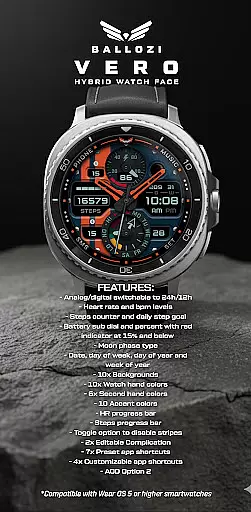
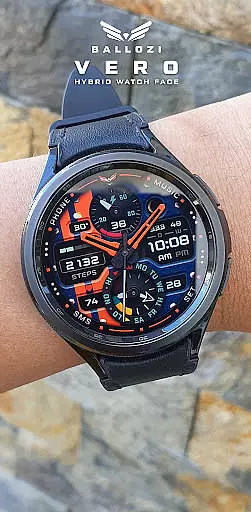
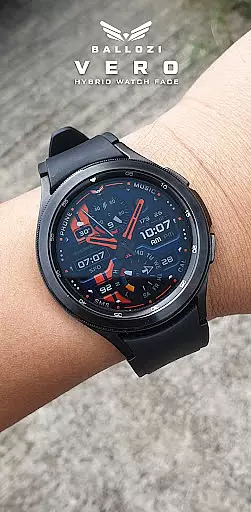
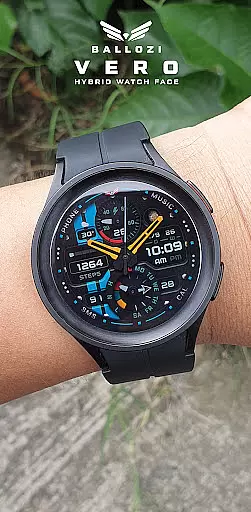
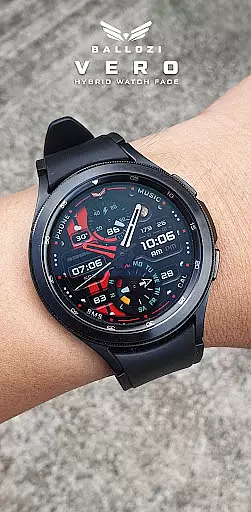
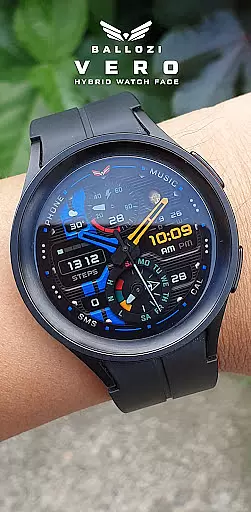
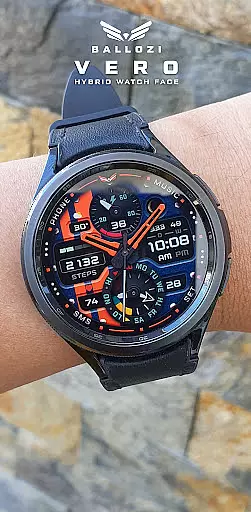
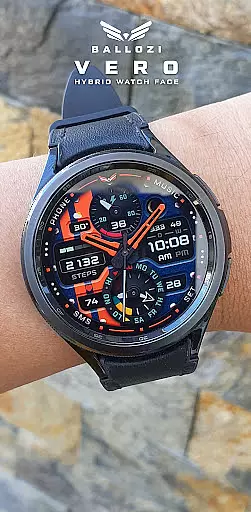
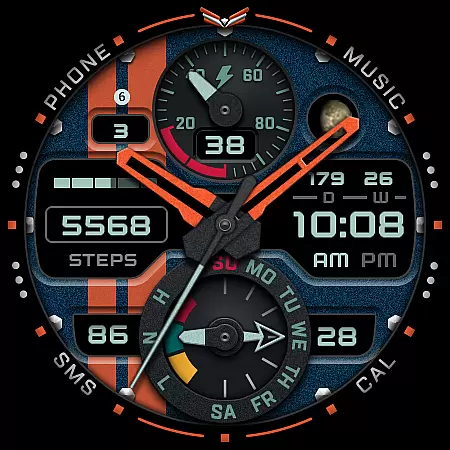
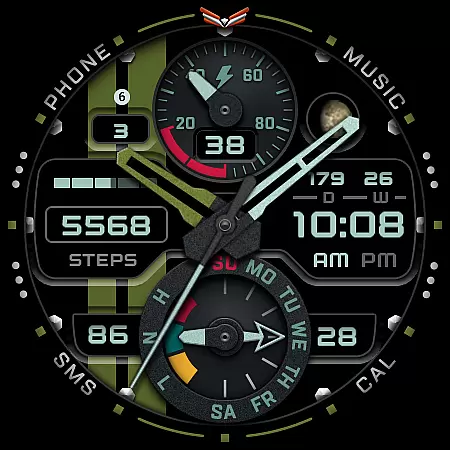
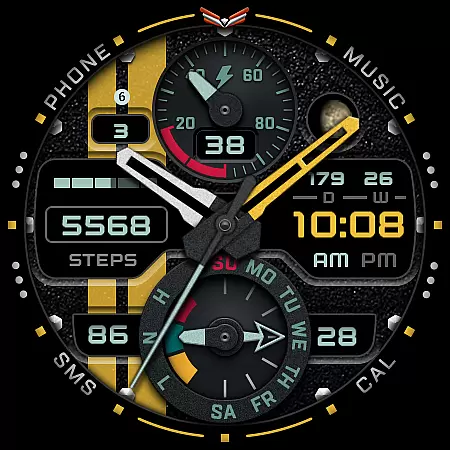
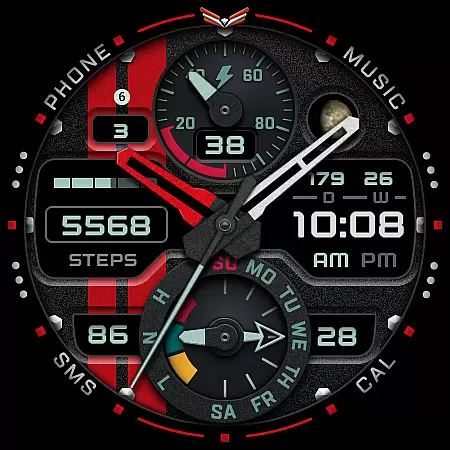
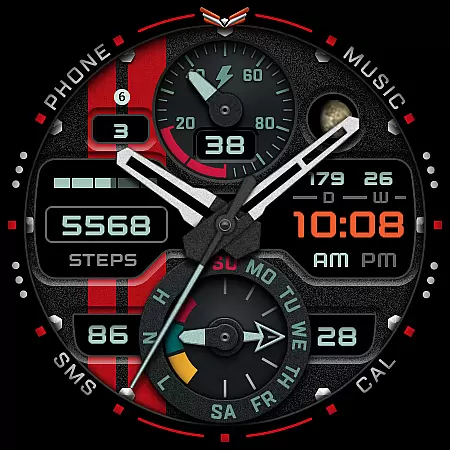
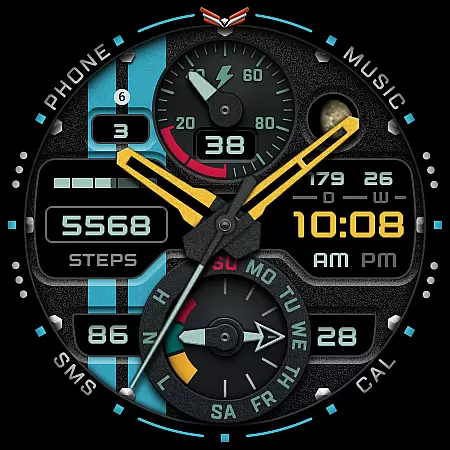
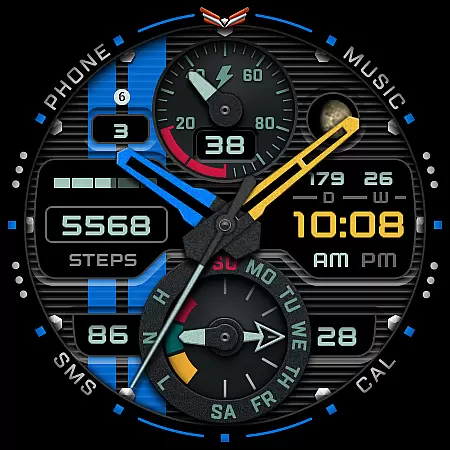
Ballozi VERO is a versatile hybrid watch face designed specifically for Wear OS devices, offering both analog and digital display options. This military-style watch face is optimized for round watches and provides users with essential fitness and timekeeping features.
Key functionalities include heart rate monitoring, step tracking with progress indicators, battery status with low-level warnings, and various customization options. With support for complications and app shortcuts, it delivers a personalized smartwatch experience suitable for fitness enthusiasts and tech-savvy users alike.
The Ballozi VERO watch face stands out with its comprehensive feature set tailored for Wear OS users. The interface allows seamless switching between 24h and 12h formats while displaying vital health metrics such as heart rate and daily steps.
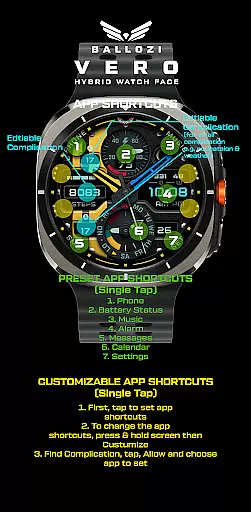
Users can customize their experience through multiple options including 10 background choices, various color schemes for watch hands and accents, and progress bars for health metrics. The inclusion of moon phase tracking, date information, and two editable complications makes this watch face particularly valuable for those seeking both functionality and personalization in their wearable device.
Companion app integration is essential for wearable devices as it ensures seamless synchronization between the watch and paired smartphone. BALLOZI VERO excels in this aspect by providing users with multiple installation options tailored to different devices.
The application supports both Samsung's Galaxy Wearable app and other brand-specific companion apps on Wear OS. This allows users to easily manage their watch faces, customize settings, and apply new designs directly from their smartphones.
With clear instructions provided for various smartwatch brands, users can conveniently locate the newly installed watch face in their device's gallery. The ability to customize complications and shortcuts further enhances the companion app experience.
This comprehensive integration approach not only simplifies the setup process but also enables users to take full advantage of the watch's features through their smartphone, creating a unified wearable experience.
Device compatibility is crucial for wearable applications, and BALLOZI VERO clearly communicates its system requirements. The watch face is specifically designed for Wear OS devices running version 5.0 or higher (API level 34+), ensuring optimal performance on supported devices.
The developer has thoroughly tested the application on Galaxy Watch 4 and Galaxy Watch 5 Pro, guaranteeing perfect functionality on these devices. Additionally, the design is optimized for round watches, delivering an authentic analog watch experience.
A dedicated compatibility notice warns users about the specific system requirements, preventing installation on unsupported devices. This transparency helps maintain high user satisfaction and reduces potential technical issues.
By focusing on compatible devices and providing detailed installation guides, BALLOZI VERO ensures that users can enjoy a stable and feature-rich experience across supported Wear OS devices.
Highly customizable
Real-time health tracking
Versatile display options
Comprehensive complication support
Optimized for round watches
No square watch support
Wear OS only
Complex setup
Limited free options
High system requirements

WTW M17 is a premium and luxurious hybrid watch face
 4.70
4.70
Highly customizable hybrid watch face for Wear OS, perfect for everyday use.
4.60
Embrace the festive spirit with our Christmas Countdown watchface for Wear OS
4.10
Analog watch face with 8 complications and expedition styling
4.0
Stunning modern digital watch face with 7 complications and strong contrast
4.3
Locate your family members by GPS phone location tracker everywhere and anytime
4.30
A digital watch face that celebrates Christmas.
4.00
Back up your contacts & access them anywhere
4.30
Toyota app currently supports 2010 or newer vehicles (2018 or newer for Hawaii).
4.50
The most customizable minimal watch face. For Wear OS 5.0, API 34+ and later
4.70
Real-time results, stats, schedules and player profiles for all leagues
4.60
Stylish, Energizing and Modern Watch Face crafted by Dominus Mathias.
4.50
Fast and smart typing with Emojis, GIFs, and more
4.50
The ultimate destination for kids ages 3-8 to explore the Marvel Universe!
4.30
Watch face for Wear OS.
4.20
Snowflake Rose Gold Watch Face - Digital, modern, & sleek with GYRO effect.
4.10
Get helpful reminders, take progress photos and find answers to your questions.
3.90
Authentic military-tactical design with ZULU time! Realistic and functional!
3.80
Christmas and New Year - Themed Watchface
4.4


User Reviews