
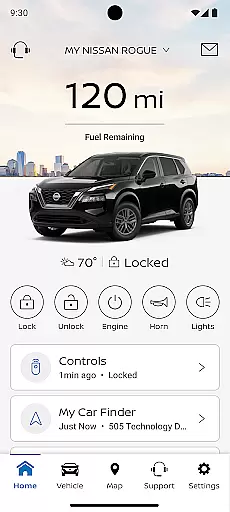
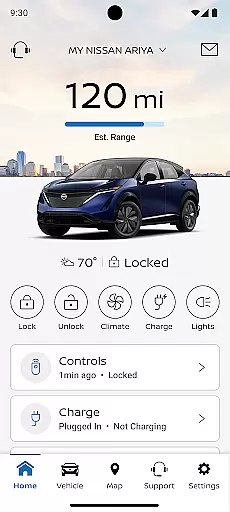
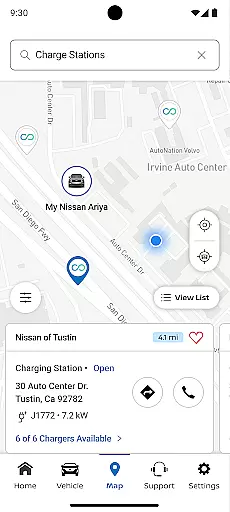
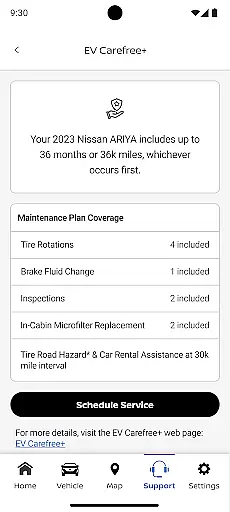
The MyNISSAN App is a comprehensive vehicle management solution designed to enhance the ownership experience for Nissan drivers. This innovative application brings essential vehicle controls and information directly to compatible Android devices, providing unprecedented convenience and peace of mind.
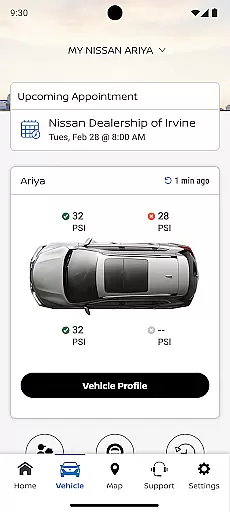
Key features include remote vehicle access, allowing users to start/stop their engine, lock/unlock doors, and activate horn and lights from their smartphone. The app also delivers vital vehicle status updates, including mileage, fuel range, tire pressure, and maintenance alerts. For vehicles 2014 and newer, owners can manage service appointments, view maintenance history, and receive important recall notifications.
Advanced functionality extends to security features like boundary and speed alerts, while Google-integrated vehicles gain additional capabilities such as remote climate adjustment and enhanced security notifications. The app serves as a crucial tool for modern vehicle owners seeking to maintain optimal vehicle performance and safety.
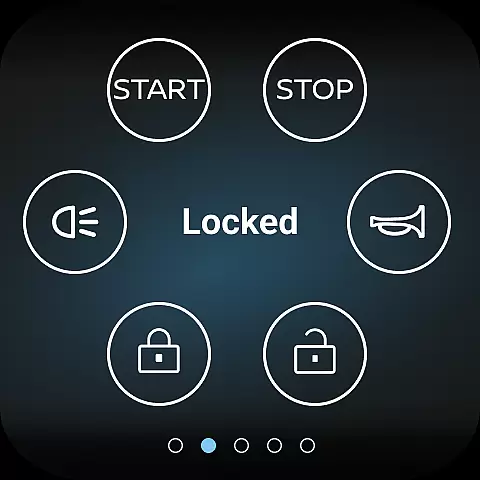
The MyNISSAN App distinguishes itself through its comprehensive suite of vehicle management tools. At its core, the application provides complete remote vehicle control, enabling users to manage fundamental functions such as engine start/stop, door locks, and lighting systems directly from their Android device.
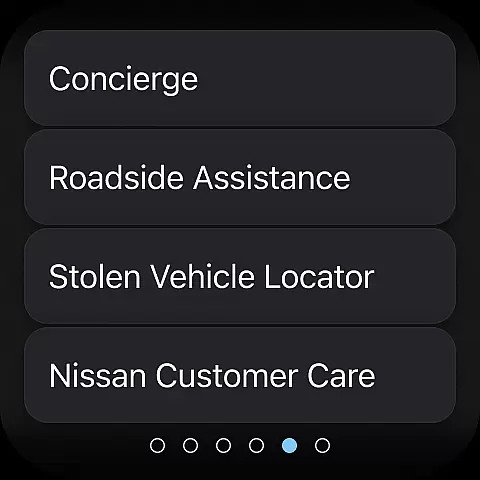
A standout feature is the vehicle monitoring system that delivers real-time status updates across multiple parameters including engine health, fuel levels, tire pressure, and maintenance requirements. The app's integration with NissanConnect Services creates a seamless ecosystem for scheduling maintenance, accessing roadside assistance, and managing service history.
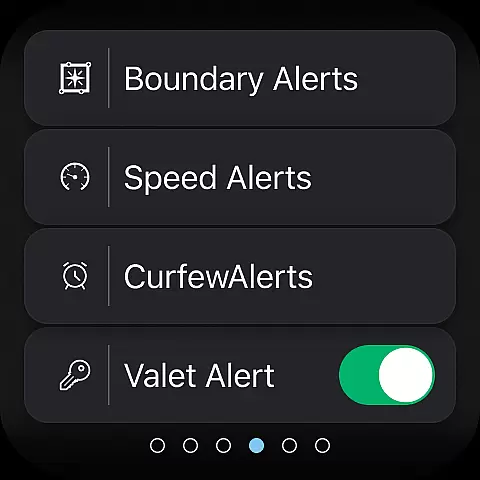
For enhanced security, the application offers customizable alert systems that notify owners of boundary violations, speed limits, or curfew breaches. Google-integrated vehicles benefit from additional smart features like remote climate control and advanced security notifications. These capabilities collectively create a sophisticated vehicle management platform that adapts to various user needs and preferences.
Companion app integration is essential for ensuring seamless functionality between your wearable device and primary mobile application. The MyNISSAN app excels in this area by offering a robust connection between Wear OS devices and Android phones.
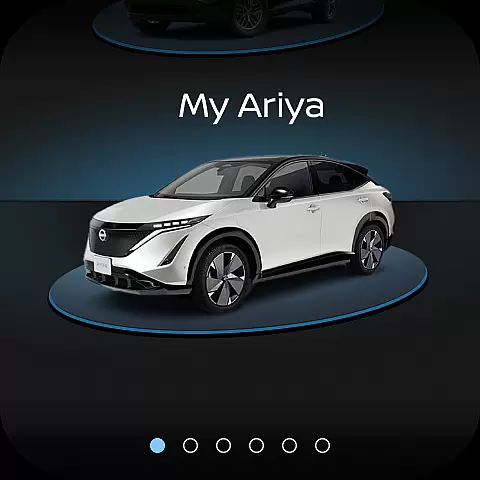
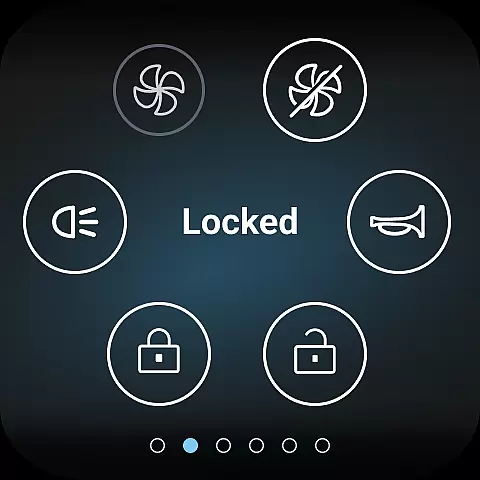
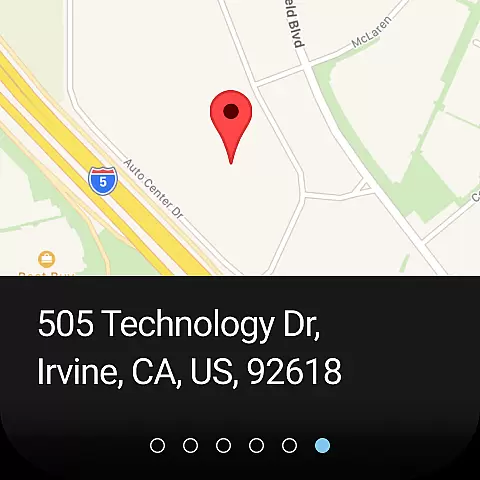
This integration allows Nissan owners to access key vehicle features directly from their smartwatches. Users can perform remote actions such as locking and unlocking doors, activating the horn and lights, and even locating their vehicle without needing to reach for their phone.
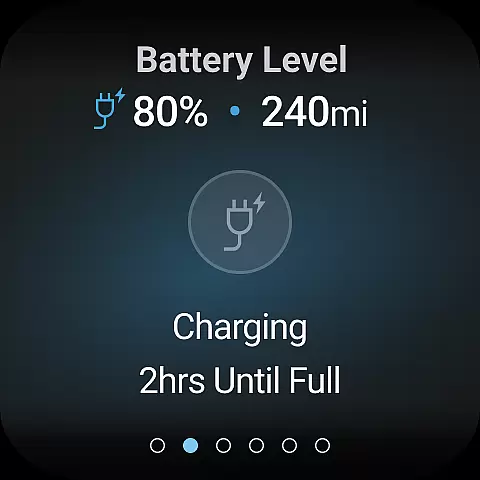
The real-time synchronization ensures that all vehicle status updates, including mileage, fuel range, and tire pressure, are instantly available on both devices. This creates a unified ecosystem where users can seamlessly transition between their phone and wearable while maintaining full control over their Nissan vehicle.
By prioritizing companion app integration, MyNISSAN enhances user convenience and safety. Drivers can receive important notifications about unlocked doors or maintenance alerts directly on their wrist, allowing them to address issues promptly while minimizing distractions during driving.
Wear OS and device compatibility represents the app's ability to function across different Android-based wearable devices and smartphones. The MyNISSAN app demonstrates strong compatibility by supporting both Wear OS devices and a wide range of Android smartphones.
This broad compatibility ensures that Nissan owners with various device combinations can enjoy the full benefits of the MyNISSAN experience. Whether using a newer Google-built-in vehicle trim or an older model, users can access essential features through their preferred Android devices.
The app maintains consistent performance across supported devices, delivering reliable remote access to vehicle functions regardless of the specific hardware combination. This includes crucial features like remote climate adjustment, engine start, and boundary alerts.
By focusing on comprehensive device compatibility, MyNISSAN maximizes accessibility for its users. This approach allows more Nissan owners to benefit from advanced connectivity features, enhancing both convenience and vehicle security through their existing Android ecosystem.
User-friendly interface
Comprehensive vehicle control
Real-time monitoring alerts
Remote climate management
Customizable security features
Limited to Nissan vehicles
Subscription fees apply
Network dependency issues
Feature limitations by model
Requires compatible hardware

Christmas watch face. For Wear OS devices.
 4.30
4.30
Artistic Digital Watchface
4.0
Real-time weather radar with temperatures, warnings, hurricanes, and widgets
4.80
Bold weather Digital watchface with forecast & optional animated background
4.40
A realistic hybrid watch face with many customization options.
4.60
Track your active life in one place and share the journey with friends.
4.40
Start and succeed with PAP
4.10
Spam call blocker and caller ID for automatic call protection!
4.40
From periods to pregnancy & perimenopause, Flo helps you track it all. Try now.
4.70
Walking app for weight loss: walk & step tracker, pedometer, indoor treadmill
4.60
Bold, Modern Hybrid Watch Face for Wear OS. 10 Colors, Rich Info Display.
4.30
A customizable Christmas watch face for Wear OS with a countdown.
4.20
Animated Watch Face and Customizable with 24 Backgrounds. Perfect for Christmas!
3.90
Get helpful reminders, take progress photos and find answers to your questions.
3.90
Professional weather radar and more
3.90
Analog watch face with 8 complications and expedition styling
4.1
A heartwarming Christmas scene featuring a cute image of Santa and Rudolf
4.1
Sleek, highly customizable watch face inspired by Galaxy Watch Circle Dashboard.
4.5
Stylish digital watch face for Wear OS devices with customizable features
4.5


User Reviews