

Simple Analog-Digital Watchface For Wear OS 3.0 and Up Smartwatches
 4.5
4.5
Watch face for Wear OS.
4.20
Stylish digital watch face for Wear OS devices with customizable features
4.2
The #1 source of faces for your smartwatch!
4.00
Real-time results, stats, schedules and player profiles for all leagues
4.60
Real-time weather radar with temperatures, warnings, hurricanes, and widgets
4.80
Want to take charge of your health? Let Google Fit help you reach your goals.
3.50
Start and succeed with PAP
4.10
Spam call blocker and caller ID for automatic call protection!
4.40
Christmas Theme Watch Face for Wear Os
5.00
Rose gold watch face with festive lights & customizable features.
4.60
Premium hybrid watch face with many customizations for Wear OS devices.
4.40
Bold, Modern Hybrid Watch Face for Wear OS. 10 Colors, Rich Info Display.
4.30
Connect, create, and collaborate with Gmail, part of Google Workspace.
4.10
A full-featured Amazon Alexa voice assistant that can show you things.
3.70
Precision analog watch face with 7 complications and style options
4.2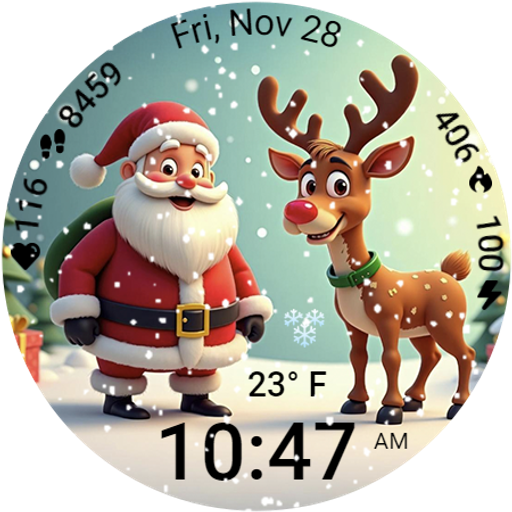
A heartwarming Christmas scene featuring a cute image of Santa and Rudolf
4.3
Artistic Digital Watchface
4.1
Minimalistic design modern digital watch face.
4.0


