
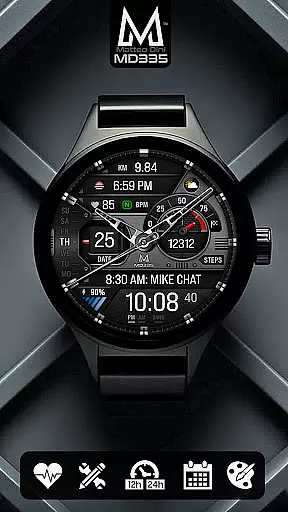
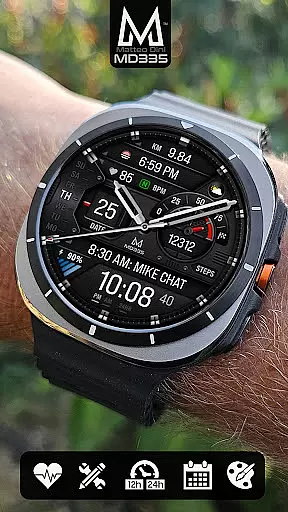
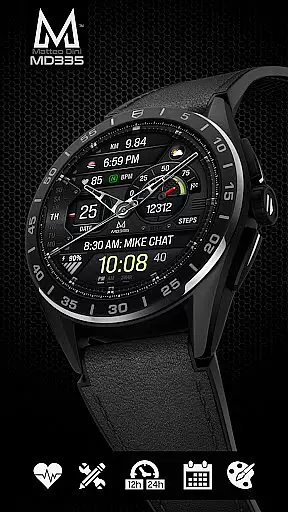
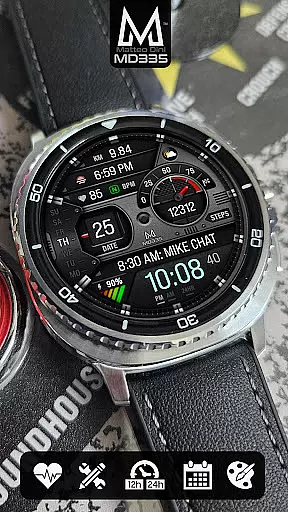
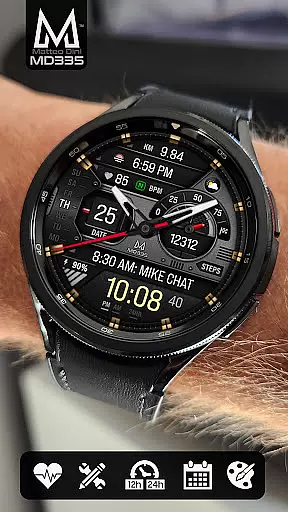
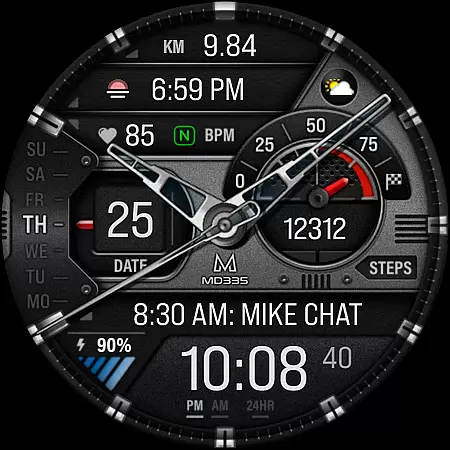
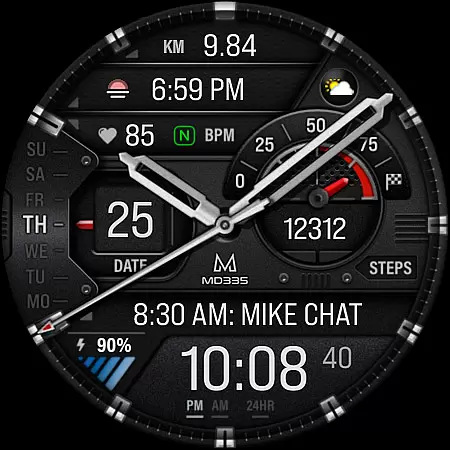
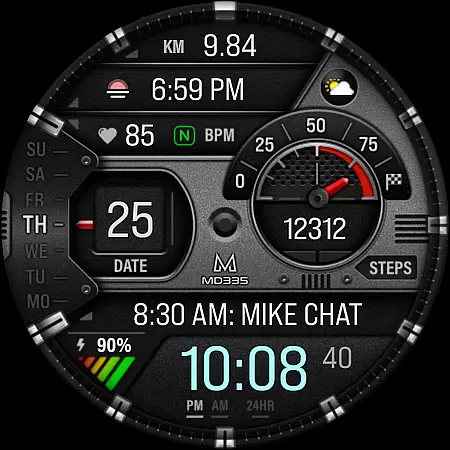
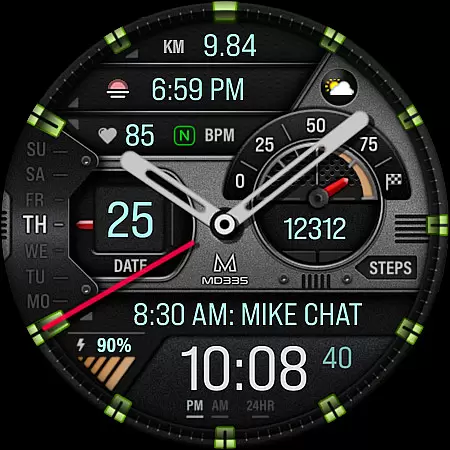
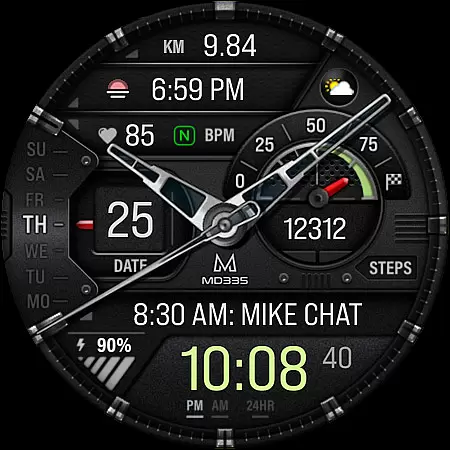
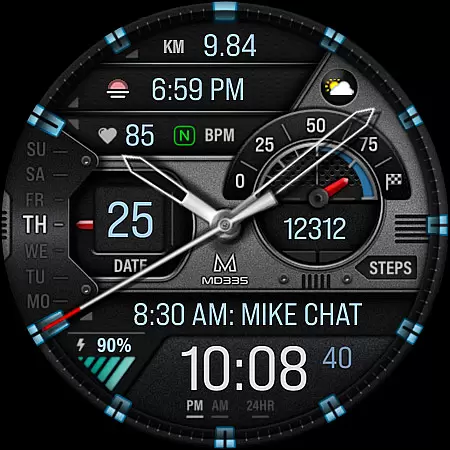
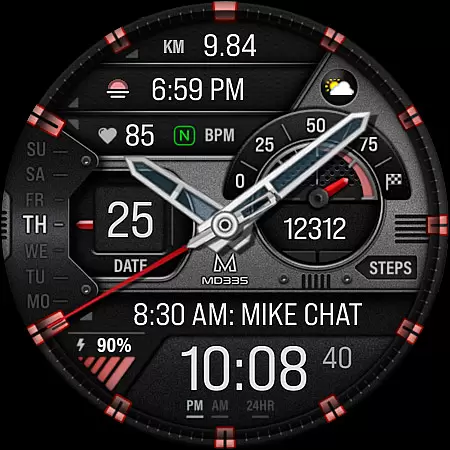
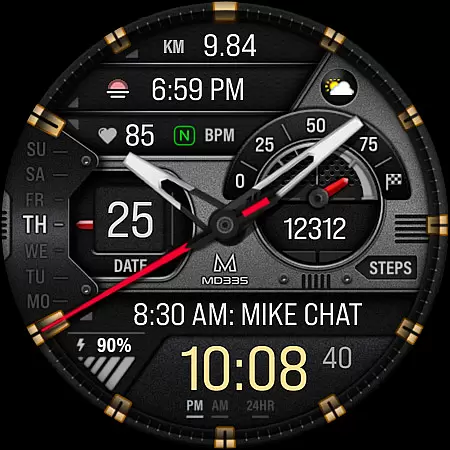
MD335 Hybrid watch face offers a sophisticated blend of traditional and digital elements, designed specifically for Galaxy Watch users. With its hybrid design featuring hideable hands and support for 12/24hr time formats based on phone settings, it provides both aesthetic appeal and functional utility.
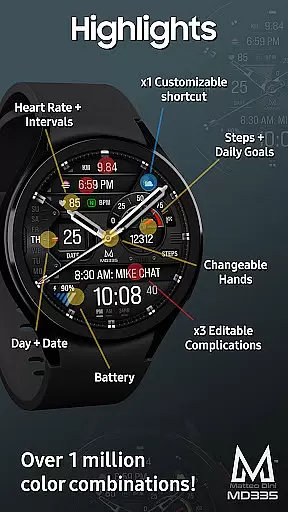
The watch face includes 4 preset app shortcuts, 1 customizable shortcut, and 3 customizable complications that allow users to display preferred data such as weather, heart rate, steps, and more. It supports all Wear OS devices with API Level 33+ including Samsung Galaxy Watch 4-8, Ultra, and Pixel Watch models.
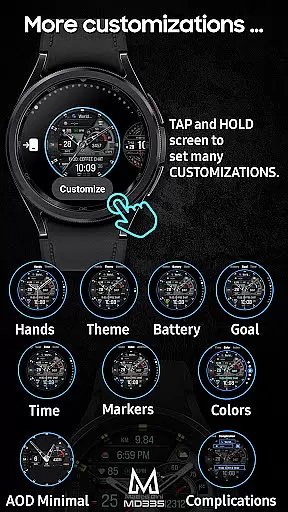
Customization is straightforward; users can personalize the theme, colors, hands, and even enable minimal or full Always-On Display (AOD). This versatility makes MD335 ideal for those seeking both style and substance in their smartwatch experience.
One of the standout features of MD335 Hybrid watch face is its extensive customization options. Users can modify the appearance by changing hand styles, themes between dark and light modes, and various color elements like time, battery level, goal progress, markers, and general hues.
In addition to visual personalization, MD335 offers practical functionalities through its complications system. These include displaying health metrics such as heart rate intervals, step counts towards daily goals, calendar events, alarms setup, and external data sources like weather forecasts if corresponding apps are installed.
For seamless integration into daily routines, the watch face comes with preset shortcuts to commonly used applications including Calendar, Battery monitor, Heart Rate measurement tool, and Alarm settings. Such thoughtful design ensures quick access to essential functions without cluttering the interface.
Companion app integration is crucial for hybrid watch faces like MD335, ensuring seamless synchronization between the wearable and its paired smartphone. This functionality allows users to customize their watch face directly from their phone or through the Samsung Wearable app.
The MD335 Hybrid watch face supports extensive customization options that can be accessed via touch and hold on the display, followed by tapping the customize option. Users can modify various elements such as app shortcuts, complications, hands, theme colors, and more, all of which sync with the companion device.
Despite occasional loading issues within the Samsung Wearable app's editor, direct on-watch customization remains a reliable alternative. This ensures that even if there are temporary glitches in companion app integration, users can still enjoy full control over their watch face settings.
By maintaining compatibility with all Wear OS devices running API Level 33+ (Wear OS 4 and later), MD335 guarantees that users across different Samsung Galaxy Watch models can take advantage of this integrated experience, enhancing both convenience and personalization.
Ensuring broad Wear OS and device compatibility is essential for any watch face application. The MD335 Hybrid watch face is designed to support all Wear OS devices with API Level 33+ (Wear OS 4 and later versions), making it accessible to a wide range of smartwatch users.
This compatibility extends across popular models such as Samsung Galaxy Watch 4-8, Ultra, and Pixel Watch, allowing diverse users to enjoy the hybrid design features. These include customizable shortcuts, complications, heart rate monitoring intervals, and changeable themes.
Device compatibility also means adapting to various screen sizes and resolutions while maintaining optimal performance. MD335 achieves this by offering both minimal and full Always-On Display (AOD) modes, ensuring visual clarity and battery efficiency across supported devices.
With comprehensive compatibility, users benefit from consistent functionality regardless of their specific Wear OS device, providing peace of mind when choosing this versatile watch face solution.
Highly customizable
Versatile complication support
User-friendly interface
Hybrid aesthetic design
Comprehensive feature set
Complex setup process
Limited compatibility
Preset app dependency
Occasional loading issues
External complication reliance

Gym Log & Workout Tracker | Fitness Journal, Training & Weight Lifting Planner
 4.90
4.90
Christmas is near, let's count together the days left until Santa comes
4.2
Artistic Digital Watchface
4.4
The most customizable minimal watch face. For Wear OS 5.0, API 34+ and later
4.70
Your second brain for organizing your life: to-do, calendar, reminder.
4.70
Connect to your Bluelink equipped Hyundai vehicle from your smartphone.
4.50
Locate your family members by GPS phone location tracker everywhere and anytime
4.30
Hybrid Vibrant Health Watch Face for Wear OS
4.5
Connect, create, and collaborate with Gmail, part of Google Workspace.
4.10
Hyperlocal rain alerts by MyRadar using patent-pending technology, radar & more
4.80
Easy Voice Recorder is your everyday companion to record important moments.
4.70
Gym & home workout plans with strength training, exercise tracking, HIIT & more.
4.60
Real-time results, stats, schedules and player profiles for all leagues
4.60
Deck out your Wear OS Watch face with a beautifully decorated pine wreath!
4.50
Bold weather Digital watchface with forecast & optional animated background
4.40
A white realistic classic analog watch face with many customization options.
4.40
Want to take charge of your health? Let Google Fit help you reach your goals.
3.50
Contemporary digital watch face with five complications
4.1
Fitness interactive virtual pet super fighter boy watch face
4.4


User Reviews