
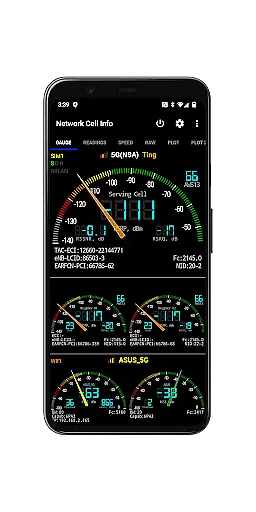
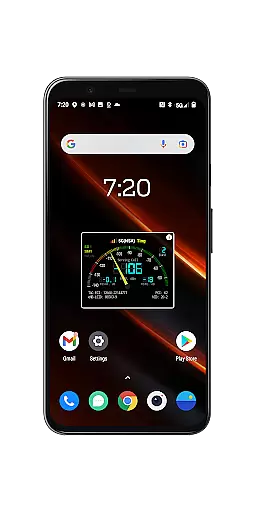
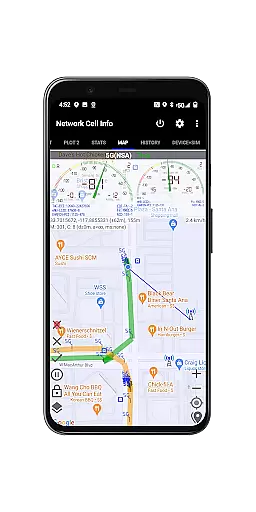
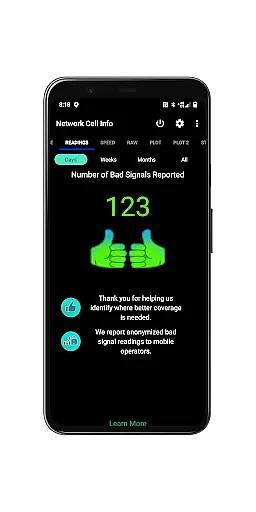
Network Cell Info & Wifi is a comprehensive mobile network monitoring tool designed for users seeking to optimize their cellular and Wi-Fi connectivity. The app provides almost real-time monitoring of signal strength across multiple network types including 5G, LTE, CDMA, and GSM. With its advanced diagnostic features, users can troubleshoot reception issues and analyze their connection history.
A standout feature is the Bad Signal Reporter, which automatically collects data on poor signal areas and provides reports to mobile network operators. This helps improve overall network quality. Additionally, the app offers specialized tools like the Personal Best Signal Finder, speed tests, dual-SIM support, and detailed network statistics, making it an essential utility for anyone looking to enhance their mobile experience.
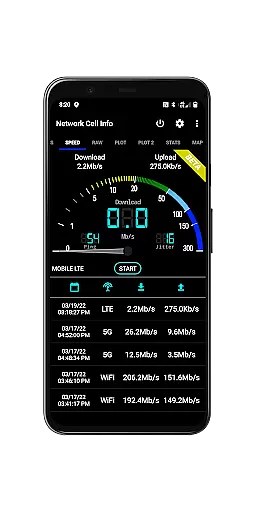
Network Cell Info & Wifi stands out with its extensive set of technical features tailored for network analysis. The app provides one-tap speed tests measuring download, upload, ping, and jitter, alongside supporting up to 6 signal-meter gauges for SIM cards and Wi-Fi. Its almost real-time (1-second delay) monitoring ensures users have current data on their network status.
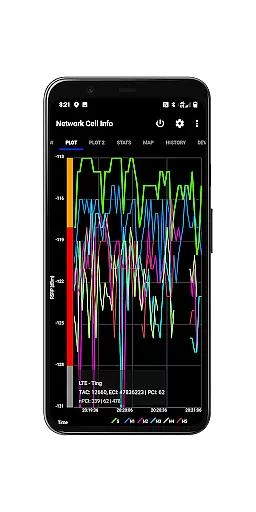
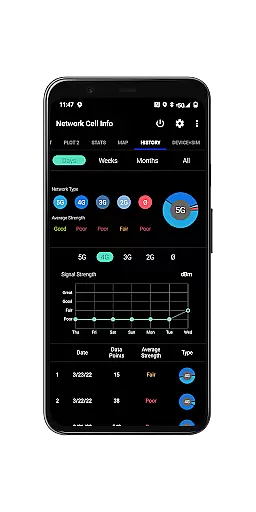
Additional functionalities include detailed band information, SIM preference settings, and readings on cell locations via Mozilla Location Service (excluding CDMA). Users can also access historical logs, signal plots, and export databases for deeper analysis. These features collectively empower users to understand their network environment better and make informed decisions about their connectivity options.
Network Cell Info is designed to provide precise and effective monitoring of mobile network signals, ensuring users receive accurate real-time data. The app supports a wide range of network types including 5G, LTE, CDMA, and GSM, delivering almost real-time (1-second intervals) updates on signal strength and network performance.
The application's comprehensive toolkit allows users to conduct detailed network diagnostics. With features like one-tap speed tests for download, upload, ping, and jitter, users can quickly assess their internet performance. Additionally, the dual-SIM support and up to six signal-meter gauges offer flexibility and precision in monitoring multiple connections simultaneously.
For professionals and tech-savvy users, Network Cell Info provides advanced functionalities such as signal plots, band number details, and connection statistics. These features enable users to troubleshoot reception issues effectively and optimize their network settings for the best possible performance.
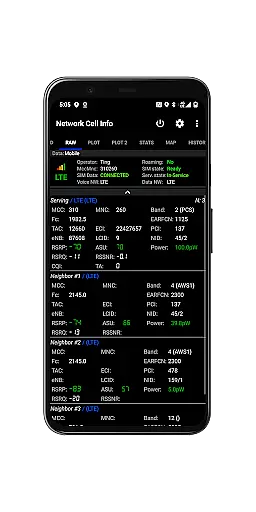
Despite its technical depth, Network Cell Info maintains an intuitive and user-friendly interface. The app organizes complex network data into clear, easy-to-understand tabs such as Gauge and Raw views, making it accessible even to those with limited technical knowledge.
Users can easily navigate through various features like the Personal Best Signal Finder and Crowdsourced Best Signal Finder using interactive maps. These tools help identify optimal signal locations without overwhelming the user with unnecessary complexity.
Furthermore, the inclusion of visual aids such as signal-meter gauges and historical graphs ensures that users can interpret their network performance data at a glance. This thoughtful design balances advanced functionality with ease of use, enhancing the overall user experience.
Comprehensive network monitoring
Real-time signal tracking
Detailed analytics reports
User-friendly interface
Free Bad Signal Reporter
Complex for beginners
Requires technical knowledge
Limited CDMA support
Heavy on battery usage
Premium features locked

 4.50
4.50
Just swipe the edge to do something!
4.40
Head tracking for PC sim games such as MSFS 2024 or Elite:Dangerous. No headset!
4.50
An easy-to-use calculator designed to save time calculating and bending conduit
4.30
WiFi Signal Strength Meter help you detect WiFi Signal Strength in real time.
4.80
The Ultimate Bluetooth Keyboard & Mouse. Securely control your PC, Mac, and more
4.50
Button mapper, mouse toggle, sleep timer and a lot of another features
4.50
Fun lie-detection pranks for friends and parties.
3.80
Mobile Security with Scam Protection | Malware & Virus Cleaner | Safe Browser
4.70
Change your GPS location instantly. Simulate routes anywhere in the world.
4.90
Optimize your WiFi network, turn your phone into Wifi Analyzer
4.70
Small and simple app to Verify Root Access and BusyBox Install!
4.70
App to pay for FUTO Keyboard
4.60
With videos, electrical calculators, and built-in ebook, Ugly’s has your answer.
4.50
Effortlessly run ADB commands directly on your device without a PC.
4.20
An open-source APK explorer for Android!
4.10
Family Locator, Share location, StayConnect with your family in real time
3.90
A non-root local ADB shell client. READ BELOW!
3.40
PDF Reader - Document Viewer: Read, Manage & Organize Your Documents
3.10


User Reviews