
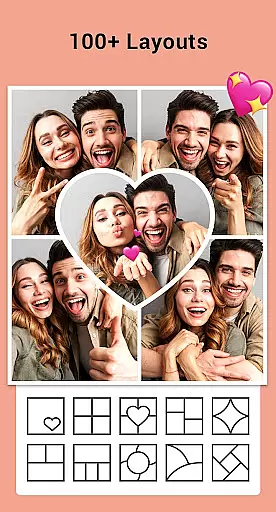


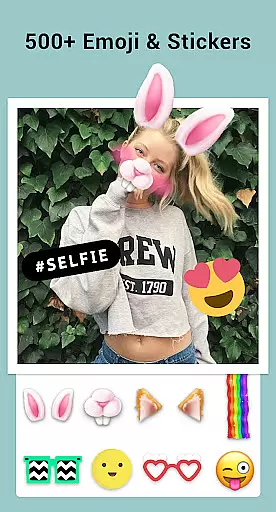
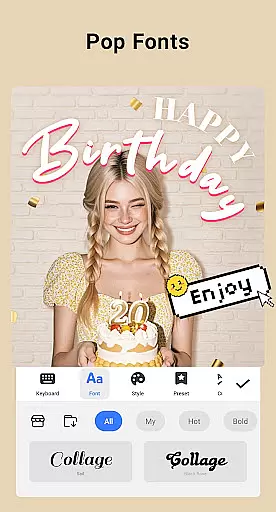
Collage Maker is a versatile photo collage and editing app that allows users to create stunning visual compositions. The core functionality revolves around combining multiple photos into creative collages using various layouts, grids, and editing tools. With over 100 layout options and the ability to merge up to 100 photos, it offers extensive creative possibilities.
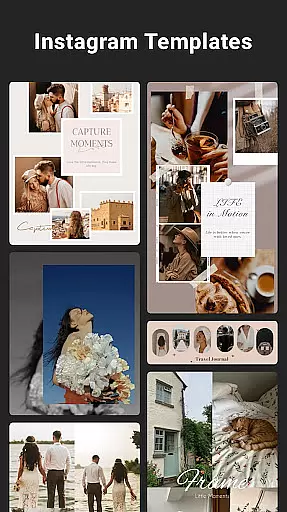
Beyond basic collage creation, the app features advanced photo editing capabilities including filters, text overlays, stickers, and drawing tools. Its unique selling points include AI-powered photo enhancement, multi-ratio support for social media platforms, and specialized templates for Instagram stories. The app particularly shines in its freestyle mode, enabling users to create digital scrapbooks with full-screen backgrounds and diverse decorative elements.
This application proves invaluable for social media content creators who need to produce high-quality visuals for platforms like Instagram, YouTube, and Snapchat. The ability to create side-by-side comparisons, before-and-after sequences, and perfectly sized social media posts makes it an essential tool for modern digital storytelling.
Collage Maker distinguishes itself through its comprehensive feature set tailored for creative professionals and casual users alike. The app's most notable characteristic is its robust layout engine, offering over 100 customizable grid configurations and the ability to handle up to 100 photos simultaneously. This flexibility extends to its border customization options and background selection, allowing for truly unique compositions.
The editing suite includes professional-grade tools such as crop functionality, filter application, and text customization. Advanced features like AI photo enhancement demonstrate the app's commitment to quality, transforming low-resolution images into high-definition masterpieces. The inclusion of specialized tools for Instagram optimization, including blur backgrounds and precise ratio control, shows thoughtful consideration for social media requirements.
What sets Collage Maker apart is its innovative approach to digital storytelling through features like story templates and freestyle creation modes. These tools enable users to craft personalized narratives using stylized magazine layouts, ripped paper effects, and film-inspired designs. The app's integration with major social platforms and its support for high-resolution saving make it an indispensable tool for creating professional-quality content across multiple channels.
Real-time capture and preview functionality is essential for photography apps like Collage Maker, allowing users to see exactly what their final composition will look like as they create it. This feature ensures that every adjustment made to the collage is immediately visible, providing instant feedback on changes.
Collage Maker excels in this area by offering a dynamic interface where users can drag and drop photos, apply filters, and add text or stickers, all while seeing a live preview of the result. The app supports up to 100 photos in a single collage, with hundreds of layout options, enabling creators to visualize their designs in real time without any lag or delay.
The benefit to users is significant, as it allows for precise control over the creative process. Whether adjusting the border size, changing the background, or experimenting with different aspect ratios, the real-time preview ensures that the final output matches the user's vision perfectly. This immediacy not only enhances the editing experience but also saves time, making the app suitable for both casual users and professional designers.
Ultimately, the real-time capture and preview feature in Collage Maker empowers users to produce high-quality collages with confidence. By eliminating guesswork and offering a seamless editing workflow, the app becomes an indispensable tool for anyone looking to create visually stunning compositions for social media or personal projects.
AI-powered beauty and enhancement tools are revolutionizing photo editing by providing natural-looking improvements without manual intervention. In Collage Maker, this technology is leveraged to enhance images automatically, ensuring that edits appear authentic rather than overly processed.
The AI Photo Enhancer feature within Collage Maker transforms low-quality or damaged photos into sharp, vibrant images with just one tap. Using advanced algorithms, the app intelligently detects imperfections such as blurriness or pixelation and corrects them while preserving the original details. This ensures that enhanced photos retain their genuine essence, avoiding the artificial appearance often associated with heavy editing.
For users, this means achieving professional-grade results effortlessly. Whether preparing images for Instagram posts or creating personalized photo books, the AI enhancements elevate the overall quality of the visuals. The ability to maintain natural aesthetics is particularly valuable for social media content, where authenticity resonates more strongly with audiences.
By integrating AI beauty and enhancement capabilities, Collage Maker sets itself apart as a versatile and powerful photo editor. Users can trust that their edited photos will not only look better but also feel true to life, enhancing both the artistic and emotional impact of their creations.
User-friendly interface
Extensive layout options
AI enhancement technology
Social media optimization
High-quality output
Premium features locked
Storage permissions required
Occasional performance lag
Limited free templates
Subscription costs

AI portrait generator and polaroid AI selfie, fun AI generated AI photo creator!
 4.30
4.30
Photo editor: face & body editor, beauty cam, filters and quality enhancer.
4.00
All-in-One Editor & AI Photo Enhancer, Beautify & Retouch, Collage, Cartoonify
4.20
[3DSteroid Pro] is a stereoscopic application for Android.
4.30
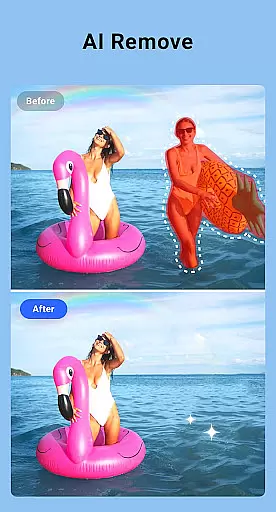
Perfect photos with body shaping, BG changer and object remover.
3.70
A must-have app for landscape photographers
4.60
Fit multiple photos on one post. Create carousels & scroll layouts for Instagram
4.50
Enhance, upscale, and transform your images — on your device, without limits
4.70
Edit photos with the picture generator: PS2 & AI Clay filters, cartoon effects.
4.50
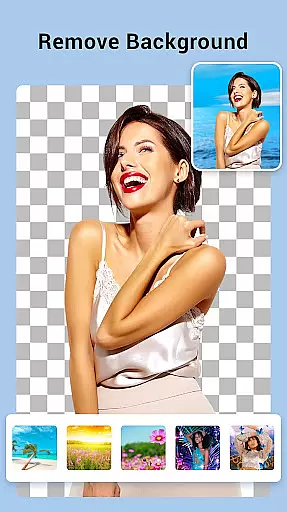
Create collages easily! Nice pic collage maker & background eraser for Instagram
4.50
Cut and paste photo editor & eraser to customize photos easy and swap faces fun
4.50
Trendy TikTok time warp scan funny filter app brings you unique photos & videos.
4.40
Edit like a pro with Hypic. Apply filters, AI effects, & magic touch.
4.40
Natural Beauty, Selfie Retouch
4.30
Virtual makeup, hair filters & body tuner—edit from face to full body!
4.20
Luminar: Photo Editor - easy picture editing with AI
4.20
AI-powered video creator by MiniMax - Where ideas meet cinema
4.20
Astrophotography with your smartphone, photo live stacking and much more!
3.90
HD Photo gallery and photo manager to edit, hide private photos, videos & albums
4.0


User Reviews