
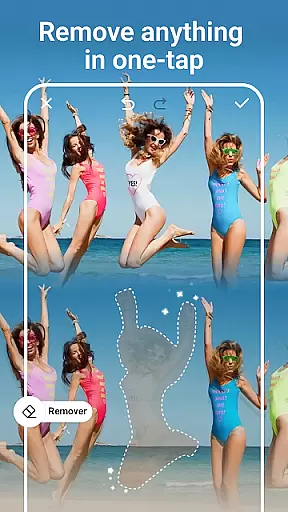
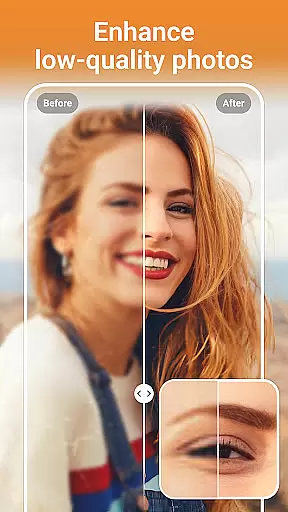
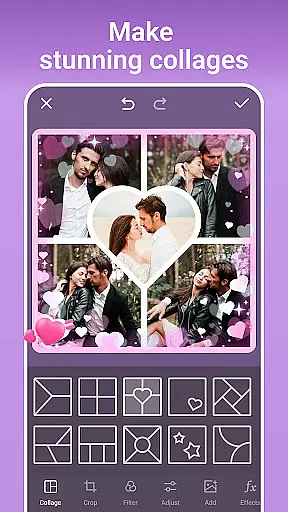

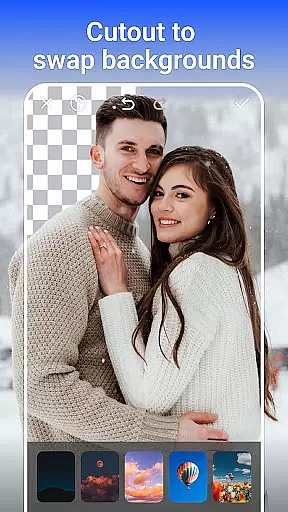
PhotoArt is an advanced AI-powered photo editor that caters to all your editing needs in one place. With features like One-Tap Enhance, Magic Eraser, AI Face Swap, and creative filters, it allows users to transform their photos into professional-grade art effortlessly. Available for use on Android devices, this app is perfect for photographers, social media enthusiasts, and casual users who want to enhance their images with minimal effort.
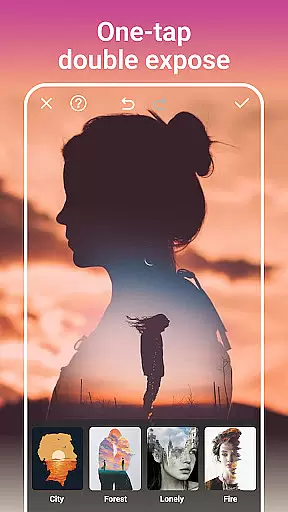
The app offers over 100 filters and effects, including retro, film, and portrait styles, along with tools like HSL, Curves, and Double Exposure for precise adjustments. Whether you're looking to restore old photos, remove unwanted objects, or create stunning collages, PhotoArt provides the tools to bring your creative vision to life while maintaining high-quality output.
PhotoArt stands out by offering watermark-free results, making it ideal for sharing on platforms like Instagram and Facebook. Its intuitive interface ensures that even beginners can achieve impressive edits without requiring professional skills, saving time while delivering visually captivating results.
PhotoArt boasts a comprehensive suite of AI-driven photo editing tools designed to meet diverse user needs. From AI Face Swap and Background Removal to creative effects like Double Exposure and Blur, the app empowers users to edit photos with precision and ease. Advanced tools such as HSL, Highlight, and Split Tone allow for detailed color correction, while the Curve tool helps harmonize colors for vibrant, unforgettable images.
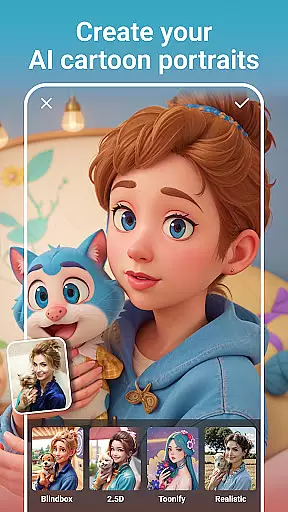
In addition to its robust editing capabilities, PhotoArt includes features like AI Cartoon Filters, Age Changer, and Sky Replacement, which push creative boundaries. Users can also experiment with body reshaping, height adjustment, and makeup tools to perfect portraits. The app supports creating collages, adding stickers, and customizing layouts, enabling storytelling through photos.
What sets PhotoArt apart is its ability to simplify complex tasks. For instance, the Magic Eraser intelligently removes unwanted elements while preserving image quality, and the AI-powered Enhance tool boosts resolution for crystal-clear visuals. These innovations make PhotoArt a versatile choice for both amateur and professional editors seeking efficiency and creativity in one package.
Real-time capture and preview functionality is essential for ensuring that users can see the results of their photo edits instantly. This feature allows users to visualize changes as they apply filters, effects, and adjustments, providing immediate feedback on their creative decisions.
PhotoArt's real-time capabilities are powered by advanced AI algorithms that process edits swiftly without compromising quality. Whether it's applying one-tap enhancements or experimenting with complex double exposure effects, users can observe every modification in high definition.
The benefit of real-time capture and preview is significant. It enables users to fine-tune their work with precision, saving time by eliminating guesswork. With instant visualization, creators can achieve their desired artistic expression more efficiently, making the editing process both intuitive and enjoyable.
This seamless interaction enhances user engagement by allowing them to focus on their creativity rather than technical delays. The immediacy of seeing edits come to life empowers users to produce professional-quality images effortlessly.
AI beauty and enhancement features aim to improve the aesthetic appeal of photos while maintaining a natural look. These tools leverage sophisticated AI models to analyze facial structures, skin textures, and lighting conditions, ensuring that enhancements appear realistic rather than artificial.
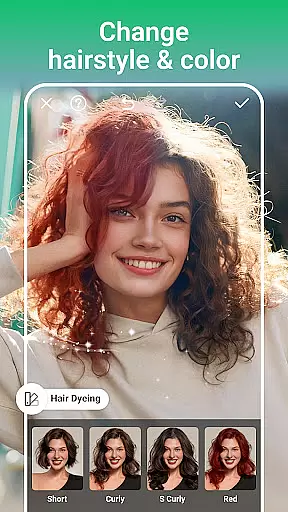
In PhotoArt, AI-driven face retouching and body reshaping tools offer users the ability to enhance their portraits subtly. From smoothing skin imperfections to adjusting facial features like height or body shape, these functions provide precise control over the level of enhancement applied.
Users benefit from this technology by achieving polished yet authentic-looking results. Unlike traditional filters that may distort images, PhotoArtu2019s enhancements preserve the original character of subjects, offering a balanced approach to digital beautification.
This commitment to natural enhancement not only boosts user confidence in sharing their edited photos but also sets PhotoArt apart as a leader in thoughtful, intelligent photo editing solutions.
User-friendly interface
Wide range of filters
AI-powered tools
High-quality output
Versatile editing options
Occasional lag on older devices
Limited offline functionality
Premium features require subscription
Ads in free version
Learning curve for advanced tools

Search, tag and rate your way to an organized image gallery
 4.40
4.40
Perfect photos with body shaping, BG changer and object remover.
3.70
An interval timer to automate photo taking process for timelapse
2.90
Create Business Headshots, Polaroid Filter, Retake Photos,Profile Pics,AI Photos
4.50
Light-weight Media Gallery app for Android made with Jetpack Compose
4.60
USB Storage Access for Photos, Videos, Music and Documents
3.80
AI-powered video creator by MiniMax - Where ideas meet cinema
4.20
A unique animation app. Powerful, easy to use, and lots of fun.
4.30
Try an anime version, cartoon yourself, and generate AI hug or aging videos!
3.70
Discover & download millions of art for The Frame TV or Hisense CanvasTV
4.60
Create collages easily! Nice pic collage maker & background eraser for Instagram
4.50
HD Camera Pro with HD Video shooting, Panorama, Photo editor , Beauty Camera.
4.50
Movie camera, supports pro recording settings for filming. Try it and be amazed!
4.50
Effortlessly organize, view and share your photos & videos with Gallery app!
4.40
Easily stitch panoramas from multiple photos or video.
4.40
Smart, light, and fast photo and video gallery
4.30
How would you look like with a differently shaped nose, chin or lips?
3.90
GCamera allows all GCam features on all phone models! Better photos with GCamera
3.30
Raw Image Viewer. Gallery with support of raw images (.cr3, .cr2, .nef, .raf).
2.00


User Reviews