
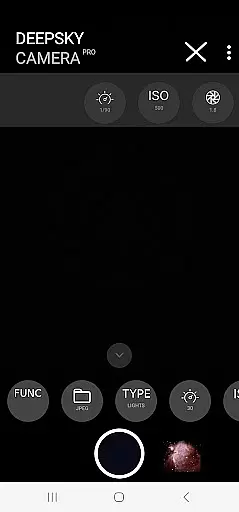
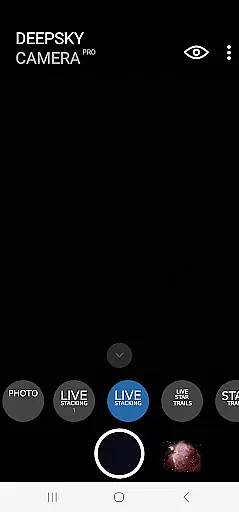
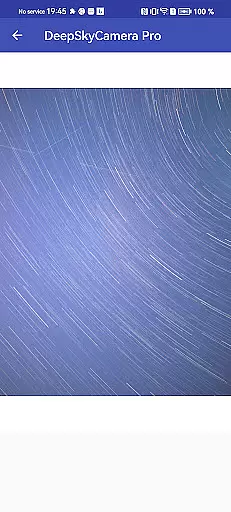
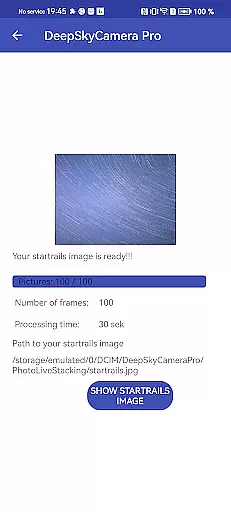
DeepSkyCamera Pro is an advanced astrophotography app designed for smartphone users who want to capture stunning images of the night sky. The app offers professional-grade features such as photo live stacking in both RAW and JPEG formats, star trails creation, and timelapse video production with codecs like AVC and HEVC.
This application allows astronomers to take long-exposure photos similar to those captured by DSLR or CCD/CMOS cameras. It supports image stacking with tracked and untracked images, providing essential on-screen information during the process. With compatibility for Android 6 and above, it requires a minimum of 3GB RAM and 64GB flash storage, though higher specifications are recommended for optimal performance.
DeepSkyCamera Pro is ideal for experienced astronomers familiar with RAW files and post-processing techniques. While not a one-click solution, this app empowers users to capture detailed celestial objects when paired with proper equipment like telescopes. Its comprehensive functionality makes it a valuable tool for serious astrophotographers seeking to push their smartphone photography to new limits.
DeepSkyCamera Pro stands out with its specialized features tailored for astrophotography enthusiasts. One of the key highlights is the photo live stacking feature, which works with both tracked and untracked images. This allows users to stack multiple images in real-time, aligning them to create clearer and more detailed final images saved in TIFF or JPEG formats.
The app also includes a unique viewfinder live stacking function that breaks the typical 1-second shutter speed limitation, allowing exposures up to 10 seconds. Additionally, it provides creative options like animated star trails videos and timelapse capabilities, all exportable in high-quality MP4 format using either AVC or HEVC codecs.
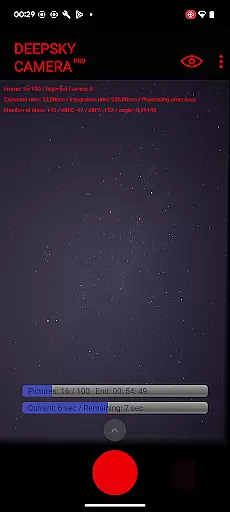
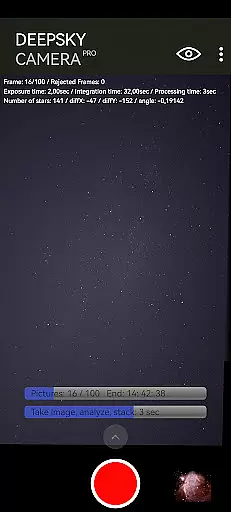
For user convenience, DeepSkyCamera Pro displays critical data during photo sessions, including exposure times, frame counts, and axis shifts. These features make it easier for users to monitor their progress while capturing complex astronomical phenomena. Although primarily aimed at nighttime use, the app can be adjusted for daylight photography with specific settings modifications, offering versatility across different lighting conditions.
Real-time capture and preview functionality is essential for astrophotography, allowing users to see the night sky as it is being captured. DeepSkyCamera Pro offers advanced live stacking features that enable photographers to view their images with increased exposure times, breaking the typical one-second shutter speed limitation found in most smartphone cameras.
The app supports both tracked and untracked images through its photo live stacking feature, which aligns and stacks multiple frames to create a clearer and more detailed image of the night sky. This process provides immediate feedback on the screen, displaying critical information such as exposure time, integration duration, and frame alignment data, thus ensuring that users can make necessary adjustments while shooting.
For those interested in capturing star trails or creating timelapse videos, the live star trails and animated star trail video features offer an engaging way to visualize celestial motion. These functions not only enhance the creative possibilities but also allow users to produce professional-quality content directly from their smartphones without additional post-processing.
While primarily focused on astrophotography, DeepSkyCamera Pro also includes features that ensure the natural enhancement of images without compromising authenticity. The app's ability to stack RAW images taken with long exposure times results in stunningly clear and detailed photographs of the night sky, preserving the true colors and brightness of celestial objects.
DeepSkyCamera Pro does not rely on artificial intelligence for beautification; instead, it emphasizes maintaining the integrity of astronomical data. By saving stacked results in formats like TIFF for RAW images and JPEG for standard shots, the app ensures compatibility with industry-standard post-processing software, where further enhancements can be made if desired.
Although the app doesn't apply AI-based beauty enhancements, its powerful live stacking algorithms effectively reduce noise and improve image clarity. This approach respects the scientific nature of astrophotography while still delivering aesthetically pleasing results that meet the expectations of both amateur stargazers and professional astronomers alike.
Advanced photo stacking
Supports RAW format
Real-time data display
High-quality codecs
Versatile shooting modes
Steep learning curve
Requires good hardware
No beginner-friendly
Manual adjustments needed
Crashes on low memory

Create funny photos and videos with the popular Time Warp Scan filter.
 4.90
4.90
Photobooth mini FULL app will allow you to add more fun to your parties
4.00
All-in-One Editor & AI Photo Enhancer, Collage, Cartoonify, Funny Stickers & BGS
4.10
Transform photos into videos! Create realistic or anime-style images easily!
4.50
The #1 app for B&W film developing featuring an advanced darkroom timer.
4.10
GCamera allows all GCam features on all phone models! Better photos with GCamera
3.30
Smart, light, and fast photo and video gallery
4.30
RAW video capture with advanced controls
4.40
Your personal guide to the sun and moon. Plan ahead, visualize and predict!
4.70
Photo editor: AI filters, photo enhancer, pic collage maker, AI art generator.
4.80
The original Rarevision VHS look seen everywhere!
4.70
Take videos and pictures with the popular TikTok TIME WARP SCAN filter.
4.60
HD Camera Pro with HD Video shooting, Panorama, Photo editor , Beauty Camera.
4.50
Photo editor & gallery. Crop pictures & edit photos offline, no wifi!
4.50
A reflected light meter with spot metering and incident light metering.
4.40
[3DSteroid Pro] is a stereoscopic application for Android.
4.30
Natural Beauty, Selfie Retouch
4.30
How old age camera Gender Swap App Face Shape Hairstyle App Hair Styler App fun!
4.00
Hair color changer, AI haircut app, fun hair editor and buzz cut filter for all!
3.80


User Reviews