
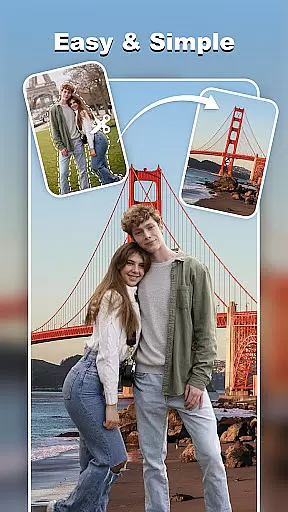
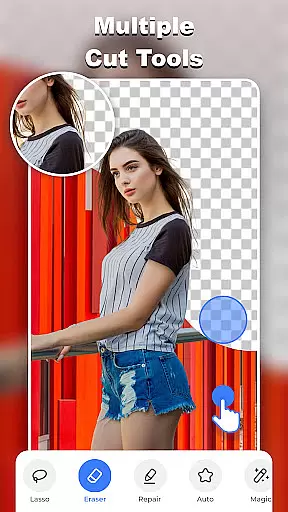
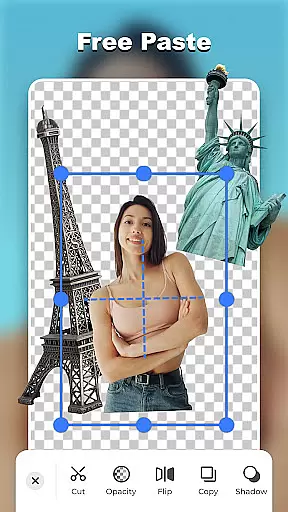
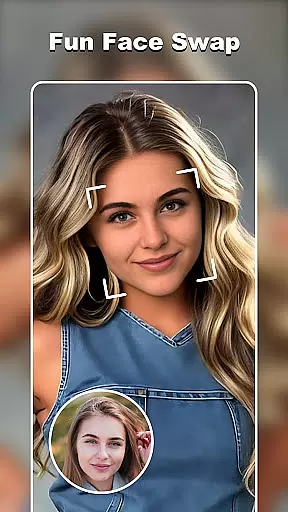

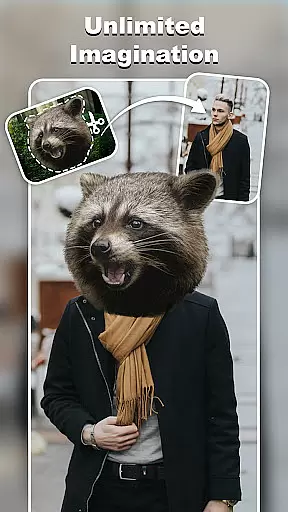
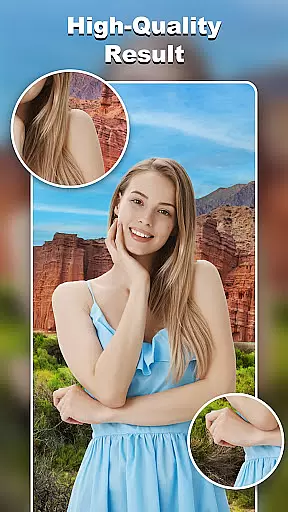
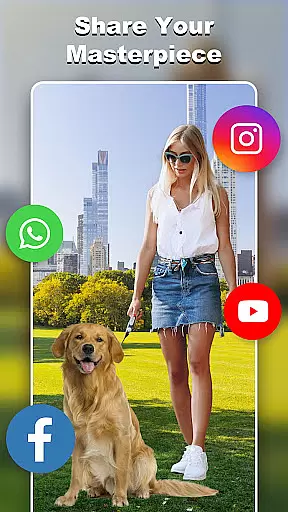
Cut and Paste Photo Editor is an innovative photography app that allows users to effortlessly cut, paste, and edit images with precision. The app's AI-powered tools enable users to create high-quality cutouts, perform face swaps, and remove backgrounds with just a few taps.
With features like the Magic Cutting tool, Smooth Pasting functionality, and an extensive online background library, this app caters to both casual users and e-commerce professionals. Whether you're looking to enhance personal photos or prepare professional product images, Cut and Paste Photo Editor provides all necessary tools in one comprehensive package.
The app offers an impressive array of features designed to make photo editing simple and enjoyable. Its AI-powered cutting tool provides pixel-level precision, while the smooth pasting function allows seamless merging of multiple elements.
Users can access ready-to-use templates for various occasions, utilize the extensive background library, and add colorful decorations through stylish stickers. The inclusion of text magic with 20+ unique fonts and powerful photo editing capabilities makes this app suitable for both creative and commercial projects.
Real-time capture and preview functionality is essential for any photography app, allowing users to see exactly what their final image will look like before taking the shot. Cut and Paste Photo Editor excels in this area by providing a seamless experience where users can instantly visualize their edits.
The app's advanced AI technology enables real-time adjustments as you edit, ensuring that every change, from cutting out objects to applying filters, is immediately reflected on the screen. This instant feedback empowers users to make precise modifications without guesswork.
With its intuitive interface, even beginners can easily navigate through various tools while seeing their creations come to life. The ability to preview changes live not only enhances creativity but also saves time, making photo editing more efficient and enjoyable.
Ultimately, the real-time capture and preview feature in Cut and Paste Photo Editor ensures that photographers of all skill levels can achieve professional-quality results with confidence, knowing exactly how their images will appear once finalized.
AI beauty and enhancement features are increasingly popular in photo editing apps, offering users the ability to enhance their photos naturally without over-processing. Cut and Paste Photo Editor stands out by delivering enhancements that maintain authenticity while elevating image quality.
This app utilizes sophisticated algorithms to intelligently smooth skin textures, brighten eyes, and refine facial features with subtlety. Unlike other editors that may produce artificial-looking results, this tool carefully balances enhancements to preserve each subjectu2019s unique characteristics.
Users have access to an array of customizable options, allowing them to tailor enhancements according to personal preferences or specific project requirements. Whether itu2019s for social media posts or professional portfolios, these natural-looking edits help create stunning visuals that resonate well with audiences.
By prioritizing natural enhancement, Cut and Paste Photo Editor ensures that every edited photo retains its original charm and sincerity, empowering users to present their best selves confidently across various platforms.
User-friendly interface
AI-powered precision tools
Extensive template library
Versatile editing options
E-commerce optimization
May require learning curve
Premium features locked
Occasional processing delays
Limited free backgrounds
Subscription fees apply

Remote control of the phone camera from your Wear OS smartwatch
 3.70
3.70
Add Watermark - Sign your pictures with a text or logo. Effective, quick, easy!
4.50
Easily stitch panoramas from multiple photos or video.
4.40
AI photo editor with hair editor, retouch tools, hair color changer & filters!
4.50
Luminar: Photo Editor - easy picture editing with AI
4.20
Use AI Video Generator to turn your words to ai generated videos.
4.50
Catch sunlight, sunrise sunset times and sun phases with the AR sun tracker.
4.10
Solocator stamps photos you take with GPS location, Compass Direction, Date/Time
3.80
Photo & Video Gallery app to manage albums and save WA Status easily.
4.70
Create funny photos and videos with the popular Time Warp Scan filter.
4.90
Enhance, upscale, and transform your images — on your device, without limits
4.70
Light-weight Media Gallery app for Android made with Jetpack Compose
4.60
HD Camera Pro with HD Video shooting, Panorama, Photo editor , Beauty Camera.
4.50
Fit multiple photos on one post. Create carousels & scroll layouts for Instagram
4.50
Turn your phone into a professional camera - full DSLR manual photography
4.30
All-in-One Editor & AI Photo Enhancer, Beautify & Retouch, Collage, Cartoonify
4.20
Virtual makeup, hair filters & body tuner—edit from face to full body!
4.20
Photobooth mini FULL app will allow you to add more fun to your parties
4.00
Hair color changer, AI haircut app, fun hair editor and buzz cut filter for all!
3.80


User Reviews