
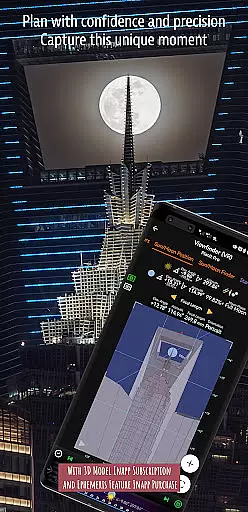
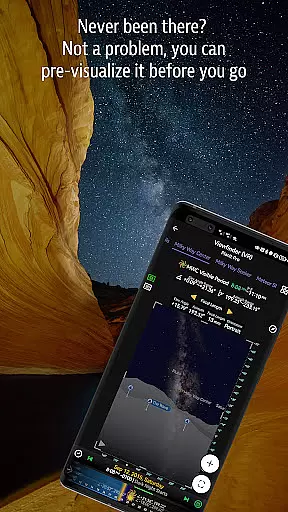
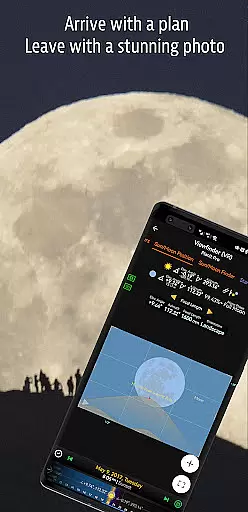
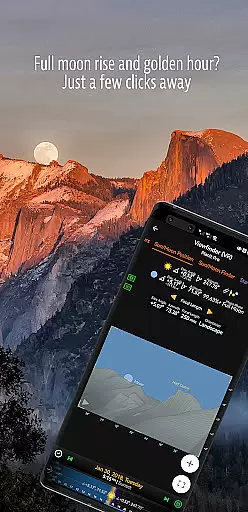
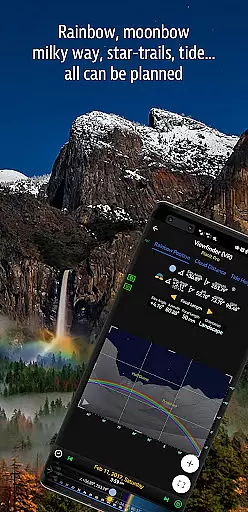

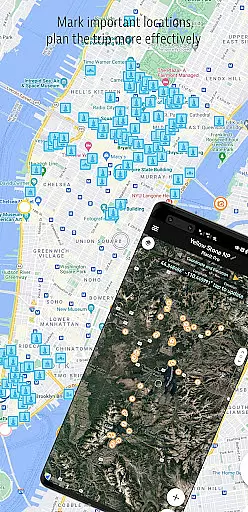
Planit Pro is an advanced photography planning application designed specifically for landscape, travel, and nature photographers. This comprehensive tool combines mapping technology with a simulated viewfinder to help users pre-visualize their shots. The app provides essential information including GPS coordinates, elevation data, sun/moon positions, star maps, and tide predictions, all presented through intuitive map overlays and simulated viewfinders.
The application's robust feature set includes depth of field calculations, hyperfocal distance measurements, panorama planning, and aerial photography support. Additionally, it offers specialized tools for astrophotography such as milky way positioning, star trail simulation, and eclipse tracking. With its offline capabilities, Planit Pro ensures photographers can access crucial information even in remote locations without network coverage.
This versatile app proves particularly valuable during outdoor photo expeditions where preparation is key. By enabling photographers to plan their shots down to the smallest detail, Planit Pro helps maximize productivity while minimizing wasted time and resources. Whether capturing sunrise landscapes or night sky panoramas, this application serves as an indispensable companion for serious photographers seeking professional-grade results.
Planit Pro distinguishes itself through an impressive array of specialized features tailored for professional photographers. The app's core functionality revolves around its sophisticated mapping system that integrates multiple layers of photographic data. Users can access precise GPS coordinates, elevation profiles, and clear sightlines while planning their shoots. The built-in augmented reality (AR) viewfinder allows photographers to visualize compositions by overlaying celestial objects and terrain information onto real-world scenes.
Among its most notable capabilities are the comprehensive ephemeris data and advanced calculation tools. The app accurately predicts sunrise, sunset, moonrise, and moonset times along with their exact positions. For astrophotography enthusiasts, Planit Pro offers detailed star charts, constellation maps, and milky way visibility forecasts. The application also includes practical tools such as exposure calculators, ND filter guides, and light metering functions.
What sets Planit Pro apart from other photography apps is its commitment to offline functionality. Photographers can download elevation data and map tiles for remote areas, ensuring uninterrupted access to critical information regardless of cellular coverage. This feature, combined with the app's extensive tutorial library and active community support through social media channels, makes Planit Pro an essential tool for both amateur and professional photographers seeking to elevate their craft.
Real-time capture and preview functionality is essential for photographers who need to visualize their shots before taking them. Planit Pro offers this by integrating advanced mapping and simulated viewfinder technologies.
The app provides real-time data on GPS coordinates, elevations, and distances, which are crucial for planning the perfect shot. This allows photographers to pre-visualize the scene with both ground subjects and celestial objects like the Sun, Moon, and stars.
Users can benefit from features such as depth of field (DoF), hyperfocal distance, and focal length calculations directly within the app. These tools ensure that photographers have all necessary information at their fingertips, enhancing the precision of their work.
By simulating various photography conditions, Planit Pro enables users to adjust settings and plan shoots meticulously, thus saving time and resources while maximizing creative potential.
While primarily focused on landscape and astro-photography, Planit Pro also includes features that enhance photo quality through AI-driven tools designed to improve image naturalness and beauty.
The app's exposure/ND filter calculator and light meter assist in achieving optimal lighting conditions, ensuring images maintain a natural look even after enhancements. These features help avoid over-processing, which can detract from an imageu2019s authenticity.
Planit Pro supports photographers with tide height predictions, rainbow position forecasts, and other environmental data overlays. Such comprehensive support ensures that nature and urban scenes are captured in their best possible state without artificial exaggeration.
With these capabilities, photographers can produce stunning yet realistic photographs, preserving the genuine essence of landscapes and cityscapes while leveraging sophisticated technological aids.
Comprehensive feature set
Offline functionality
Accurate ephemeris data
User-friendly interface
Active community support
Steep learning curve
Subscription pricing
Resource-intensive
Limited free version
Occasional bugs

Photo editor: face & body editor, beauty cam, filters and quality enhancer.
 4.00
4.00
1M influencer's special filter
4.60
HD Photo gallery and photo manager to edit, hide private photos, videos & albums
4.1
AI photo editor with hair editor, retouch tools, hair color changer & filters!
4.50
Cartoon and artistic effects for your photos and videos
4.70
Superimpose one photo on top of another using the original Superimpose app!
3.20
A reflected light meter with spot metering and incident light metering.
4.40
A light meter for true photographers.
4.20
Solocator stamps photos you take with GPS location, Compass Direction, Date/Time
3.80
Discover & download millions of art for The Frame TV or Hisense CanvasTV
4.60
Smart, light, and fast photo and video gallery
4.30
Luminar: Photo Editor - easy picture editing with AI
4.20
Professional photography on your mobile phone
4.20
What celebrity do you look like? Celebs will find your celebrity match!
4.10
Astrophotography with your smartphone, photo live stacking and much more!
3.90
GCamera allows all GCam features on all phone models! Better photos with GCamera
3.30
Long exposure camera with computational photography
2.60
Over 800 film simulation recipes for Fujifilm. Black Friday Offer!
4.4
Add a dreamy vibe to your selfies and videos with soft style filters
4.2


User Reviews